

 Reply With Quote
Add this line in /etc/modutils/aliases:
and then reboot.Code:alias block-major-2 off


Complete newbie to linux here. I have a DELL Latitude laptop (C540 I think, if you're interested). I recently installed Knoppix to my HDD (I know, now it's Debian, not Knoppix) using knoppix-installer. Works fine. I have an external firewire HDD which works fine too, now that I'm using that rescan script. My problem is that because my laptop DOESN'T have a floppy drive, anytime I try to switch to /mnt/exthdd in an app's "open file" dialog box, after typing in "/mnt", my computer freezes for 5 to 10 minutes. A little investigation reveals that it's trying to see what's on my non-existent floppy drive. If I do 'ls /mnt', I see 'floppy' there in the list. So my question is how can I remove my floppy, so that linux won't look for it anymore?
Before posting this, I googled for solutions for this for a few hours. All I found was someone else who had the same problem, but no solutions. Any help you can give me would be greatly appreciated.
Thanks in advance,
V.
Add this line in /etc/modutils/aliases:
and then reboot.Code:alias block-major-2 off
And you would want to update-modules as root as well to update the /etc/modules.conf with the changes so they will be used on the next boot.Originally Posted by MorskNorsk
Thanks Stephan. Been a while since I've messed with those files on my machine.
Thanks guys for your help. I did as you said, but unfortunately the problem still exists. Any other ideas?
Have you rebooted or anything? Try this and see if it returns a line with block-major-2:
Code:$ grep off /etc/modules.conf
Don't you normally disable an unwanted floppy in the BIOS?
yes, it shows
and yes, I've rebooted. in my bios (ie if I hit F2 when the computer's booting up) it shows both floppy disk A and B as disabled, but that doesn't help any.Code:alias block-major-2 off
Some more information:
When my computer freezes the way I described, if I hit ctrl-alt-F1, I the following on the screen:
About two minutes pass between the computer's displaying of each of those lines. The whole time, back in my GUI, everything's frozen. Finally, when it unfreezes, it's in the /mnt directory, and "floppy" appears as one of the FILES, not one of the subdirectories.Code:end-request: I/O error, dev 02:00 (floppy), sector 0 end-request: I/O error, dev 02:00 (floppy), sector 1 end-request: I/O error, dev 02:00 (floppy), sector 2 end-request: I/O error, dev 02:00 (floppy), sector 3 end-request: I/O error, dev 02:00 (floppy), sector 4
Finally, I forgot to mention that when I did "update-modules" like you said, I got the following error:
I appreciate all your help. Maybe there's something else I can do?Code:depmod: *** Unresolved symbols in /lib/modules/2.4.22-xfs/kernel/drivers/char/drm/gamma.o
Thanks again,
V.
It almost sounds like dd is trying to image the floppy when you start up! Do you have any floppy module? Perhaps you could remove that. You'd still have errors in the log but probably wouldn't freeze. You could always rebuild the kernel and take out floppy support. The gamma.o shouldn't be a problem (at least not related to the floppy issue).
I had a similar problem on my Thinkpad (no floppy), where anytime you went to /mnt the system hung for several minutes. My cheesy fix was to delete /mnt/floppy, which did the trick for me.
 Posting Permissions


Kingston 32GB 64GB 128GB 256GB USB 3.0 Flash Drive Thumb Memory Stick Pen lot
$285.90

Microsoft Windows 11 Pro 64bit - New Sealed – Flash USB 1 PC
$49.99

1/ 10/ 100pcs USB 2.0 2GB, 4GB ,8GB ,16GB ,32GB ,64GB 128GB USB Flash Drives Lot
$179.10

Zero Trace Pen: All-in-one Tor Network Anonymous Drive + Cryptocurrency Wallet
$99.00

Lot 5/10pcs USB Flash Drive Memory Stick 1MB-64GB Pendrive Thumb Drive 8GB 32GB
$236.00

USB Type-A Flash Drive Metal Memory Stick High Speed USB Drive 128GB 256GB 512GB
$8.47

LOT 10x SanDisk 32GB ULTRA USB 3.0 flash drive SDCZ48-032G 32 GB read 100 MB/s
$39.80

USB Type-A Flash Drive Metal Memory Stick High Speed USB Drive 128GB 256GB 512GB
$7.99

TESLA OEM Model S,3,X,Y USB Flash Drive for Dashcam 128GB READ DESCRIPTION BELOW
$22.00
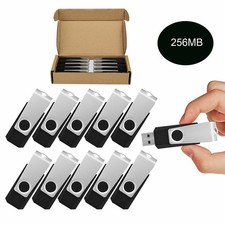
Wholesale Sale 10/ 30/ 50/100pcs 256MB Metal Swivel USB Flash Drive Memory Stick
$165.90