

 Reply With Quote
The default situation after a hd install won't allow you to sudo though so you probably should do:Code:sudo hdparm /dev/hda
Code:su hdparm /dev/hda


1st, I have a HD install of Knoppix
I noticed on bootup it said something about PIO mode 33 use DMA=xx or something like that. . .
I just wondered id anyone knew how to check my hardrive's DMA modes. . .
Thanx
The default situation after a hd install won't allow you to sudo though so you probably should do:Code:sudo hdparm /dev/hda
Code:su hdparm /dev/hda
thanx for the quick reply
they both worked and DMA says it's on
I don;t see anything about the access mode :(
So how can I know if DMA is on?Code:root@Knoppix:/home/christopher# hdparm /dev/sda /dev/sda: readonly = 0 (off) geometry = 39083/64/32, sectors = 80043264, start = 0
SCSI drives do not need DMA enabled the controller it connects through takes care of the speed of the connection.Originally Posted by c123
Thought this might be the case after posting; thanks for the confirmation.
 Posting Permissions


Lot of 500 Cisco 10-3145-02 QSFP-100G-CWDM4-S 100G CWDM4 QSFP28 Transceiver
$1500.00

NEW Sealed Cisco SFP-10G-LR 10GBASE-LR SFP+ 1310nm 10km *US Shipping*
$24.00

Dell Intel X710-DA2 5N7Y5 Dual-Port 10GbE SFP+ PCIe 3.0 x8 Network Adapter
$27.50
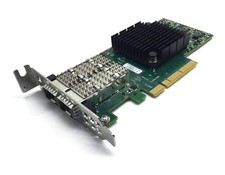
Dell Mellanox ConnectX-4 Lx CX4121C 020NJD Dual-Port 25GbE SFP28 NIC Low Profile
$35.00

SFP TO RJ45 TRANSCEIVER SFP MODULE COPPER SFP OPTICAL PORT TO RJ45 ETHERNET PORT
$7.99

Genuine Cisco SFP-10G-SR 0-2415-03 10 Gigabit Transceiver
$5.40

HP 560SFP+ 10GB 2-port PCIe NIC Ethernet ADAPTER 669279-001 w/ (2) 10GB SFP+
$16.99
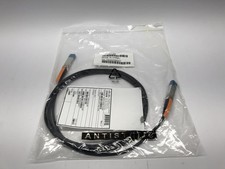
(Lot of 10) Genuine Cisco 10GBASE-CU SFP+ Cable SFP-H10GB-CU3M / 37-0961-03
$99.95
20 X New Cisco QSFP-100G-FR-W2 10-3659-01 Module Hologram Brand New 20 Pack
$299.00

Extreme Networks 10GE X440-G2-24P-10GE4 16533 24Plus-Ports POE+ Switch UP
$127.00
