

 Reply With Quote
hmmm, make a link from /var/log/messages (and other usefull places) to a floppy and make it write to the floppy with frequent syncing, you might get something out. maby not great but...


Sorry for the 'shock horror!" subject to this post, but I've never had knoppix lock completely on me before, the mouse pointer freezes and ctrl-alt-F1 doesn't work, only pressing the reset button.
The device that does this trick is a PQI smartmedia flashcard reader/writer which I'd read was supported and working. It's based on the Alcor AU9350xxx chip (I popped the lid) which claims to be USB bulk storage compatable. I have no idea where to start, I cannot even look at dmesg or use any of the USB commands.....
I checked it on the same PC/port in W98SE (I was that desperate!) and it seems fine, so it's not a hardware issue.
I've used other USB flash reader/writers without problems.
Any ideas? - even how to get some sort of log message?
Thanks.
hmmm, make a link from /var/log/messages (and other usefull places) to a floppy and make it write to the floppy with frequent syncing, you might get something out. maby not great but...
This is frustrating! - If I boot my machine from the knoppix CD instead of the HD install and plug it in it doesn't lock the machine!
The CD is a later version, but still 3.3 like my HD install, so same kernal.....
I did get the dmesg stuff from both to compare, but it means little to me, just in case anyone else has the knowledge:-
Booted from knoppix live CD, plug it in:
hub.c: new USB device 00:10.2-1, assigned address 2
usb.c: USB device 2 (vend/prod 0x58f/0x9350) is not claimed by any active driver.
Initializing USB Mass Storage driver...
usb.c: registered new driver usb-storage
usb-uhci.c: interrupt, status 2, frame# 672
scsi2 : SCSI emulation for USB Mass Storage devices
usb_control/bulk_msg: timeout
usb-uhci.c: interrupt, status 2, frame# 1454
usb-uhci.c: interrupt, status 3, frame# 1185
WARNING: USB Mass Storage data integrity not assured
USB Mass Storage device found at 2
USB Mass Storage support registered.
Booted from my HD install, plug it in:
hub.c: new USB device 00:10.2-1, assigned address 2
usb-uhci.c: interrupt, status 2, frame# 1232
usb_control/bulk_msg: timeout
scsi1 : SCSI emulation for USB Mass Storage devices
usb_control/bulk_msg: timeout
usb-uhci.c: interrupt, status 2, frame# 969
then it locks.....
All I note is "scsi1 or 2: SCSI emulation for USB Mass Storage devices" and maybe it doesn't like interrupt status 3 ?
Doh!
I have a similar USB storage problem. If I boot with my USB harddrive plugged it the box will either lock up or continually reboot partway through the boot process.
More frustration!
To recap, this flash card reader/writer locks up my HD install of knoppix but not if I boot exactly the same machine from the CD! The question is..... what's the difference?
I checked what you see in dmesg log related to usb-ohci.o when booting both versions:-
root@ttyp0[knoppix]# dmesg | grep uhci
usb-uhci.c: $Revision: 1.275 $ time 20:50:29 Oct 3 2003
usb-uhci.c: High bandwidth mode enabled
usb-uhci.c: USB UHCI at I/O 0xd400, IRQ 11
usb-uhci.c: Detected 2 ports
usb-uhci.c: USB UHCI at I/O 0xd800, IRQ 10
usb-uhci.c: Detected 2 ports
usb-uhci.c: USB UHCI at I/O 0xdc00, IRQ 11
usb-uhci.c: Detected 2 ports
usb-uhci.c: v1.275:USB Universal Host Controller Interface driver
usb-uhci.c: ENXIO 80000280, flags 0, urb cdd7a8b0, burb cdd7a730
usb-uhci.c: ENXIO 80000280, flags 0, urb cdd7a8b0, burb cdd7a730
usb-uhci.c: ENXIO 80000280, flags 0, urb cdd7a6b0, burb cdd7a8b0
Booting from HD, dmesg on uhci:
root@Home:/home/stuart# dmesg | grep uhci
usb-uhci.c: $Revision: 1.275 $ time 18:09:24 Sep 19 2003
usb-uhci.c: High bandwidth mode enabled
usb-uhci.c: USB UHCI at I/O 0xd400, IRQ 11
usb-uhci.c: Detected 2 ports
usb-uhci.c: USB UHCI at I/O 0xd800, IRQ 10
usb-uhci.c: Detected 2 ports
usb-uhci.c: USB UHCI at I/O 0xdc00, IRQ 11
usb-uhci.c: Detected 2 ports
usb-uhci.c: v1.275:USB Universal Host Controller Interface driver
usb-uhci.c: ENXIO 80000280, flags 0, urb cd624260, burb cd624360
usb-uhci.c: ENXIO 80000280, flags 0, urb cd624360, burb cd624260
usb-uhci.c: ENXIO 80000280, flags 0, urb cd624260, burb cd624360
root@Home:/home/stuart#
Looks like same settings (the urb & burb seem to change each time) - but just in case I replaced the version of usb-ohci with the version from the CD - no change.
Help!
have you tried /var/log/* the logs there are all good to scroll trough for things like tese. and if it was a cd that failed, my solutin should actually work to some extent.
(OErjan - tried /var/logs/messages - same sort of picture as dmesg)
The plot thinkens and now I have a "work-around!" - someone MUST be able to help me with this!
As the ability to plug and unplug these things depends on 'hotplug', I thought I'd try and do some reading on the subject. As an experiment I disabled hotplug by using the 'stop' feature of 'SysV Init Editor' and sure enough plug in the flah R/W and it doesn't get recognised. So I then bring hotplug back into operation by using the 'start' feature...... check my USB scanner works again (yes), bring my USB network connection back up (yes).
AND NOW!!!..... I can plug and unplug the flash reader/writer without any problems!!!
What is hotplug doing during boot that is different from a manually restart? - HELP!
Stu.....
Okay, I looked at the difference between the USB bits in dmesg from the boot and what happens when hotplug is restarted. The difference is that during boot usb_uhci is used but restarting hotplug uses uhci - so it seems that uhci is the one that works with this device.
How do I change this to be the case at boot?
FIXED! subject to some proper testing - yippee (steady on old boy! - not terribly English!)
I changed the entry in /etc/modules 'usb-uhci' to 'uhci' and it now works and so does my USB scanner and my USB network connection! - An awful lot of luck.
Aw well, back to the job application letters!
www.stuartkennedy.org.uk
 Posting Permissions

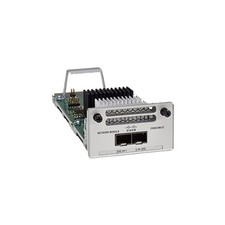
Cisco C9300-NM-2Y - Cisco Catalyst 9300 2 x 25G Network Module New
$550.00

Cisco Catalyst WS-C2960+24TC-S 24-Port Gigabit Managed SFP Switch
$39.99

Cisco ASR 901 Series A901-12C-FT-D Aggregation Services Router 800-40055-01
$180.00

Cisco Catalyst C9130AXI-B WiFi 6 802.11ax Wireless Access Point Brand New
$101.99
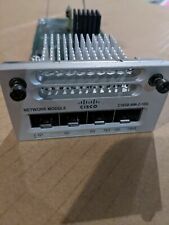
Cisco C3850-NM-2-10G 2 Port Network Exp.Module for 3850
$18.90
Cisco C9500-32QC-A C9500 Series 32x Port 40G or 16x 100G - Dual AC
$1099.00
Cisco Catalyst 3850-48F-L 48-Port UPoE Gigabit Switch NM-4-1G
$59.99

Cisco Catalyst CW9172I Wi-Fi 7 Wireless - Released
$949.99
Lot of 14 Cisco CP-7821-K9 IP Voice UC Phone / Telephones NO STANDS
$174.95

Cisco CISCO3945/K9 Integrated Service Router w/ T3/E3, EVM-HD Modules & Licenses
$64.99