

 Reply With Quote
I found it best to boot with 'knoppix home=scan' parameter. All the settings are stored in the persistent home anyway and the "save knoppix configuration" option could be kept as a backup.


I've used the
and theCode:KNOPPIX | Configure | Create a persistent KNOPPIX home directory
in conjunction with all of the following on bootCode:KNOPPIX | Configure | Save KNOPPIX configuration
I know it's partially working since my home directory is in fact persistent, my desktop background is the right color and mode without image, and my browser retains the right "home" URL.Code:knoppix home=/dev/hda6 myconfig=/dev/hda6 knoppix home=/dev/hda6 config=/dev/hda6 knoppix home=/mnt/hda6 myconfig=/mnt/hda6 knoppix home=/mnt/hda6 config=/mnt/hda6
However, my desktop icons, which I renamed and rearranged are, upon boot, not in the order nor have the names I gave them.
...and yes, I save my configuration *AFTER* I made all the changes I wanted to keep.
What am I missing?
Thx
I found it best to boot with 'knoppix home=scan' parameter. All the settings are stored in the persistent home anyway and the "save knoppix configuration" option could be kept as a backup.
To include your desktop icons in your saved configuration, use the KNOPPIX menu on the Control Panel. The Configure/Save Knoppix configuration option gives you the chance to save your desktop icons plus any folders/files you may have added.
Just check:
d. All files on the Desktop (nnnnkB)
Been pretty darned confused about this myself, and I'm not sure if Rouskis and Robin T Cox are in agreement or not. I've got a small ext2 partition configured as persistent home. Now, what I don't understand, is this: What will "save configuration" do that's in addition to my persistent home? Desktop files, for example, should certainly be saved in the persistent home, even if I don't use "save configuration," right? What about the rest of "save configuration"? I've been trying to determine this through experimentation, but have been getting confusing results.
IIRC, when I did save configuration, it saved my settings including the network stuff for my wireless card. Saving to persistant home didn't save the network stuff but everything else, including downloads and documents missed in save configuration. FWIW, I used both, first saving to home and then save config, and then when I booted up the cd, I'd type:
. That got me optimal settings and all my docs and network stuff. I did try one without the other and something was always missing.Code:knoppix myconfig=scan and home=scan dma idebus=66 noeject
HTH,
Durand
 Posting Permissions


(New) AMD Ryzen 7 5700X 8 Core 16 Thread AM4 Unlocked 3.4 GHz CPU OEM Tray
$174.99

HP Z420 Pro Workstation PC Xeon E5-2660 8-Core 64GB RAM Quadro K5000 128GB SSD
$249.00

DELL Optiplex 780 SFF CORE2DUO 3.0GHz 8GB RAM 250GB HDDDVDRW NO OS
$99.99

HP ZBook Firefly 14" G8 Mobile Workstation i5 11th Gen 16GB RAM 256 GB SSD No AC
$166.49
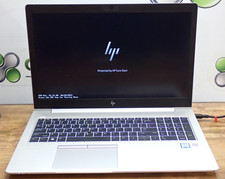
HP EliteBook 850 G6 15.6" Core i5-8265U 1.60GHz 8GB RAM AMD Lexa GPU PWR Adapter
$120.00

Intel Xeon E5 - 2667V2 / SR19W 3.30GHz 25MB 8-Core CPU Socket LGA2011
$30.00

AMD Ryzen 7 9700X 8-Core 16-Thread 40MB Cache Socket AM5 9000 Series Processor
$245.99
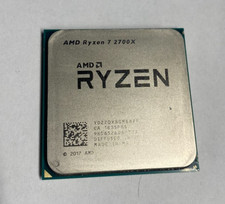
AMD Ryzen 7 2700X 8-Core 16-Thread CPU 4.3GHz Socket AM4 Tested Working
$49.00

Dell Optiplex 7050 Micro Core i5-7500 8 GB RAM 256GB SSD Microsoft Windows 11
$89.99

Dell T7810 Workstation 8-Core 2.40GHz E5-2630 v3 No RAM GPU HDD OS
$259.98