-
newbie: would knoppix be ok on this system?
Hey everyone! Two people have pointed me in the direction of KNOPPIX for my second attempt at linux. I am a medical student with almost NO TIME to spare on this stuff but I absolutely can't deal with the trojans, virus's and spyware that comes along with MS anymore...
My system: (and I NEED this hardware to work)
Computer Model Latitude D600
BIOS Vendor Dell Computer Corporation
BIOS Version A06
BIOS Date 08-19-03
Memory Slot 1 Description [DIMM_A]: 256Mb
Memory Slot 2 Description [DIMM_B]: 256Mb
Network Card = Adapters Broadcom 570x Gigabit Integrated Controller - Packet Scheduler Miniport
Dell TrueMobile 1300 WLAN Mini-PCI Card - Packet Scheduler Miniport
DVD/CD-ROM Drives SAMSUNG CDRW/DVD SN-324B
Disk Drives HITACHI_DK23EB-40 37.26Gb
Display Adapters MOBILITY RADEON 9000 32Mb
IDE ATA/ATAPI Controllers Intel(R) 82801DBM Ultra ATA Storage Controller - 24CA
Primary IDE Channel
Secondary IDE Channel
Keyboards Standard 101/102-Key or Microsoft Natural PS/2 Keyboard
Mice and Other Pointing Devices USB Human Interface Device
Alps Touch Pad
Monitors Default Monitor - (Standard monitor types)
Sound Devices SigmaTel C-Major Audio
USB Controllers Intel(R) 82801DB/DBM USB Universal Host Controller - 24C2
Intel(R) 82801DB/DBM USB Universal Host Controller - 24C4
Intel(R) 82801DB/DBM USB Universal Host Controller - 24C7
Intel(r) 82801DB/DBM USB 2.0 Enhanced Host Controller - 24CD
How ugly or hard would it be for a newbie to get this hardware working with knoppix?
Thanks!
-
Senior Member
registered user
The good thing about Knoppix is that you can try it out without having to mess your machine up and check that everything really does work before doing a HD install.
The Knoppix CD is a 'live' CD, so as long as your PC will boot from CD (usually a BIOS setting - 'first boot device - CDROM') then just put the CD in and try it!
You can even use Knoppix like this 'forever' if you like!
If everything works, then consider a HD install, but try everything first. Another clever aspect is the install script, it sets up Linux based on the settings Knoppix has autodetected, so plug everything in that you want to work before doing the HD install!
Right your machine..... 128Mb ram or more is a good idea.
Stu.....
-
Senior Member
registered user
oops, I see the 512Mb now!
-
great stu, thanks man, I'll give the CD thing a try and see if I can get my ethernet up and working and video up and working enough to download a free version of something that will open powerpoint presentation (all our notes are in ppt files).
Any more tips, hints, tricks, pittfalls to avoid would be greatly appreciated.
Thanks!
-
Senior Member
registered user
The OpenOffice.org office suite (also known as OO.o ) is pre-loaded on Knoppix and is very good, I'm pretty sure it reads powerpoint, I'll check in just a moment.
Stu.....
-
Senior Member
registered user
Oh! Forgot to say, there is a Windows version of OO.o if you wanted to try it out before, from www.openoffice.org
Actually thinking about it, this is one of the three main packages why I moved to Linux, that and the good fortune of discovering Knoppix and having a broadband connection go in. The packages were:-
Mozilla web browser
The GIMP brilliant image editor
and OpenOffice.org
All excellent.
Stu.....
-
Senior Member
registered user
I downloaded a ppt file at random from the web "In memorandum of Robert E Shope MD" and OO.o opened if fine.
Interesting bloke.
OO.o had to do an 'import ppt' so maybe it's not a perfect everytime solution?
Stu.....
-
STU!
I just ran the knoppix bootable and knoppix is SWEET. There are really only two things keeping me from doing a HD install and scrapping windows all together..
1.) Lack of wireless ethernet card support
2.) I don't know how filesharing works- I need my laptop and desktop to be able to synch files so I can print my lectures after I take my notes. Can this even be done between windows-linux machiens or how does linux-linux file sharing work?
Thanks Stu and guys, you're awesome, you just might have converted one more from the dark side!
-
Senior Member
registered user
I don't know much about wireless, I can only afford wires!!!!
1). I think www.linuxquestions.org has a section which list what in the world of wireless will work, most manufacturers don't seem to be too helpful with Linux drivers (or providing information so they can be written.)
2). The thing you need is 'samba' which lets you network and share with windows machines either as a server or a client, printers too. A client is preconfigured on Knoppix. You can plug into a windows network and try 'LinNeghborhood' or use 'SMB:' in the konqueror browser. Beyond that I'm a bit stuck. My home network is two machines, both Knoppix!
If you cannot make the move now, why not practice with the live CD, you'll be ready for when you can!
(Or dig out an old PC (with 128Mb ram!) and have it running on that as a second cheap system?)
Stu.....
-
tried both knoppix and mandrake tonight on my DESKTOP (not laptop) and have to say KNOPPIX is SUPERIOR to mandrakes Live version. Mandrake was able to detect my screen size properly and unable to detect my ethernet settings.
Makes me want to switch to linux on my desktop too...
The only problem is my TV card (I have an all-in-wonder 9700) and printer (epson C80)...
So solutions I'm still looking for:
TRUE 1300 WLAN driver (wrapper?) for my laptop
ATI RADEON ALL-IN-WONDER 9700 TV WRAPPER (I found it but couldn't get it working)
EPSON C80 driver
what do you all think
Similar Threads
-
By Ryan450 in forum Customising & Remastering
Replies: 2
Last Post: 03-08-2005, 04:09 AM
-
By helios17 in forum General Support
Replies: 12
Last Post: 10-28-2004, 12:47 PM
-
Replies: 5
Last Post: 03-07-2004, 10:27 PM
-
By darkmaniac in forum General Support
Replies: 2
Last Post: 12-17-2003, 05:03 AM
-
By freyley in forum Hdd Install / Debian / Apt
Replies: 1
Last Post: 01-31-2003, 09:21 AM
 Posting Permissions
- You may not post new threads
- You may not post replies
- You may not post attachments
- You may not edit your posts
-
Forum Rules


Genuine OEM Apple MagSafe 2 45W AC Adapter Charger for Macbook Air 2015 11" 13"
$14.24

OEM Apple Data Migration Toolkit for A1706 A1707 MacBook Pro PN 076-00236
$549.99

Genuine Apple OEM A2164 30W USB-C AC Power Adapter with USB-C Cable, Very Good
$21.05

Genuine Apple Power Adapter Extension Cable 6FT White OEM MacBook MK122LL/A
$10.99

OEM 45w T-Tip Power Adapter charger for Apple macbook air 2012-2017 A1436 A1466
$19.99
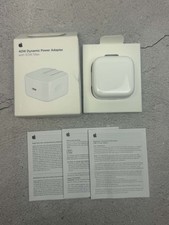
Apple 40W Dynamic Power Adapter 60W Max for iPhone/iPad/AirPods/MacBooks OEM
$18.99

OEM Apple 45W A1436 Power Charger AC Adapter for MacBook Air MagSafe 2
$12.99
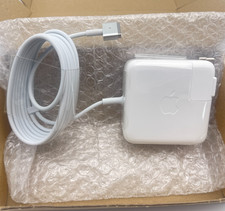
OEM 45W Charger For Apple MacBook Air 11-inch 13-inch Early 2012 2013 2014 2015
$26.98
Genuine/OEM Apple Duckhead Two-Prong Plug - MagSafe AC Wall Adapter - Set of 25
$32.29
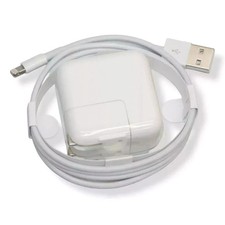
OEM Genuine Apple 12W USB Power Adapter Charger for iPhone iPad A2602 A2133 NEW
$21.55



 Reply With Quote