-
Senior Member
registered user
How to save Knoppix on 780meg partition and boot from HD
1.) I am fairly new to Linux
2.)This worked on my computer don't know about yours
3.)This is not my work. Just a combination of other peoples guides that worked for me
3.) If there is someone out there who can improve on this method please by all means do so.
Part1 Partition your hard drive
I am assuming that you are using an old machine with a small hard drive, and Knoppix 3.4 or(3.3) will be the only OS. If you have the space you should use knoppix-installer.
1.)Boot the knoppix cd. If you are reading this and are installing 3.4 when the penguin picture comes up you will need to type Knoppix lang=us The = on the German keyboard is the close parenthesis over the 0. If you are using 3.3 you likely already have the English version.
2.)Click on the penguin next to the big K on the bottom left.
3.)Open root shell
4.)Type in cfdisk
5.)OK this is the part where you delete everything on your hard drive. If you do not to lose every single file on this hard drive forever to install Knoppix close the root window. If you want to install Knoppix delete all of the partitions on the drive. Use the keyboard arrows to select your choices.
6.)Create a swap partition. They say this should be twice the size of your ram. For a small drive use between 250 and 500 meg. The type should default to linux swap so you wont need to worry about the type.
7.)Create the Knoppix partition. Down arrow to the empty space. Select new. Even though the disk is 700 meg I have not had any luck installing on anything smaller than 780 meg. So create the 780 meg partition make sure the type is linux and this partition should be bootable.
8.)Create a partition for your encrypted home. Again anything larger than 350 megs has not worked for me. So make a 350 meg partition make sure the type is Linux.
9.)Make whatever is left a Linux partition.
10.)Select write to disk. Then select quit. From the prompt type reboot. Restart remember to change the language to English when it starts up again.
Part2 Getting Knoppix from the cd to you hard drive
1.)Open the root shell again
2.)Type in the following commands ?#? means new command do not type the # symbol. I found is useful to highlight the commands here then go to the root shell and press down on the center button to paste the command
# mke2fs -i 99999 /dev/hda2
# tune2fs -j -c 0 -i 0 /dev/hda2
# mkdir /z
# mount /dev/hda2 /z
# cp -r /cdrom/* /z This one will take a long time
# mkdir /y
# mount -oloop /cdrom/KNOPPIX/boot.img
#cp /y/* /z
# cp /etc/lilo.conf /z
# vi /z/lilo.conf
Part3 Setting up Lilo boot manager to start your computer without the cd
1.)You should be looking at a black screen with different colored letters. Put your mouse off to the side. You wont need it here.
2.)Press the letter i This will put you in the insert mode. Scroll down to the red letters with the down arrow key. Insert a # in front of the first red letter. All of the letter should turn blue.
3.)Scroll down until you find the line ?image=? make sure that says image= /z/vmlinuz
4.)Include the following commands in append= lang=us fromhd=/dev/hda2 config=scan home=scan separate cheat code with a space. I had to include nodma. REMOVE vga=791
5.)Change read-write to read only
6.)In the indented section where it says label=knoppix pres enter and type inird= /z/miniroot.gz. The letters should turn yellow. If the letters are highlighted red you put this command in the wrong place.
7.)Make sure it says root=/dev/hda2
8.)Press the escape key.
9.)Hold down the shift key and press the z key twice
10.)You should now be back at the root shell
Step 4 Two root shell commands to tell the bootloader how to boot Knoppix
1.)# ln -sf /z/boot/ /
2.)# lilo -C /z/lilo.conf
3.)You should get the confirmation *knoppix added
Step 5 reboot
Similar Threads
-
By cli168 in forum Hdd Install / Debian / Apt
Replies: 3
Last Post: 06-20-2005, 03:57 AM
-
By mcin in forum Hardware & Booting
Replies: 0
Last Post: 05-18-2005, 10:56 AM
-
By ssustudent01 in forum Customising & Remastering
Replies: 6
Last Post: 03-30-2005, 04:10 PM
-
By Zzap in forum Hardware & Booting
Replies: 4
Last Post: 03-05-2005, 08:08 PM
-
By rrfish72 in forum General Support
Replies: 6
Last Post: 09-03-2004, 11:16 PM
 Posting Permissions
- You may not post new threads
- You may not post replies
- You may not post attachments
- You may not edit your posts
-
Forum Rules


Dell T7910 Workstation Tower Homelab AI Server PC - Xeon CPU - NO HDD/RAM/GPU
$279.99

Intel Xeon Phi 5110P 60-Core 1.053GHz Coprocessor
$50.00

Lenovo ThinkStation P520c Intel Xeon W-2133 6-Core 3.60GHz -NO RAM/ HDD/ GPU/ OS
$127.54

Dell Precision Tower 7810 Xeon E5-2630 v3 @ 2.40GHz , 32GB Ram, NO HDD, NO OS
$239.99

Intel Xeon E5-2680 V2 2.8GHz 10-Core 25MB 8GT/s SR1A6 LGA2011 B Grade Server CPU
$7.95

Intel Xeon E5-2690 v4 SR2N2 14 Core 2.6GHz 35MB LGA2011-3 CPU *km
$15.99

Intel Xeon E5-2699 V4 2.20GHz 55M 22-CORES LGA2011-3 Server Processor 145W SR2JS
$84.49
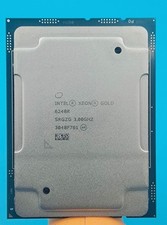
Intel Xeon Gold 6248R 3.0GHz 24-Core SRGZG 35.75MB LGA3647 Server CPU Processor
$269.99

For Parts - Lenovo ThinkServer TS460 Part Number: 70TT-0020UX
$149.99

Dell Precision T1700 Workstation Intel Xeon 16G Ram 256GG SSD Nvidia 600 Win 10
$109.99



 Reply With Quote