

 Reply With Quote
yes (I think so). when you install Knoppix to hdd ("sudo knoppix-installer"), you have to choose the installation type between "debian" and "knoppix". If you choose "knoppix" you keep the hardware detection.


Goodmorning everyone,
I couldnt help but notice the boot up from the knoppix cd to the hdd install has changed. Seems like the very stringent HD detection is now bye-bye. Is there any easy way to keep this HDD detection going on the HDD install and not simply by just mirroring the CDROM onto the HD, but going through the HD install?
I do like the hardware detection of Knoppix and would like to keep it in the HDD install, especially for when I use a mirrored version of knoppix from one "master" HD.
--j2
yes (I think so). when you install Knoppix to hdd ("sudo knoppix-installer"), you have to choose the installation type between "debian" and "knoppix". If you choose "knoppix" you keep the hardware detection.
Hi I noticed that too to a much lesser degree....I originally chose the Knoppix installation over Debian, but I had alot of trouble with passwords. I could'nt get in as root. and there were some other very minor things. I re did installation and chose Debian this time and i did have to play around with some things, namely the cdrom....but other than that its great. bob
 Posting Permissions

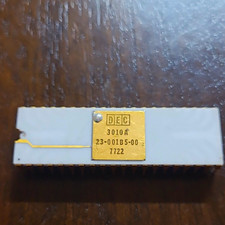
DEC 3010A Vintage Ceramic chip - ALL LEGS INTACT (BO)
$100.00

Vintage DEC Digital Starion 200 Desktop PC Powers On Boots To BIOS NO HDD - DW
$269.99

Vintage DEC VT100 Series Terminal (Powers On)
$499.99

Vintage DEC/Mostek memory systems MK 8015 AA-00 6805-08015 1100 REV C(B7)
$279.99

6 Vintage DEC Digital System Building Blocks - Flip Chips
$95.00
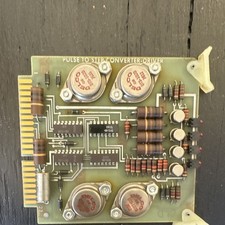
DEC Vintage Pulse-to-Step Converter Driver Interface Card for DEC Systems
$50.00

Vintage DEC LK201 Digital Equipment Corporation (DEC) LK201-AA Computer Keyboard
$149.99
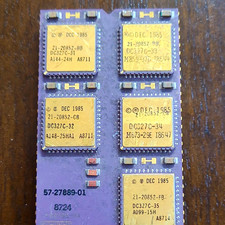
DEC Vintage Module/Board Collectable Vintage chip - 1 BROKEN LEG (BO)
$200.00
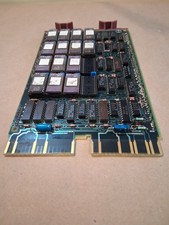
Vintage DEC Digital M8048 5013995C PDP-11 LSI 11 ROM (B3)
$149.99

Vintage DEC LR150-11 Power Supply 70-0464-01 Rev S Sun Shoebox Server PSU Used
$160.00