-
Senior Member
registered user
sure. check the documentation on the cd it is all there.
if i rememer correctly you do something like below in windows.
You have to look for boot.img on the CD (under /Knoppix directory), you should have someting called rawrite there aswell.
Insert a formated floppy in a:
click on the Rawrite icon.
Answer boot.img (as the floppy image is called) and A.
Now, you have a Bootfloppy.
hope it helps
EDIT just reboot with both the cd and floppy in the computer, it should start knoppix just fine /EDIT
Similar Threads
-
By niceguy167 in forum Hardware & Booting
Replies: 4
Last Post: 10-30-2004, 05:06 AM
-
By proto in forum General Support
Replies: 3
Last Post: 03-17-2004, 11:29 PM
-
By vincent in forum Laptops
Replies: 6
Last Post: 10-13-2003, 04:31 AM
-
By Prieni in forum Hdd Install / Debian / Apt
Replies: 0
Last Post: 03-05-2003, 02:52 PM
-
By Dan_Netwalker in forum Hdd Install / Debian / Apt
Replies: 7
Last Post: 02-23-2003, 01:40 AM
 Posting Permissions
- You may not post new threads
- You may not post replies
- You may not post attachments
- You may not edit your posts
-
Forum Rules


Vintage Apple II Avant-Garde Creations Super Shape Draw And Animate 1981
$295.00
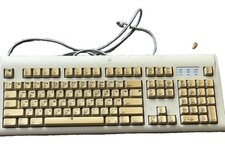
Vintage Apple Design Keyboard Model M2980 Macintosh 1994 Untested
$28.49
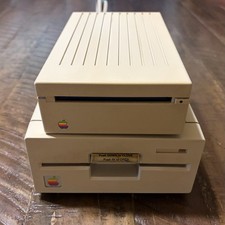
Vintage Apple IIgs 3.5” & 5.25” Floppy Disk Drives A9M0106 A9M0107 Untested
$115.00

Vintage Apple Macintosh LC M0350 Desktop No Harddrive No Power Supply - Parts
$71.95
Lot of 64 Apple II IIe IIc 5.25” Floppy Disk Games Software Utilities Vintage
$39.00

Retro Vintage Apple M0110A Compact Wired Mechanical keyboard for Macintosh Plus
$64.95

Vintage Apple Macintosh Plus 1MB - M0001A W/ Keyboard, 2 Mice, 800K HD, + More
$300.00

Rare Vintage Macintosh Apple Wooden Disk Storage Box Dovetailed
$69.95

Vintage Apple Monitor IIc 9" Green Monochrome 06/1985 A2M4090 October 1984 Stand
$275.00

Vintage Apple Multiple Scan 15av Display Monitor M4681
$299.99



 Reply With Quote