

 Reply With Quote
check to see if you downloaded and installed the german version instead of the english, other then that I don't know.


Hey all,
Downloaded and installed the newest version of Overclockix (which is a remastered version of the Knoppix 3.4 found in the European magazine). It seems to work fine off CD, a few errors here or there. There is also an option to do a harddrive install. Everything in the install runs smoothly, and I restart and get to the login screen just fine. However, Im running into two problems.....when i ran the hd install it asked me for a username and password however the login screen is in german and is using the german keyboard layout, so i cant login. Also, my usb mouse does not work (but it did when I ran off CD).
Basically I want to know how to pass the argument lang=us to the kernel b4 boot (or wherever the hell its required, lol).
Im about as nubish as nubish gets, so please give step by step instructions with exact procdures I should follow, if possible.
if anybody is interested in Overclockix, check out http://overclockix.octeams.com/ --it comes with lin kernel 2.6, gnome 2.4 and i think kde 3.2 as well as mz firefox ..... enjoy
check to see if you downloaded and installed the german version instead of the english, other then that I don't know.
Nope, as far as I know Overclockix produces only an English version. It could be that since they did get Knoppix from the European magazine they didnt bother to change it in that sense. However, I fixed that issue by reformatting and reinstalling and choosing a very small password (less possible character mismatches). However, my mouse still does not work. Its a USB optical M$ Intellimouse (4 buttons + 1 scrollwheel). Also, the internet does not work either. (Both the mouse and the internet were working when I ran off CD).
Thx for trying to help, fire. If anybody else has other suggestions please post them, all help is appreciated!
bump!
I'm guessing that they probably got it off the euro mag and forgot to change the lang.
Or it could have been during the user creation you made the defualt lang german?
Nope again, lol. As far as I can recall there was no language selection during the installation.
Would you happen to know how to pass arguments on boot, I am pretty sure this is just a matter of adding lang=us when the system starts up b/c when running off the Overclockix CD I use knoppix26 lang=us, and it works correctly. However, I have no idea about the mouse or the internet not working, they were fine when I ran off CD.
Thx again.
I have no idea about that.
/etc/lilo.conf
Read the comments in there. There should be a section for passing options to the kernels.
When done-
/sbin/lilo -v
Is how you update lilo I think.
You'll have to be root to edit the file and run these commands.
I'd recommend either trying an install when booted from the 2.4 kernel, or following some of the threads here that describe how to setup both kernels in the Knoppix 3.4 Cebit edition (which is what Ocix 3.4 is based on).
run the command: uname -a to see what kernel you've got running
I'm betting its 2.4 unless you jumped through some hoops to install both kernels.
As for the language, this was my first language-converted CD. I've got an updated iso now that needs testing where the conversion to English should be more thorough. You can probably fix the keyboard layout in KDE by clicking the german flag in the bottom right of the kicker taskbar and selecting the american flag.
At this time I have not updated KDE to 3.2. This beta CD is buggy enough, so I'll just wait a bit for KDE 3.2 to mature.
Yup, OverClockix looks great!
The only thing is that its only distributed via bittorrent and I haven't had a chance to figure that out yet. I tried apt-cache search to see if its available that way and it was listed. However, apt-get install bittorrent never gets me a complete install. I get an error about running apt-get update which I have a dozen times since and still no luck....
Regards,
AJG
Well, about bittorrent, If you have an Knoppix live CD on a machine and some disk with space (don forget to enable read/write access), you can use the console application btlaunchmany.
Launch one console, then, move to some place with read & write access, and then write "sudo btlaunchmany .". Then, must begin to appears some message like "All: Spd: 0 B/0 B Tot......", and this messages appears every 1 or 2 seconds.
Then, all you have to do is put some torrent files in this folder( the last dot in the command means: search the torrent files in this folder and dowload the files here; if you want you cant put the destination path here) . And the download will began automathically. In the text messages you will know about tour downloads.
 Posting Permissions


Kingston 32GB 64GB 128GB 256GB USB 3.0 Flash Drive Thumb Memory Stick Pen lot
$285.90

Microsoft Office 2021 Pro Plus USB for 1PC Windows 10 & 11
$62.50
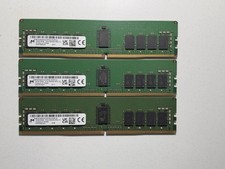
LOT OF 3 Micron 16GB 2Rx8 PC4-3200AA DDR4 ECC Server Memory
$255.00

TF/SD Card Adapter Camera Reader Android Type-c For iPhone17 Pro Max Plusm lot
$573.98

USB 3.0 Flash Drive 32GB 64GB 128GB Memory Stick Thumb Stick Lot Pack
$826.09

128GB (4x32GB) SK hynix DDR4 PC4-2666V RDIMM ECC Server Ram HMA84GR7CJR4N-VK
$799.00

USB 3.0 Micro SD SDHC TF Card Reader Memory Adapter for PC Laptop Camera lot
$3.75
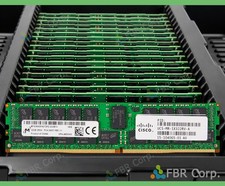
READ Micron Cisco 32GB PC4-2400T DDR4 2Rx4 RDIMM RAM MTA36ASF4G72PZ-2G3 LOT
$149.99

5 in 1 Memory Card Reader USB 3.0 OTG Adapter SD Card Reader For iPhone/iPad LOT
$9.99
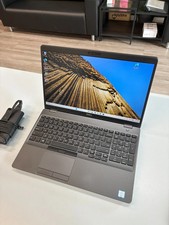
Dell Precision 3541 Laptop i5-9300H 2.4GHz 256GB SSD 16GB RAM Win 11 Pro
$189.99