-
Modem connection disrupted after upgrade with apt-get
Not sure this will turn out to be a hardware problem, but here goes:
I have just completed an 'Upgrade' via apt-get (NOT a 'dist-upgrade'). The
only resulting problem I'm aware of is that I can no longer dial out.
The TR (is that actually DTR) and RTS indicators on the modem are switching
on and off - off for about half a second, on for about a second. If wvdial
catches them in the 'off' stage dial up begins successfully but is
immediately killed by the 'on' part of the cycle.
Can anyone shed any light on why this might be happening, or how I can find
out, and what solutions there might be.
Here are the results of statserial:
Device: /dev/ttyS1
Signal Pin Pin Direction Status Full
Name (25) (9) (computer) Name
----- --- --- --------- ------ -----
FG 1 - - - Frame Ground
TxD 2 3 out - Transmit Data
RxD 3 2 in - Receive Data
RTS 4 7 out 1 Request To Send
CTS 5 8 in 0 Clear To Send
DSR 6 6 in 0 Data Set Ready
GND 7 5 - - Signal Ground
DCD 8 1 in 0 Data Carrier Detect
DTR 20 4 out 1 Data Terminal Ready
RI 22 9 in 0 Ring Indicator
Any help would be greatly appreciated.
Thanks, Alisdair
-
Have you tried reconfiguring the /etc/wvdial.conf with wvdialconf?
wvdialconf /etc/wvdial.conf
I had a similar thing happen and my conf file had gotten hosed by the upgrade. I don't know if it'll help you but it's all I could think of so I figured I'd throw it out there.
-
Thanks for the idea, but wvdial.conf looks good, and I'm pretty sure there's nothing wrong with it or the modem. Given half a chance it looks as though the dialup would go through just fine if it wasn't being interrupted by something else taking over the serial connection.
The indicator lights start blinking during boot. I've had a look through dmesg but I'm too ignorant to really know what I'm looking for. I've also tried switching off various processes through the SysV-Init editor, but if that might work I haven't struck gold yet!
So, got any other ideas? 
-
Hang on a minute - I've just noticed the data off statserial is for ttyS1, but my modem is/was connected via ttyS0, but statserial didn't return anything for that!
I guess I'll poke blindly around and see if changing the port setup makes a difference. 
-
Senior Member
registered user

Originally Posted by
almala
Hang on a minute - I've just noticed the data off statserial is for ttyS1, but my modem is/was connected via ttyS0, but statserial didn't return anything for that!
I guess I'll poke blindly around and see if changing the port setup makes a difference.
Speaking of blind make sure that you have purged the brltty program it uses a serial port to communicate with a braille terminal it may have been started taking up the first port.
-
Stephen, you've hit it right on the nail. I've just logged on to say that after two hours of 'poking blindly around' I worked out that brltty was the culprit - polling the serial port.
All is now well and I can go to bed a happy man. 
Good night!
Similar Threads
-
By Lachinger in forum Networking
Replies: 7
Last Post: 06-24-2005, 11:41 AM
-
By wayne in forum Networking
Replies: 0
Last Post: 05-26-2005, 03:20 AM
-
By Kowood in forum Hardware & Booting
Replies: 0
Last Post: 05-08-2005, 03:42 AM
-
By pravin in forum Networking
Replies: 1
Last Post: 05-15-2004, 12:23 PM
-
By wishbone in forum Networking
Replies: 1
Last Post: 05-12-2003, 08:29 PM
 Posting Permissions
- You may not post new threads
- You may not post replies
- You may not post attachments
- You may not edit your posts
-
Forum Rules


Crucial BX500 1TB SATA III 2.5" Internal SSD (CT1000BX500SSD1)
$79.00

Dell Latitude 14" Laptop Computer Intel i5 Up To 32GB RAM 1TB SSD Windows 11 Pro
$372.48
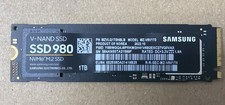
Samsung SSD980 1TB NVMe M.2 SSD
$125.00
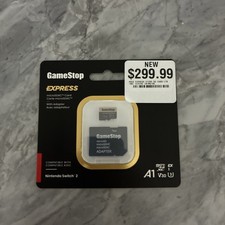
‼️NEW GAMESTOP EXPRESS 1TB MICROSDXC MEMORY CARD w/ ADAPTER NINTENDO SWITCH 2 ‼️
$222.22

Fanxiang 1/2/5/10Pcs 2.5'' SATA SSD Lot 1TB 2TB 4TB 512GB 256GB TLC Internal SSD
$1199.99

Acer Aspire 14" AI Copilot+PC Laptop Core Ultra 5 226V Gen 4 ARC 16GB 1TB Refurb
$484.37
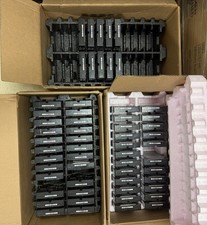
Lot Of 57 Western Digital AV-GP 1TB, SATA III 3.5" Drive-WD10EURX **FOR PARTS**
$1000.00

Dell ST91000640SS 1TB 2.5" 6Gb/s 64MB 7.2K RPM SAS Hard Drive Dell P/N: 0VXTPX
$16.99

NEW 2026 SGIN 18.5" Laptop Windows 11 PRO Intel N5095 16GB DDR4 1024GB SSD
$444.99
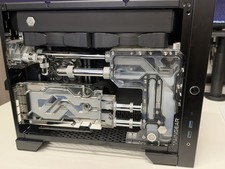
Maingear Apex Turbo computer rtx 3080 12gb , 64GB Ram, Ryzen 5800x , Parts
$1600.00



 Reply With Quote