

 Reply With Quote
Go to Kstart menu.....Settings......Control Center.....System Administration....login manager......Click on the Background Tab....you can change the appearance of the LOGON screen in here! Bob


I've searched for hours both online and in X configuration files and have yet to find a way to change that hidious Debian (woody) logo that appears when X is started. Does anyone have any idea how this can be done? I assume it's fairly trivial once you know where to look.
Go to Kstart menu.....Settings......Control Center.....System Administration....login manager......Click on the Background Tab....you can change the appearance of the LOGON screen in here! Bob
 Posting Permissions


Fanxiang 1/2/5/10Pcs 2.5'' SATA SSD Lot 1TB 2TB 4TB 512GB 256GB TLC Internal SSD
$438.98

SSD 880EVO SATA III 2.5 4TB INTERNAL STATE DRIVE
$214.99

M2 2280 PCIe 4.0 solid-state drive high-speed storage device 1080P RO 2TB NGFF
$99.00

Samsung 860 EVO 250GB SSD MZ-76E250 2.5" SATA III Solid State Drive
$39.99

M.2 SATA SSD 2280 128GB 256GB 512GB major brands | Very Good health
$35.99

2 PACK 128 GB SSD M.2 2280 SATA Solid State Drive Major Brands, Samsung, LiteON
$28.80

Crucial MX500 500GB 2.5" SATA III Internal SSD CT500MX500SSD1
$63.99
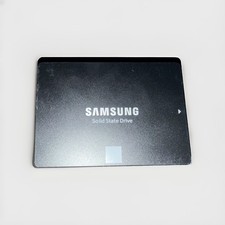
Samsung 850 EVO 1TB SATA III Internal, 2.5 inch Solid State Non Tested 1TB
$75.00
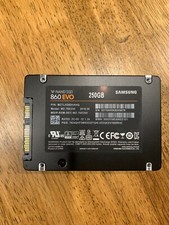
Samsung 860 Evo 250GB MZ-76E250 - Internal 2.5 inch SSD
$39.50
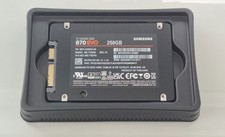
Samsung 860 Evo 250GB MZ-77E2T0 - Internal 2.5 inch SSD
$55.00