-
background image
I've searched for hours both online and in X configuration files and have yet to find a way to change that hidious Debian (woody) logo that appears when X is started. Does anyone have any idea how this can be done? I assume it's fairly trivial once you know where to look.
-
Senior Member
registered user
Change Debian logo
Go to Kstart menu.....Settings......Control Center.....System Administration....login manager......Click on the Background Tab....you can change the appearance of the LOGON screen in here! Bob
Similar Threads
-
By xaviers2002 in forum General Support
Replies: 12
Last Post: 07-20-2004, 02:25 AM
-
By zebul666 in forum General Support
Replies: 0
Last Post: 02-28-2004, 06:01 PM
-
By neomarkprice48 in forum Customising & Remastering
Replies: 3
Last Post: 05-22-2003, 12:36 PM
-
By dorianW in forum Customising & Remastering
Replies: 1
Last Post: 04-11-2003, 06:25 AM
-
By A. Jorge Garcia in forum Customising & Remastering
Replies: 0
Last Post: 12-21-2002, 10:26 PM
 Posting Permissions
- You may not post new threads
- You may not post replies
- You may not post attachments
- You may not edit your posts
-
Forum Rules


Vintage Apple II Avant-Garde Creations Super Shape Draw And Animate 1981
$295.00

Apple Macintosh Classic M1420 Vintage Desktop Computer Model Macintosh Classic
$100.00

Vintage Apple iBook G3 12.1” 500MHz 2001 Restored, SSD Upgraded Mac OS 9.2/OS X
$180.00

LARGE LOT Vintage Apple Macintosh Mouse Cables Accessories SCSI etc - UNTESTED
$80.00

Vintage Apple Macintosh Plus 1MB - M0001A W/ Keyboard, 2 Mice, 800K HD, + More
$300.00
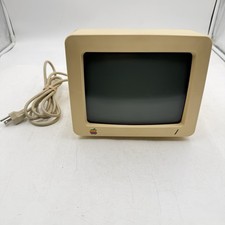
Vintage Apple IIC Monitor Model #G090H Order #A2M4090 AS IS For Repairs Or Parts
$64.99
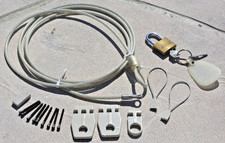
VINTAGE Apple Macintosh Security Lock Kit M0201 + Lock + parts NO BOX Original O
$24.99

Vintage Apple Macintosh Plus Desktop Computer - M0001A
$150.00
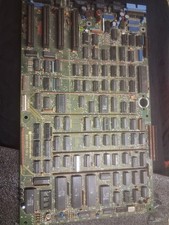
Vintage Apple III Motherboard Logic Board 820-0043-00 E Fully Populated Tested
$210.00

Vintage Apple Monitor IIc 9" Green Monochrome 06/1985 A2M4090 October 1984 Stand
$275.00



 Reply With Quote