

I started with Knoppix about 4 months ago and have updated it regularly. I use KDE.
I just bought a printer, a Brother HL-1440 and when I used the KDE Add Printer Wizard, it didn't know about the Brother printer. When I booted from the Knoppix CD and tried the Add Printer Wizard, it of course knew about a zillion more printers than my 'updated' Debian system, including the Brother HL-1440.
In fact, the 'updated' version didn't even know about my old printer, a Samsung ML-1210. When I moved my Knoppix system to the hard disk, I immediately added the Samsung. After innumrable updates and dist-updates, much printer information has been lost from my system. How come? What do I have to install to restore a reasonably complete add printer facility.
I managed to goof around with information on from linuxprinting.org and got both of my printers running on the system, one on the parallel port and the other as a USB printer. So I am in business. I am just wondering about resrtoring printer data bases and printer configuration. 'gv -h' indicated appropiate drivers were present. I don't have the foomatic-db installed; should I have it?
 Posting Permissions

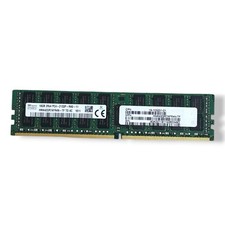
SK hynix 16GB 2Rx4 PC4-2133P-RA0-10 Server Memory Ram HMA42GR7MFR4N-TF
$57.99

SMART(Micron)SafeStor 32GB(1X32GB) 1RX4 NN4-3200AA(DDR4) HPE Server Memory
$159.98

Micro SD Adapter To SD HC SDHC Memory Card Adapter Reader NEW
$1.39

1/ 10/ 100pcs USB 2.0 2GB, 4GB ,8GB ,16GB ,32GB ,64GB 128GB USB Flash Drives Lot
$202.50

USB 3.0 Flash Drive 32GB 64GB 128GB Memory Stick Thumb Stick Lot Pack
$826.09
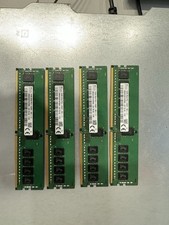
SK hynix (4X 16GB) PC4-25600 (DDR4-2400) Memory (HMA82GR7AFR8N-XN) Tested
$400.00
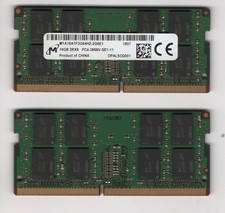
Micron 32GB 2x16GB DDR4-2666 SODIMM 2Rx8 MTA16ATF2G64HZ-2G6E1 TESTED
$119.99

Kingston 32GB 2Rx4 PC4-2400T-RB1-11 ECC REG Server Memory HP24D4R7D4MAM-32
$140.00

TF/SD Card Adapter Camera Reader Android Type-c For iPhone17 Pro Max Plusm lot
$288.19
Lot of 33 Server RAM – Fully Tested (17x 8GB + 16x 2GB) 168GB Total DDR3 ECC
$210.00


 Reply With Quote