-
Senior Member
registered user
knx-hdinstall vs. knoppix-installer
Hi Colin, just from my experience, and I have re-installed quite a few time just to fine tune and correct installation mistakes, knx-hdinstall worked much better in my opinion. When I used knoppix-installer, it did'nt prompt me to make the swap partitions usable, so in the end I had a swap file partition that was not being used. And also knx-hdinstall gives you the option to pick from 3 server type and where to place the boot loader. I am not sure of the cloop errors you spoke about. I guess I am lucky cause I installed knoppix on a Compaq Presario laptop and the only problem I have is it doesnt completly shut off when you log out. And the Knoppix on my desktop, the only problem is it doesnt recognize my sound card BUT LINUX drivers make up for it and it works ok. So all in all I am satisfied. So even tho you use knx-hdinstall, as long as your system is running ok, dont worry about the cloop errors. There is a command to print out [copy] a file of the boot up sequence when all those little things are flying by. I think its called "dmesg -c" or something like that, but it saves that process as a text file so you can look thru to find discrepancies.
Not sure about what you said about computer struggling to read the cd.....I dont like knoppix-installer, cause like I said, when you are donr setting up partitions in cfdisk, it doesnt prompt you to make the swap partitions active.....knx-hdinstall is more dependable and i have re installed quite a few times to realize this. I am new to this myself, but I find the most confusing aspect is the command line!!!! I am totally knowledgable in DOS and the command line, but in LINUX.....i need help.
Also I noticed using knoppix-installer you are prompted to use either a knoppix installation or Debian. At first I chose Knoppix and had all sorts of password problems....So i re did it and used Debian which I am used to and I like. Knx-hdinstall defaults to Debian anyway. So I would start from scratch, boot the CD, do ctrl+alt+F2 to bring up console.....follow instructions and you will go into the cfdisk program to partition the drive. I just make a swap partition and a LINUX one...some people make 3, the 3rd being for programs. But I dont think its neccessary at this point. And when you finish, as long as it works, then thats most of the hard work done!!!! bob
Similar Threads
-
By ramaswamyps in forum Hdd Install / Debian / Apt
Replies: 4
Last Post: 03-05-2005, 01:42 AM
-
By hrymur in forum General Support
Replies: 1
Last Post: 06-12-2004, 05:02 AM
-
By pistatio56 in forum General Support
Replies: 1
Last Post: 03-01-2004, 09:56 AM
-
By waynejkruse10 in forum The Lounge
Replies: 0
Last Post: 11-15-2003, 11:12 AM
-
By newguy in forum General Support
Replies: 2
Last Post: 01-08-2003, 10:50 PM
 Posting Permissions
- You may not post new threads
- You may not post replies
- You may not post attachments
- You may not edit your posts
-
Forum Rules


Kingston 32GB 64GB 128GB 256GB USB 3.0 Flash Drive Thumb Memory Stick Pen lot
$285.90

Lot Of 8 Micron 8GB 2Rx8 PC4-2666V-RE2-11 ECC REG Server Ram MTA18ASF1G72PDZ-2G6
$210.00
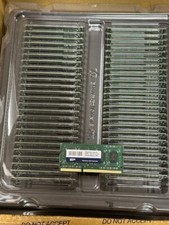
qty 50 Memory Module DDR3 SODIMM 4GB Module 1.6Ghz Silicon Power SDRAM
$80.00
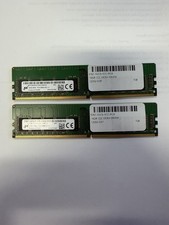
LOT OF 2 Micron 16GB 2Rx8 PC4-2666V-EE1-11 P/N: MTA18ASF2G72AZ-2G6D1ZG
$199.95

USB 3.0 Flash Drive 32GB 64GB 128GB Memory Stick Thumb Stick Lot Pack
$826.09
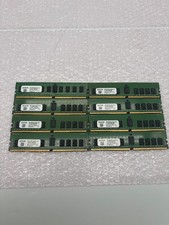
Lot of 8 A2ZEON 8GB DDR4-2133 RDIMM ECC 1Rx4 Server Memory RD4R8G44S2133
$529.99

USB 3.0 Micro SD SDHC TF Card Reader Memory Adapter for PC Laptop Camera lot
$3.75
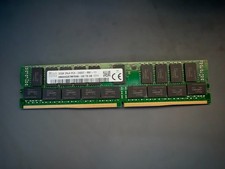
SK Hynix 32GB Server Memory 2Rx4 PC4-2400T-R81-11 HMA84GR7MFR4N-UH Server RAM
$169.99
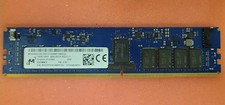
Micron MTA18ASF2G72XF1Z-2G9WP1ABVGD 16GB 1Rx4 NN4-2933Y DDR4 ECC NVDIMM
$74.50

LOT OF 4 Samsung 16GB DDR4-2666 ECC UDIMM 2Rx8 PC4-21300 M391A2K43BB1-CTDQ
$469.95



 Reply With Quote