

 Reply With Quote
Try typing in knoppix noagp then enter key at the knoppix boot screen when the CD first starts.


I've hd-installed knoppix. My system has integrated graphics; when it loads the module "agpgart" it freezes. The concerning "lspci -v" oputput is:
00:02.0 VGA compatible controller: Intel Corp. 82865G Integrated Graphics Device (rev 02) (prog-if 00 [VGA])
Subsystem: Micro-Star International Co., Ltd.: Unknown device 7650
Flags: bus master, fast devsel, latency 0, IRQ 11
Memory at f0000000 (32-bit, prefetchable) [size=128M]
Memory at ffe80000 (32-bit, non-prefetchable) [size=512K]
I/O ports at ec00 [size=8]
Capabilities: [d0] Power Management version 1
What can I do? TIA
Eris Pluvia
Try typing in knoppix noagp then enter key at the knoppix boot screen when the CD first starts.
Thanks, I will do. In fact, when I start up with CD, error mesage about apagart also apears in xinit (but the system does not freeze).Try typing in knoppix noagp then enter key at the knoppix boot screen when the CD first starts.
Sorry missed you were installed to the HDOriginally Posted by eris_pluvia
. You will have to edit the file /etc/modules and either remove the line with the agpgart or put a # character in front of it to comment it out to prevent the module being loaded. Then in the file /etc/modutils/aliases you may have to do the same with the alias char-major-175 agpgart line as well then you would have to run update-modules to update the /etc/modules.conf with the new information to be used on the next boot.
Stephen:
Well, miracleusly it works!!! Thanks a lot.You will have to edit the file /etc/modules and either remove the line with the agpgart or put a # character in front of it to comment it out to prevent the module being loaded. Then in the file /etc/modutils/aliases you may have to do the same with the alias char-major-175 agpgart line as well then you would have to run update-modules to update the /etc/modules.conf with the new information to be used on the next boot.
For forward users: before running "modules-update" you must first reboot with your own instalation in text mode ("knoppix 2") to avoid graphic interaction. Login as root and then run "modules-update".
 Posting Permissions


OPNsense pfSense 8-Core Atom C3758 2.2GHz 8GB DDR4 64GB SSD 8x NIC QAT AES VPN
$145.00

OPNsense Firewall 8-Core Atom C3758 4GB DDR4 RAM 64GB SSD 8x 1Gbe QAT AES-NI VPN
$95.00

SonicWall TZ280 Firewall 03-SSC-6933 Advanced Edition 3YR NEW SEALED
$999.99

Zero Trace Pen: All-in-one Tor Network Anonymous Drive + Cryptocurrency Wallet
$147.00
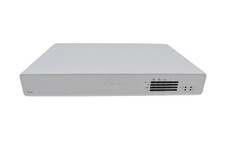
Sophos XG 135 Rev.3 Firewall Security Appliance 8x GbE Desktop 6GB RAM 64GB SSD
$114.99

Fortinet FortiGate 60F FG-60F UTM UTP License Until 2027 Network Security FW VPN
$229.99
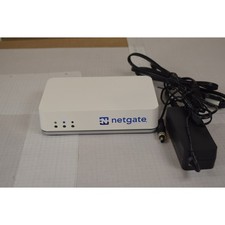
Netgate SG-2100 pfSense Plus 26.07 Firewall VPN Router - Wiped, Fresh Install
$174.99

OPNsense Firewall 16-Core Atom C3958 16GB DDR4 RAM 64GB SSD 8x 1Gbe QAT AES-NI
$195.00

Check Point 1590 Firewall & w builtin WiFI and builtin LTE sim slot
$95.99

Barracuda NextGen CloudGen Cloud Based Firewall F280 BNGF280a w/ 8.3.1 Firmware
$89.99