
I'm running Knoppix from the CD. I've been at it for three daysI. I'd like to know what the basic proceedure is for downloading a program and installing it. I assume I have to make one of my drives readable. How do I do that?
-Diver


I'm running Knoppix from the CD. I've been at it for three daysI. I'd like to know what the basic proceedure is for downloading a program and installing it. I assume I have to make one of my drives readable. How do I do that?
-Diver
First, a big ole' warning:
DON'T ATTEMPT TO DO THIS UNLESS YOU (a)HAVE BACKUPS OF ANY IMPORTANT DATA OR PROGRAMS THAT YOU ABSOLUTELY CAN'T DO WITHOUT OR (B) DON'T CARE AND ARE MORE THAN WILLING TO LOSE EVERYTHING WITHOUT A SECOND THOUGHT.
The only reason I say this is because nothing should go wrong, but something could go wrong.
Now, follow the steps included in the Docs. Specifically, the FaqInstall should answer your questions.
For all the newbies out there. First, welcome. Second, many of your questions should be answered in the FAQs in the Docs. Also, try searching the Forum before posting to it. It helps cut down on the redundancy of questions. Now, it you have tried all of this and have a nuance that wasn't covered in any of the above, please make sure to explain how it is different so we don't waste your time. After all, we all want to help
--Peace
That being said. If you installed knoppix to the hard disk with knx-hdinstall, it would be easy. But to do it while on the CD?????
www.phpcad.com/knoppix-install.html
Thank you both so much for responding. Like many windows users who are trying out the CD bootable knoppix, I'm dying to be converted, and I appreciate your efforts to respond to my possibly silly question. After all, the bootable CD Knoppix is already chock full of great useable programs. Basically what I want to do is fool around a little and get a feel of how things work in general. Thanks also for the standard warning to back up everything. I have done this, but I dont want to have to actually use any of my back ups...So, instead of trying to download and use a program, I think I'll start with something simpler. By the way, I have already done alot of reading, but I'll do some more before asking my next dumb question. Wait, I do have one more: How can I save a document to a floppy? Save under and then what?
Thanks again-
-Diver
It's not a dumb question at all. I remember when I first started using linux and it took me a little while to figure out how drives are handled. You'll first need to mount the floppy. You can do this by clicking on the floppy icon on your desktop (or going to the command line and typing: 'mount /mnt/f.oppy').Originally Posted by Diver
Your floppy will be found at /mnt/floppy. This is where you will want to save you files. Hope this helps.
P.S.
You can check out this page for a better desciption of how drives work in linux. The site is pretty good in general for linux basics.
This is the traditional way - except Knoppix makes smart use of the Linux automounter. This automatically mounts and dismounts drives as desired.
If I read the (original) automounts correctly, Knoppix will automatically mount the floppy when you change into the directory /mnt/floppy - but that might not be right. Try it and see - and no mounts needed!
Just make sure the automounter is running:
sudo /etc/init.d/autofs start
...as root...
Good point.
 Posting Permissions


Netac DDR4 32GB 16GB DDR4 3200MHz UDIMM C16 Desktop Internal Memory RAM Kit
$99.99

16GB KIT (2x8GB) DDR4 Gamer Desktop RAM PC4 MIXED BRANDS
$65.00

Samsung 8GB DDR4 SO-DIMM PC4-3200AA 260-Pin RAM M471A1G44BB0-CWE Module
$29.25

A-Tech 8GB DDR3 1600 PC3-12800 Laptop SODIMM 204-Pin Memory RAM PC3L DDR3L 1x 8G
$21.68

Major Brand 16GB (2x8GB) PC3-12800U DDR3-1600MHz DDR3-12800 DESKTOP RAM NON-ECC
$29.99
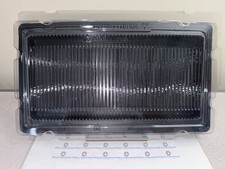
50x RAM Box Tray DDR2 DDR3 DDR4 DDR5 ESD DIMM Memory Shipping Storage Transport
$9.99

MINT Micron Cisco 32GB PC4-2400T DDR4 2Rx4 RDIMM RAM MTA36ASF4G72PZ-2G3 LOT
$159.99

DDR4 Laptop RAM 4GB 8GB 16GB 32GB 2400 2666 3200 Samsung Hynix
$30.00
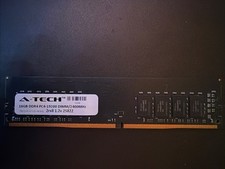
A-tech 16GB Ddr4 Pc4-19200 Dimm/2400mhz 2rx8 1.2v 25822
$49.95
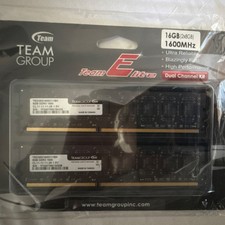
Team Group Team Elite DDR3-1600 DIMM 16GB (2x8GB) 240-Pin Desktop RAM
$35.00

 Reply With Quote