-
Update: I just uninstalled my existing JRE using Synaptic, and installed IBM's Java SDK (simply done by extracting a tarball to /opt, and adding the JRE bin path to my bash PATH variable), and setting it up for Debian according to the instructions given by jam123. I went with IBM's SDK because I just wanted to give it a try, and becuase I thought it would be ideal for running Eclipse, and after a little research it seemed it could do everything for me that Sun's SDK would do.
Anyway, I was able to get the Java plugin working just fine in Mozilla, which was goal #1, but now normal java execution and compiling doesn't work! I get the error
JVM not found: libjvm.so - libjvm.so
Whenever I try to execute a Java program or compile Java code. libjvm.so is located in /opt/IBMJava2-141/jre/bin/classic/ for my system. I tried making a symlink to it from /usr/bin/, just to see what would happen but there was no difference.
The fact that applets run perfectly (at least in Mozilla, they've STOPPED woking in Konqueror because it apparently uses the installed Java VM directly with no need for a plugin) tells me that I must be close to a working Java environment, and that I just need something to help it find libjvm.so. I've tried adding additional paths to my PATH variable, but nothing is helping.
Someone please tell me how to fix this.
-
never mind the previous post, I found a page at http://www-106.ibm.com/developerwork...ad=6316&cat=10 that indicates that for some reason IBM's JVM does not work right if it is called through more than one symlink. Because my current setup has /usr/bin/java -> /etc/alternatives/java -> /opt/IMBJava2-141/bin/java it fails if I type java, while it works if I use the direct path or the /etc symlink.
This leads me to a different question: I wanted to see what would happen if I try to install Eclipse though Synaptic, and it wants to install j2re as a dependency. This does not change even after I install the java-virtual-machine-dummy package.
Is there a SAFE way I can install eclipse using apt-get/Synaptic? And although it wouldn't be my first choice, if I don't mind having two JVMs on my system, if I just let it install the Blackdown JVM to fill the dependency and change my symlinks back afterwards, will there be any ill effects on my system? Right now that seems like it might be the simplest solution, and should prevent apt-get yammering about Java related dependencies in the future, I would think.
-
Final Update
Here's a final update, for any who may be interested.
I just installed Eclipse. Synaptic gave me some errors, but none seem related to the specific Eclipse package(s), but rather related packages. Eclipse itself seems to be running like a champ on top of the IBM JVM.
I did have to install the Blackdown JVM to fulfill the Eclipse dependencies, so I had to manually relink /usr/bin/java to the IBM JVM, and remove the mozilla plugin link to the Blackdown Java applet plugin. Plugins work correctly in both Moz and Konq.
I imagine that in the future upgrades to Java or related apps may require again fixing these links manually, but for now everything seems to be working smoothly.
Similar Threads
-
By Schopenhauer101 in forum Hdd Install / Debian / Apt
Replies: 12
Last Post: 01-18-2005, 06:25 AM
-
By mystical_kakarot in forum Hdd Install / Debian / Apt
Replies: 1
Last Post: 02-10-2004, 09:20 PM
-
By freeballer in forum Customising & Remastering
Replies: 4
Last Post: 09-30-2003, 02:11 PM
-
By Jackson5 in forum General Support
Replies: 6
Last Post: 05-30-2003, 05:02 AM
-
By vesselinpeev in forum General Support
Replies: 0
Last Post: 05-26-2003, 09:03 PM
 Posting Permissions
- You may not post new threads
- You may not post replies
- You may not post attachments
- You may not edit your posts
-
Forum Rules

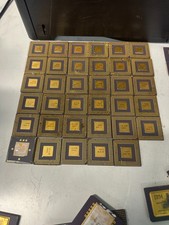
10 Pounds Vintage Ceramic CPU Processor/ic chips Gold Recovery Computers Scrap
$1999.99

Vintage HP 21MX 1000 M-Series Minicomputer Chassis Backplane Parts AS-IS
$228.19

Corel Draw 3 Vintage Big Box Version Brand New Sealed CD-ROM Vintage Software
$49.00
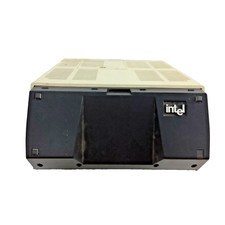
Vintage Intel iPDS-100 Personal Development System
$1499.99
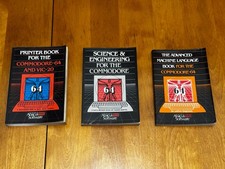
Abacus Software Vintage Commodore 64 Book Lot 3: Printer, Sci & Eng, ML
$100.00
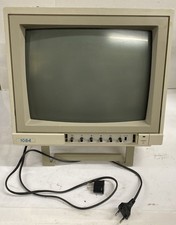
Vintage Retro Gaming | EU Plug W/US Adapter | Commodore 1084 CRT Color Monitor
$249.99
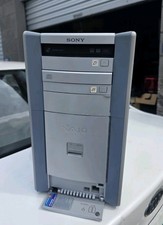
Sony VAIO PCV-RX560(U/C) Vintage Desktop PC Windows XP 1.7GHz 512MB RAM DVDCD-RW
$120.00

Original Vintage Old Style STANDARD Black CD Jewel Case (Heavy Duty) 90g Lot
$316.95

Lot of 2 Vintage Plextor PX-43CS SCSI CD-ROM Caddy Drives + 4 Caddies Used
$55.99

Vintage Apple iMac G4 15" Lamp 700MHz 512MB Mac OS X 10.4.6 W/ Pro Speakers
$300.00



 Reply With Quote