-
Install Problem
I have beeen trying to install Knoppix on my Hard drive. I allocated about 3.8 GB partition for Knoppix and 580MB for swap. There was no problem with the installation but when i rebooted the computer it didn't allow me to login.
After reboot it shows the login screen. When I give my login name and the pswd, the screen blinks once and then show me the same window. However when i tried to login using command prompt I could access to all the directories. Obviously it is not that comfortable to work on non-graphic mode. I just can't imagine what went wrong.
Please help me to figureout the problem.
Thank you in advance.
NoviceW
-
Are you using a foreign keyboard ? and if so does your password contain letters that would otherwise replaced (like q and a for azerty keyboard), try typing your password in the login box to check (knoppix install doesn't always seem to remember which keyboard you set, and shell and x keyboards can be set seperatly)
-
can it be the case?
Hi Koopa Troopa,
Idon't think that's the problem. If that's the case it wouldn't allow me to login with Non Graphical mode too. As I said I could access to all the directories if i log in with non graphical mode. I don't have any charactors like y and z in my pswd either.
NoviceW
-
Senior Member
registered user
Re: Install Problem

Originally Posted by
NoviceW
I have beeen trying to install Knoppix on my Hard drive. I allocated about 3.8 GB partition for Knoppix and 580MB for swap. There was no problem with the installation but when i rebooted the computer it didn't allow me to login.
After reboot it shows the login screen. When I give my login name and the pswd, the screen blinks once and then show me the same window. However when i tried to login using command prompt I could access to all the directories. Obviously it is not that comfortable to work on non-graphic mode. I just can't imagine what went wrong.
Please help me to figureout the problem.
Thank you in advance.
NoviceW
Have you tried selecting KDE3 from the list when you login instead of default for the session type? And check in the file /home/user_name/.wmrc and make sure it contains the line "kde3".
-
did u try loging in as "root" ?
-
i'm having this same problem and i tried logging in as root and it doesn't work. i'm not sure about the keys or anything.
-
I've had this problem on every machine I've used Knoppix CD to boot, run the script knx-hdinstall, and then boot up from the HD.
The trap I keep falling into [on new machines] is that the kdm's login screen
has "default" or "previous" selected by default. Since I've never logged in with that username, it doesn't have a valid previous session. I will type a good username and correct password, click Go, Xwindows will blink and I am returned to the login screen like I've mistyped something.
Since I've been building up several machines, it is easy to forget that you are on new machine and for each new account, "default" X Windows session is really selecting nothing.
Selecting a "kde3" explicidly is a habit I need to pickup.

Similar Threads
-
By vgramanathan in forum Hdd Install / Debian / Apt
Replies: 1
Last Post: 05-19-2005, 03:17 PM
-
By Droid in forum Hdd Install / Debian / Apt
Replies: 2
Last Post: 11-08-2004, 08:09 AM
-
By gravity in forum Hdd Install / Debian / Apt
Replies: 4
Last Post: 08-22-2004, 04:32 PM
-
By foraker_p in forum General Support
Replies: 1
Last Post: 05-01-2004, 12:54 AM
-
By gilljohn in forum Hdd Install / Debian / Apt
Replies: 10
Last Post: 04-09-2003, 02:05 PM
 Posting Permissions
- You may not post new threads
- You may not post replies
- You may not post attachments
- You may not edit your posts
-
Forum Rules

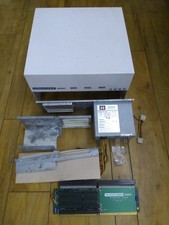
HighFlyer Amiga 4000 Tower & Bus Extender, Expansion Systems A4000T Kit
$888.50

RGB2HDMI Amiga 500 UltraLong (Accelerator Friendly) HDMI Games, non-RTG A500
$50.00

Microbotics Starboard 2MB + SCSI Sidecar for Amiga 1000 Vintage Computer READ
$329.00
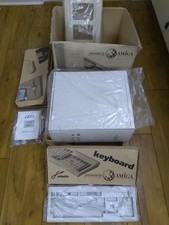
Micronik A1200 Infinitiv Tower, NEW IN BOX, Commodore Amiga 1200 Kit
$1472.50

Amiga 1000 Computer w/ Monitor Keyboard Mouse Disc Drive Sidecar Expansion Discs
$950.00
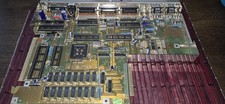
COMMODORE AMIGA 500 Motherboard Rev 5 NTSC ,No IC'S , Sold As Is, Untested
$88.00

Amiga Emplant Emulator Card For Commodore Amiga 2000 4000 3000
$249.00

Sierra | Disney Winnie the Pooh in the Hundred Acre Wood for Commodore Amiga
$89.50

Pi1541 Zero with Epyx Fastload Hat, Case & 16gb SD for Commodore 64 and 128
$79.99
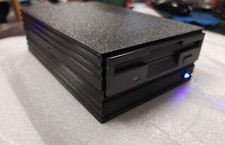
External fully assembled GreaseWeazle 3.5 inch Floppy Drive
$135.00



 Reply With Quote