

 Reply With Quote
--Try using VNC, and monitor the situation with "top". Running Xrealvnc doesn't use a whole lot of resources from what I've seen, but YMMV.
Originally Posted by garyng


Hi,
With a slight modification, Knoppix can be a very handy XServer(X-Terminal) solution.
What I would like to know is if the X11 system support the usage of reattaching previous sessions like the wonder screen utility in text mode. If that can be done, I would be able to go to any workstation, boot knoppix and re-attach to an previously detached but still running desktop on a server.
I know that x11vnc can do this but that would mean running multiple copy of X11 server on the server which can use lots of resource on the server.
--Try using VNC, and monitor the situation with "top". Running Xrealvnc doesn't use a whole lot of resources from what I've seen, but YMMV.
thanks. VNC is actually a more suitable solution for me but just that the multiple xserver(which is what xvncserver does) on the server scares me a bit in terms of resource. Didn't test it though.
However, it seems that VNC is slower than X, at least in my limited test situation on a local 100Mbps network, especially when I hold the scrollbar and drag. This is understandable as VNC need to sort of redraw the screen in a pixel by pixel for each small movement. The difference is though quite noticeable.
--VNC gets more responsive when you:
o Load a more lightweight Windowmanager (such as Icewm)
o Use SSH with portforwarding and compression.
Example: Put this in ~/.vnc/Xsession:
--Here is an example script that I use to start VNC on the server side:Code:# initialize variables for use by all session scripts OPTIONFILE=/etc/X11/Xsession.options SYSMODMAP=/etc/X11/Xmodmap USRMODMAP=$HOME/.Xmodmap SYSRESOURCES=/etc/X11/Xresources USRRESOURCES=$HOME/.Xresources SYSSESSIONDIR=/etc/X11/Xsession.d STARTUP=$HOME/.xsession ALTSTARTUP=$HOME/.Xsession ERRFILE=$HOME/.xsession-errors #xinit /usr/bin/sawfish xrdb rxvt & # -display :3 & /usr/bin/sawfish &
BEGIN remotex
--Here is how to port-forward with compression (Note the VNC server hostname on my network is p233.)Code:#!/bin/sh #vncserver -cc 3 & # cc 3 == pseudocolor visual vncserver :2 -geometry 900x700 # -cc 3 -geometry 1024x768 -fp /usr/lib/X11/fonts/misc/,/usr/lib/X11/fonts/75dpi/ -fn -misc-fixed-bold-r-normal--13-100-100-100-c-70-iso8859-1 # Use font -misc-fixed-bold-r-normal--13-100-100-100-c-70-iso8859-1 # Connect using vncviewer p233:5902 || http://p233:5802 #vncserver -kill :2 # if ssh -2 -C -L 5992:p233:5902 p233 # THEN vncviewer localhost:5992
BEGIN ssh-vncserver
--The above code forwards port 5902 on the vnc server to port 5992 on the client box, with compression. Connect the VNC viewer to localhost:5992 after starting the remote X session, and it will use the compressed port connection.Code:#!/bin/bash ssh -2 -C -X -c blowfish \ -l dave \ -L 5992:p233:5902 \ 10.0.0.2 $*
--You can also play with the VNC viewer's Options and experiment with different ways to re-draw the screen.
--Note that you will have to assign a password to the VNC session the first time you run it... Best of luck.
thanks, I was running vnc over SSH(compression on) and the wm is fluxbox. Not that it is slow in normal operation(perfectly fine) but if I am in firefox browsing and use the scrollbar, the speed difference(comparing with X) is quite noticeable.
PS, the machine I am VNC in is a XBOX.
 Posting Permissions


AMD Ryzen 5 5500 Processor ( read Description)
$59.00
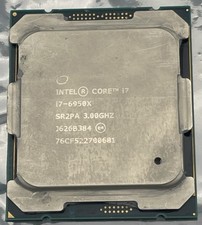
Intel Core i7-6950X Extreme Edition 3.0GHz Processor SR2PA LGA2011 10 Core CPU
$162.95

INTEL CORE I9-10940X X-SERIES PROCESSOR | 3.30GHZ | SRGSH
$179.99
Intel Core i5-12400 Processor SRL4V
$115.00

Intel Core i7-9700 Octa-Core 3 GHz Desktop Processor LGA 1151
$79.99

Intel Core i7-3770K 3.5 GHz Processor
$39.00

Intel Core i5-12500T SRL5W 2GHz 18MB 6 Core Socket LGA1700 Desktop CPU Processor
$114.99

Intel i7-8700 Coffee Lake 3.2GHz 6-Core Max Turbo 4.6GHz Processor
$67.99

Intel Core i7-4770 3.40GHz Quad Core SR149 LGA 1150 CPU Processor tested
$35.00
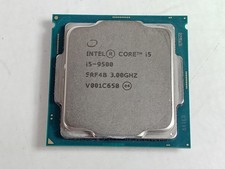
Intel Core i5-9500 3.0 GHz 8 GT/s LGA 1151 Desktop CPU Processor SRF4B
$48.99
