-
Senior Member
registered user
Re: Problem with "root=" kernel command-line argum

Originally Posted by
LukeyBoy
I can actually boot from a Gentoo CD with the LILO command "gentoo root=/dev/sda2" and this *works*. So I know that the hard drive install worked correctly.
Very very interesting, the fact of being able to pass a boot time argument to boot/have your root on an sd* hard drive :)) I have no internal HDD in my laptop, and have to use an external firewire drive (this is where Linux is cool - try doing this trick with Windows!).
Sounds as though I shold try out Gentoo, but I've put a fair amount of effort in learning about the debian way of doing things (and this is after a try out of Mandrake 18 months ago or so)... And one huge advantage of Knoppix is these forums - support here is good.
To get back to your question - I don't know the answer, but I can tell you how I and a few others use the Knoppix CD to boot (well technically move root) to the external 1394 hard drive. The technique was originally found by tinker, see this post for more info http://knoppix.net/forum/viewtopic.php?t=6463
Code:
knoppix single   #at boot prompt
sudo su
lsmod   #check firewire/1394 modules are present
/mnt/floppy/rescan-scsi-bus.sh   #run a script from floppy to find my hard drive, apparently this should not be needed for 2.6
mkdir /mnt/new_root
mount /dev/sda1 /mnt/new_root
mkdir /mnt/new_root/mnt/old_root   #required the first time only, not needed for subsequent boots
cd /mnt/new_root
pivot_root . /mnt/new_root/mnt/old_root
mount /proc /proc -t proc
swapon -a
init 5
There are a couple of problems with this approach - it's a pain to type all the commands each time, you need to set the hostname, I'm not sure if the ramdisk is destroyed afterwards nad the RAM given back to the system. But hey it works. But it seems the Gentoo way is better ;)
Similar Threads
-
By maxcruiver in forum Hdd Install / Debian / Apt
Replies: 1
Last Post: 04-02-2005, 06:54 PM
-
By MrBigTime in forum Hardware & Booting
Replies: 2
Last Post: 02-14-2005, 11:35 AM
-
By MrBigTime in forum General Support
Replies: 1
Last Post: 02-14-2005, 01:42 AM
-
By ix86i in forum Customising & Remastering
Replies: 1
Last Post: 10-30-2004, 12:16 PM
-
By geebee2000 in forum Hardware & Booting
Replies: 9
Last Post: 05-21-2003, 07:29 PM
 Posting Permissions
- You may not post new threads
- You may not post replies
- You may not post attachments
- You may not edit your posts
-
Forum Rules


Original Vintage Old Style STANDARD Black CD Jewel Case (Heavy Duty) 90g Lot
$316.95

🔥 RARE VINTAGE HP 2112A 21MX M-SERIES 16-BIT MINICOMPUTER HP
$299.99

Lot of 2 Vintage Plextor PX-43CS SCSI CD-ROM Caddy Drives + 4 Caddies Used
$55.99

🔥 RARE VINTAGE HP 2113A 21MX 1000 E-SERIES MINICOMPUTER CHASSIS BACKPLANE
$249.00
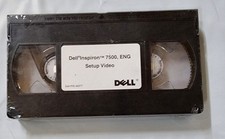
Dell Inspiron 7500 ENG setup video VHS VID 17500 Sealed 4697T Vintage
$49.99
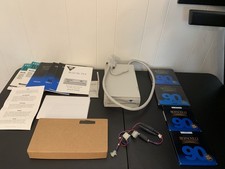
Vintage Iomega Bernoulli 90 PRO 90MB SCSI Removable Disk Drive + Extras
$124.99
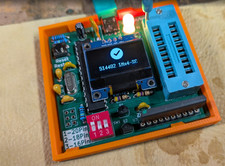
RAM-Tester for vintage RAM, 4816, 4164, 41256, 514402, and more - USA Seller
$35.00
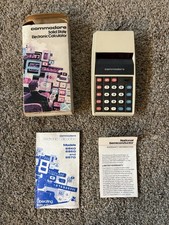
Rare Vintage Commodore Solid State Red LED Calculator 897D w/ box & manual
$49.99

Vintage Jetway J-620BF Socket 370 Celeron AT Motherboard SiS 620 Brand New
$75.00

Vintage Hewlett Packard HP 13181-60074 Circuit Card Assembly / Interface Board.
$135.37



 Reply With Quote