

 Reply With Quote
Has anyone been able to use screen savers with knoppix?


Hi, I have a knoppix hd install on my computer and have an nvidia geforce 3 video card. I installed the updated my video card drivers with the drivers from nvidia.com. Before doing so, there were no screen savers to select from (because they were opengl screensavers) but after I got a list of open gl screen savers to choose from (thru kde's configure desktop). However, they will not work. I cannot "test" or "setup" any of them.
I have done quite a bit of searching for the answer but have not found a solution. Your help is greatly appreciated. I am always looking to learn more about linux.
Thank you
Has anyone been able to use screen savers with knoppix?
I had the same problem
(also I noticed not that many people help on this forum)
I had to install the screen savers in CLI (like a command prompt) without X-windows server running, which I had to disable first by going to /etc/rc5.d and simply rename the S99kdm file to K99kdm and reboot so you will only get CLI only, and login as root. . .
type:
apt-get -s install -t unstable kscreensaver kdelibs4 libqt3c102-mt
if you want more do:
apt-get -s install xscreensaver-gl xscreensaver
apt-get -s install xscreensaver-nognome xscreensaver
(remove the -s to actually install)
those two above will get you your gl and standard screensavers
another helpful thing to type is:
apt-cache search screensaver
(to do a search on all packages containing 'screensaver')
apt-cache policy kscreensaver
(this will tell you if it is installed or not)
if you get errors (which I did) I then had to to a:
apt-get -f install
(this told me what hadn't been installed)
dpkg --force overwrite -i /apt/cache/. . .package that wouldn't go.deb
(this forced some kind of overwrite for the new package)
then:
dpkg --configure -a
(which fixes new/broken package installs)
then after all that I was able to get my screensavers to work!
*whew!*
Thanks guys. I thought I was the only one experiencing problems with my screensaver! I just managed to get system sounds working in user and I don't think I'll be trying to get my screensaver working any time soon. Thanks for the handy advice though! Also, many thanx to www.knoppix.net.
I am a newbie... But the way I got my screensavers to work in Knoppix 3.6 was to go into the random settings and deselect all but a few of the ones there. I guess for some reason my system just was not able to play some of the ones which are selected by default.
There must be a secret here I'm not getting, I cannot get screensavers to work either. I have installed kscreensaver package but nothing works.
I had this problem back in v3.2, when I finally got kde's screen saver working, not much was working for it... I "ditched" the kde version, and went with the XScreensaver packages -=- it has TONS of screen savers for it, which, when you get the "server deamon" running, and fire up the "config app", will show almost ALL the screensavers you can have, even if you dont have them loaded, apt-get installed ( they will show up "greyed out". )Originally Posted by CrashedAgain
Lots of them required OpenGL, and "accelerated" video card and drivers to run, but, some of them are QUITE interesting-=- after installing the deamon and config apps, you will want to view the man pages for both, it shows how to get your screen savers running, in a Login screen, and in the "user" logged in, sessions... AS a SIDE NOTE: I made sure that in the "config" app, I only use ONE screensaver, and not the RANDOM, even though you can select the ones the RANDOM will use, it just seemed to be easier to setup and run with a single screen saver... Last side note, if you choose to use the XScreensaver over the KDE one, be sure you disable the KDE screensavers from running, it just adds confusion to what it running, i.e. two screensaver packages running at the same time, is not a good thing, one is sufficient
Hope this helps
I wish this thread had appeared about two weeks ago.
When I installed kdeartwork for something else, I found that a lot of the screensavers worked. I then installed xscreensaver, and a lot more did. Since the ones I was interested in worked, I left it at that--but from what you have said, installing kscreensaver likely would do the trick and get me all of them.
I think I'll still leave it like it is, as I now have about twenty-four set up this way. But I think I will install on one and keep the .deb around if anyone else wants to add it.
Now if only I could disable screen-blanking. I's a bit disappointing to have a screensaver set up and working--but come back to the PC in a half hour and find the screen blanked.
Take a look in your APM - or Power Management settings - Control Center - make sure the screen isnt set to blank for "Energy Star" stuff -=- I dont use it, even if my monitor was "ES" usage, if my monitor needs to be off, I turn it off, and if it is on, I like it to be on... Sorry ozone layer, and non-replenishable resources, but, I'm bigger than you are, and I like things my way ( yeah, yeah, I know, I'm the "one" person who is depleating all of our resources quicker than anything else, and if we run out of these resources, I'm the "only" one to blame for it, sorry, old habit, me bad )
 Posting Permissions


Fujinet 1.7.1 Atari 400 800 800XL 130XE 65XE XEGS Assembled, Tested, Working
$99.99

Atari 130 XE/Atari 1050 Bundle W/ Cords And Extras (Powered On)
$300.00

DEFECTIVE Atari 810 Vintage Computer Disk Drive powers on Unit Only Boo G3D
$49.29

Atari 800 8-bit Computer System Fully Tested Great Condition 48k READ
$350.00

INFO/soft Character Generator Manual for Atari 3000/5000/7000 NTSC
$40.00

Atari XE 130XE Computer NTSC with Power Supply Powers On Untested
$159.95
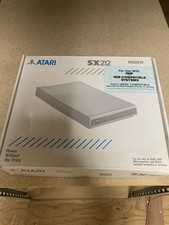
Atari SX212 Modem for IBM Systems w/ Box, Owner's Manual & Power Adapter NOS
$125.00

ATARI Mouse with Adapter for ST, STE, Mega STE, TT Optical - USA Seller
$29.99

UNOCART-2600 SD card Multi Rom Cartridge for ATARI 2600 with CASE
$34.25

Vintage Atari SF354 Floppy Disk Drive & Power Supply FOR PARTS OR REPAIR AS IS
$120.00