-
Senior Member
registered user
You shouldn't (and shouldn't need to) uncompress it. The iso is an image of exactly what (and exactly all that) needs to go on the CD.
Good instructions here:
http://www.linuxiso.org/viewdoc.php/howtoburn.html
alternatively, valhalla has far better iso tools than Windoze.
cd to the directory where the iso is and do:
cdrecord -scanbus
mine outputs:
scsibus0:
0,0,0 0) 'HL-DT-ST' 'RW/DVD GCC-4120B' '2.01' Removable CD-ROM
(which is obviously the device I need, but the number may be different on your system)
then pop in medium and do:
cdrecord dev=0,0,0 -v knoppixWhatEver.iso
that's it.
Similar Threads
-
By SerenityNet in forum General Support
Replies: 16
Last Post: 04-03-2008, 07:21 AM
-
By katana in forum General Support
Replies: 5
Last Post: 08-29-2004, 01:15 PM
-
By servant in forum General Support
Replies: 2
Last Post: 06-13-2004, 05:44 AM
-
By teststrips in forum General Support
Replies: 2
Last Post: 10-15-2003, 12:55 PM
-
By rob in forum The Lounge
Replies: 1
Last Post: 01-15-2003, 02:53 PM
 Posting Permissions
- You may not post new threads
- You may not post replies
- You may not post attachments
- You may not edit your posts
-
Forum Rules


Apple Macintosh Plus 1MB M0001A Vintage Computer Boots Up / Floppy Disk Stuck
$99.99

Vintage 1998 iMac G3 M4984 Mac OS + Keyboard Working but Needs Some Repair Read
$295.00

Apple Power Macintosh PowerPC 7300/200 VTG w Keyboard Mouse Storage Drive Read
$199.99

Mixed Lot Vintage Mac Windows media / Graphics / Sound Software - CDs 37 Pieces
$40.99
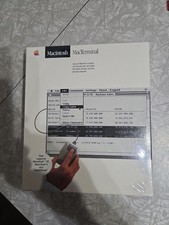
Macintosh MacTerminal M0521 Version 1.0. Vintage Apple software 1984 Sealed
$129.99

185--Sonnet Crescendo G3 PPCG3-375-5-K-06 G3 Add-On Card for Vintage Mac
$90.00
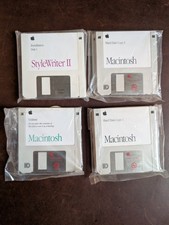
Vintage 1992 Mac System 7.1P1 Apple Software 3.5” Floppy Disks NOS
$35.00
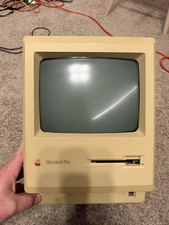
Apple Macintosh Plus 1MB M0001A Vintage Computer - Works
$169.99

Apple Macintosh DuoDock Duo Dock M7779 & Powerbook 230 Vintage Mac RARE Vintage
$249.00
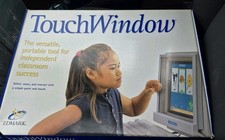
Vintage Edmark TouchWindow for Macintosh DeskTop Computer Touch Window Never Usd
$63.99



 Reply With Quote