

My situatioN: I was desperate to get Linux back on my desktop PC after its 2nd disk drive failed (containing all of my Linux distros), so I thought of trying Knoppix on the surviving first disk. This first disk was partitioned like this:
2GB /hda1 Win98
1GB /hda5 old Redhat 6.1
128MB /hda6 swap
3GB /hda7 /home
I knew that knoppix needed a 2.5 GB partition to install on which I don't have, so I thought I would be crafty and do a manual install, figuring I could use /hda5 as a partition for /opt which just contains openoffice.
So I booted Knoppix from the CD and fdisk'd /hda1 and /hda5 to ext3 partitions. I then copied the contents of
/KNOPPIX/opt into /mnt/hda5 and the rest of /KNOPPIX
into /mnt/hda1. I think the copy was successful, and didn't see any errors concerning full devices, though hda1 showed 100% usage afterwards.
(I have since apt-get remove'd the uneccessary kde-i8n
language files which clears up a substantial amount of space (now 92% full).)
I modified /etc/fstab to look like :
proc /proc proc defaults 0 0
pts /dev/pts devpts mode=0622 0 0
/dev/fd0 /mnt/auto/floppy auto user,noauto,exec,umask=000 0 0
/dev/cdrom /mnt/auto/cdrom auto user,noauto,exec,ro 0 0
/dev/hda1 / ext3 defaults 1 1
/dev/hda5 /opt ext3 rw,auto,user,exec,async 1 2
/dev/hda7 /home ext3 rw,auto,user,exec,async 1 2
(and created mount points for /opt and /home)
I also updated lilo.conf to tell lilo to boot from /dev/hda1
)the new / partition).
Unfortunately when I reboot to my newly installed HDD Knoppix, /opt and /home never get mounted, and it drops to a shell as it can't find /home/knoppix. I can then
type
mount /opt
mount /home
/etc/init.d/xsession start
and it contnues.
Obviously I would like to get /home and /opt automatically mounted at boot time, but can't see what I am doing wrong.
Anyone have any ideas. In particular which knoppix script controls the disk mounting
Thanx in advance
 Posting Permissions


(New) AMD Ryzen 7 5700X 8 Core 16 Thread AM4 Unlocked 3.4 GHz CPU OEM Tray
$174.99

OPNsense Firewall 8-Core Atom C3758 4GB DDR4 RAM 64GB SSD 8x 1Gbe QAT AES-NI VPN
$95.00
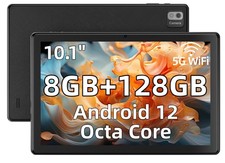
SGIN 10.1" Tablets 8GB 128GB Android 12 Octa Core MTK8183 6000mAh Type-C MicroSD
$307.96

Clear Touch Interactive Module CTI PCMOD PC55 ST i5 6core,8GB DDR4,256GB SSD NEW
$225.00
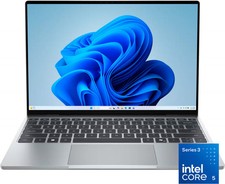
Dell - XPS 13.4" 3K Touchscreen Laptop - Intel Core 5 Series 3 320 2026 - 8GB...
$599.99

AMD Ryzen 7 9850X3D 8-Core 16-Thread 5.6GHz 120W AM5 CPU 100-100001973WOF
$435.99
AMD Ryzen 7 5800X3D 8-Core 3.4GHz Socket AM4 CPU Processor….
$309.99
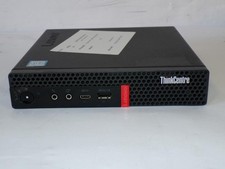
Lenovo ThinkCentre M720Q Core i5-8500T 2.10GHz 8GB 128GB SDD W11 Mini PC (Z3675)
$123.16

AMD Ryzen 7 PRO 8700GE 8-Core/16-Thread Up to 5.1GHz AM5 (FL1)
$175.00

NEW SGIN 12" Tablet Pad 8GB + 256GB 8000mAh Android 13 Dual Camera FHD Octa-Core
$96.99


 Reply With Quote