
Hello,
Pieter Jonker was so kind to translate my
german Knoppix Tutorial into english. See
www.eleli.de/knoppix/docs/tutorial/english *
Enjoy it - or even better: improve it!
Bye
Karl


Hello,
Pieter Jonker was so kind to translate my
german Knoppix Tutorial into english. See
www.eleli.de/knoppix/docs/tutorial/english *
Enjoy it - or even better: improve it!
Bye
Karl
Hello,
could somone of the forum moderators be so kind
and move this topic to the forum "News"?
I don't know why but I am not allowed to post
new topics in the forum "News".
Thank you and bye
Karl
schock,
Only mods can begin posts in the News forum, but I will move this post to News. I don't have time right now, but you might want to add this (or a link to this) in the Docs section. The Docs section is a wiki so anyone can add to it. Just click the "edit" button at the bottom of the proper page.
Oh and by the way, nice work!
Hello Aay,
> I will move this post to News.
Thank you very much.
> you might want to add this (or a link to this) in the Docs section
That's a good idea. I added links in FaqUsing, GetSupport and KnoppixLinks.
> Oh and by the way, nice work!
For your pleasure.
Bye
Karl
I have found a bug in your tutorial
In Lesson 2 - Configuring Knoppix, I. Configuring the screen, 2. Use the KDE Control Panel, you say
However I can find nowhere an option to open KXConfig there. You seem to imply that KXConfig will open automatically. That would be really neat, but the only way I have found to run KXConfig is with Alt+F2, I didn't even know that such a useful thing existed.Click there with your left mouse button at the tab "Index" first on "Peripherals" and there on "Display". With this you open the "XFree86 Configuratin"-window
I'm using Knoppix 3.5 LinuxTag DVD with lang=en, but the same applies to 3.4.
I noticed a repeating spelling error. The word "than" is incorrect and should be "then" in most places.
Other than that it's nice to see somebody making yet a Knoppix tutorial.
Hello vedran,
> In Lesson 2 - Configuring Knoppix, I. Configuring the screen, 2. Use
> the KDE Control Panel, you say
> Click ... on "Display". With this you open the "XFree86
> Configuratin"-window
> However I can find nowhere an option to open KXConfig there.
No option is necessary.
> You seem to imply that KXConfig will open automatically.
Yes. A **click on "Display"** opens the KXConfig-Window
automatically as you can see in the image beneath the text.
Bye
Karl
Hello sn0wflake
> I noticed a repeating spelling error. The word "than" is incorrect
> and should be "then" in most places.
Indeed, this error occurs more often "then" tolerable
Bye
Karl
I found the posts about the word "than" being misused a bit odd.
I didn't find any instances of the words "than" or "then" being used incorrectly. I have to assume that the document has been updated since these previous posts.
 Posting Permissions

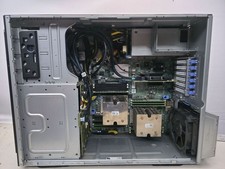
Dell PowerEdge T440 Tower Server 2x Intel Gold 5118 and 128GB 2400MHZ DDR4
$1840.00

Dell EMC PowerEdge R440 Xeon silver 4215 2.5GHz 16 GB ram 2x 550W PSU No HDD
$275.00

867959-B21 HPE ProLiant DL360 G10 CTO Server W/ 2x 865414-B21 1x 840140-001
$225.00

Windows Server 2025 Standard✔ 24-CORE✔ 10 CALs✔ 50 RDS✔ Remote Desktop EP2-25205
$317.56
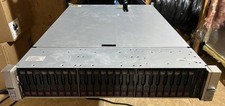
HP ProLiant DL380 G9 Server 512GB RAM 20TB HDD Nvidia Titan RTX 24GB GPU 2x Xeon
$4499.00

Dell EMC PowerEdge R740 8 Bay Server w/ 32GB RAM 2x GOLD 6132 2x 1600W PSU H730p
$499.88

Dell PowerEdge C4130 1U AI GPU Server | 2x E5-2680 v3 | 32gb Ram | 2x 1600W
$409.99

Dell Poweredge R730xd 12LFF 2*2660v4 4*1Gbe h730 2x 750W Server CTO
$368.00

RDS CAL - Remote Desktop Services Windows Server 2019 50 User/Device Connections
$63.00
USB 2.0 Network Print Server LAN Print Share Server USB Wireless Print Server
$25.19


 Reply With Quote