

 Reply With Quote
Ok what arre you trying to do? Compile a program code or make a tarball?
I can't help with compiling a program but to make a tarball you can use Ark. I don't remember how to do it via command line though.


I used linux a bit back in college, but i was mostly just using software already on the system. now that i have it on my own system, i find that nearly every program on the market for it requires that i first compile the program to use it. How do i do so?
edit: added "from" to subject line for clarity.
Ok what arre you trying to do? Compile a program code or make a tarball?
I can't help with compiling a program but to make a tarball you can use Ark. I don't remember how to do it via command line though.
no, i'v got the tarball, what i need is the compiled program so i can run it. i know how to use ark to extract the tarball, but that just leaves me with a bunch of compiler-related files, that i don't know what to do with.
You will need to look at any README files or other documentation included in the archive to get precise instructions on how to compile, but it genearally consists of doing the following:Originally Posted by Logrus
From the shell navigate into the unarchived directory with cd.
./configure
make
as root: make install
One more thing. You say that most programs require that you compile before you use them. Since you are new to Linux/Debian you might not know about apt. Currently there are over 13,000 packages available in the Debian repositories. Many programs that you will want to install will be included there. With Debian, installing them couldnt be easier. Simply do the following as root.
Code:apt-get updateI always use -s to simulate an install before I go ahead with it this way you can see if there are going to be any dependency conflicts or if there are going to be programs removed because of your install. If you don't get any messages about dependency problems and if no programs are going to be removed then simply hit the up arrow on your keyboard to bring up the previous command and remove the -s. Now when you hit enter the program will be downloaded and installed. If you end up with dependency problems or if you see that programs are going to be removed then try the following.Code:apt-get -s install name_of_program
This should almost always work, but I still put the -s in there in order to simulate the install before I go through with it. If everything looks good, then simply hit the up arrow, remove the -s and hit enter. The program will be installed and dependencies will be satisfied. I suggest doing some more reading on apt. It's very powerful and one of the main reasons I use Debian.Code:apt-get -s -t unstable install name_of_program
./configure: no such file or directory.
as for the apt one, where can i get a list of progs it supports, and the names it uses for them?
The simple answer is to do a google for
name of program debian
But a tool which will help is Synaptic. It's a GUI front end for apt-get and will list all programs available (but note that what is available will depend on your sources.list). To install Synaptic connect to the internet. As root (su to root) do:
apt-get update
when that's finished, (still as root) do:
apt-get install synaptic
You need to right click on the package and select "extract here" this will create a new directory. cd to that directory and then do./configure: no such file or directory.
./configure
that's exactly what i did. with 2 different tarballs from 2 different sources, for 2 different programs.
in konsole, from the root directory, "apt-get update" gives me 14 pages of error codes, then a new prompt. fails to find files, fails to create files, fails to fetch files from addresses. doesn't successfully do anything at all.
 Posting Permissions


Mini Computer Vacuum USB Keyboard Cleaner PC Laptop Brush Dust Cleaning Kit NEW
$13.89

LEVOIT Cordless Vacuum Cleaner, Stick Vac with Tangle-Resistant Design, Up to...
$167.63
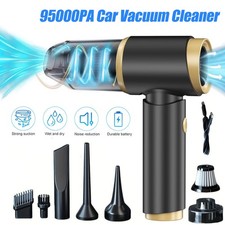
95000PA Wireless Car Vacuum Cleaner Air Blower Wireless Handheld Rechargeable US
$21.98

V3 Robot Vacuum and Mop Combo,Self-Charging,5000pa Strong Suction,WiFi/Alexa NIB
$82.00
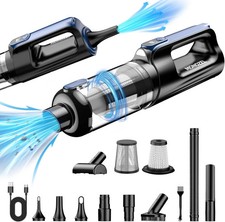
MONOZEL Car Vacuum Portable Cordless, 18000Pa 2 in 1 Vacuum Cleaner&Air Duster,
$55.90
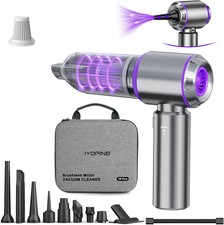
Vacuum/Air Duster Super Power Mini Car Vacuum Cleaner 4-in-1 air Blower Gun
$66.90

Compressed Air Duster Rechargeable Computer Vacuum Cleaner for PC Keyboard Toys
$16.99
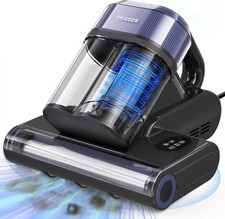
Mattress Vacuum Cleaner with 275nm UV-C Light & 149℉ Heat, 16Kpa Powerful Suctio
$69.90
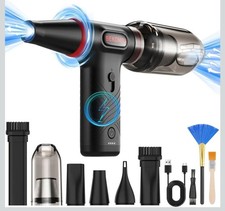
Compressed Air Duster 1 Button Adjustment 12000 RPM Air Blower Car Home Keyboard
$38.99

Cordless Vacuum Cleaner for 20V Battery, 7-in-1 Lightweight Stick Vacu...
$149.15