-
Senior Member
registered user
No Luck
Hi Marcus.....I did edit the file in /etc/skel/.kde/share/config/kdeglobals
and restarted computer and cursor is STILL SMALL!!! HAHAHAHA!! I wonder why? Maybe I can download another cursor?
-
Senior Member
registered user
replace it?
I am thinking is it possible to just remove the current arrow cursor and download a BIG one and put it in place of small one? I dont think I really need a new mouse THEME.....just the arrow pointer.....OR is it possible to actually edit the mouse pointer itself and enlarge it?
-
Senior Member
registered user

Originally Posted by
colin stewart
Hmm.. can't find those four you mention, how are you seeing them? - I looked under themes based on what you said, but no luck

Still no idea about the typing/insert cursor either - a block would likely be more visible that a line I am hoping! oh well, back to the draining board!

Try this as root to display change to --config in the line if you want to change the cursor and choose the number you want.
Code:
HappyTux:/home/stephen# update-alternatives --display x-cursor-theme
x-cursor-theme - status is manual.
 link currently points to /etc/X11/cursors/whiteglass.theme
/etc/X11/cursors/core.theme - priority 30
/etc/X11/cursors/redglass.theme - priority 20
/etc/X11/cursors/whiteglass.theme - priority 20
/etc/X11/cursors/handhelds.theme - priority 20
Current `best' version is /etc/X11/cursors/core.theme.
-
Senior Member
registered user
eh?
Hi Stephen....I hate to sound dumb but I am not sure I follow you....I went into /etc/x11/cursors and there are 4 files in there: core.theme, handhelds.theme, redglass.theme and whiteglass.theme. When I click on, say core.theme to look at the file, all it says is:
[Icon Theme]
Inherits=core
I am not sure what the rest of what you said has sunk in yet! Could you explain a little more detailed for me? Is it these .theme files that I have to add something to? bob
-
Senior Member
registered user
Re: eh?
Originally Posted by
bob58
I am not sure what the rest of what you said has sunk in yet! Could you explain a little more detailed for me? Is it these .theme files that I have to add something to? bob
You use the update-alternatives --config x-cursor-theme as root and change the current cursor to one you want.
-
Senior Member
registered user
mouse theme
Hi Stephen...thanks for helping me...so what i do is bring up console and as root, type in "update-alternatives --config x-cursor-theme" and it will prompt me to type in a different theme such as redglass.theme or whiteglass.theme? Sorry to be such a bonehead....bob
-
Senior Member
registered user
Re: mouse theme
Originally Posted by
bob58
Hi Stephen...thanks for helping me...so what i do is bring up console and as root, type in "update-alternatives --config x-cursor-theme" and it will prompt me to type in a different theme such as redglass.theme or whiteglass.theme? Sorry to be such a bonehead....bob
Yes except you choose the number of the alternative you want.
-
Senior Member
registered user
the red cursor
Hi Stephen....I tried that and it worked as far as a different cursor. I picked the red one which is easier to see but it is still very small.....but I guess I can live with it now....I have not tried the other 2 choices yet.....thanks for that code....it did help. bob
Similar Threads
-
By Otacon in forum General Support
Replies: 4
Last Post: 04-27-2005, 05:15 PM
-
By fannymites in forum Hardware & Booting
Replies: 5
Last Post: 11-04-2004, 05:23 AM
-
By dayalp in forum Hardware & Booting
Replies: 2
Last Post: 10-05-2004, 06:03 PM
-
By diirrttiiee in forum The Lounge
Replies: 5
Last Post: 05-24-2004, 08:34 AM
-
By clfest in forum Hardware & Booting
Replies: 8
Last Post: 04-30-2003, 01:59 AM
 Posting Permissions
- You may not post new threads
- You may not post replies
- You may not post attachments
- You may not edit your posts
-
Forum Rules


Netac DDR4 32GB 16GB DDR4 3200MHz UDIMM C16 Desktop Internal Memory RAM Kit
$99.99
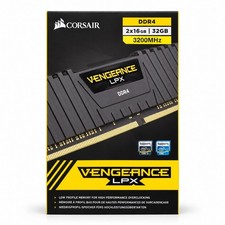
Corsair Vengeance LPX 32GB (2x16GB) DDR4 3200MHz CL16 CMK32GX4M2E3200C16
$159.99

Major Brand 16GB (2x8GB) PC3-12800U DDR3-1600MHz DDR3-12800 DESKTOP RAM NON-ECC
$29.99

A-Tech 8GB DDR3 1600 PC3-12800 Laptop SODIMM 204-Pin Memory RAM PC3L DDR3L 1x 8G
$21.68

Samsung 8GB DDR4 SO-DIMM PC4-3200AA 260-Pin RAM M471A1G44BB0-CWE Module
$29.25

RAMAXEL Lenovo 32GB LPDDR5X CAMM2 7500MHz Laptop RAM | UNTESTED
$445.00
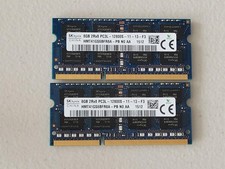
16GB Total of SK hynix PC3L-12800S 2 sticks of 8GB each = 16GB Laptop Memory
$27.95
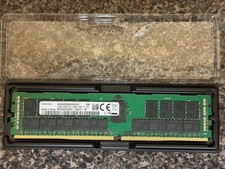
Samsung M393AAK40B42-CWD7Y 128GB 2S4rx4 PC4-2666V-RB2-12-DB1 SERVER RAM ECC
$550.00

16GB ( 4X 4GB ) MEMORY DDR3 PC3-10600 1333MHz FOR DELL OPTIPLEX 790 780 990 980
$39.99
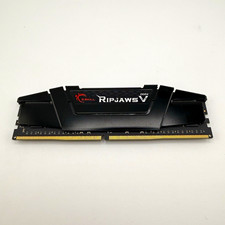
G.SKILL Ripjaws V 32GB (1x32GB) DDR4-3200 288-Pin DIMM XMP 2.0 F4-3200C16S-32GVK
$149.99



 Reply With Quote