

 Reply With Quote
i found my answer.. i'll post it here just in case someone has the same question.
Code:update-menus


This is more of a debian/kde question.
My problem is that when I install new programs with apt-get or kpackage I don't know how the icons in kde menu are created.
For example when I install firefox with "apt-get install firefox" I get a firefox icon in kde menu under: Internet > firefox.
What's frustrating is that sometime these icons do not appear at all. When I install totem I didn't get an icon in kde menu and had to create the shortcut myself. (it's hard to pick a suitable icon ya know..)
Is there a way I can see how these icons for kde menu are generated?
i found my answer.. i'll post it here just in case someone has the same question.
Code:update-menus
 Posting Permissions


Crucial MX500 1TB 2.5" SATA III Internal SSD CT1000MX500SSD1
$102.99

Samsung 2.5" 870 EVO SSD SATA III 250GB 500GB 1TB Internet Solid State Drive Lot
$90.00

Samsung 860 EVO 250GB SSD MZ-76E250 2.5" SATA III Solid State Drive
$39.99

Western Digital PC SN740 256GB M.2 2280 NVMe Internal SSD (SDDPNQD-256G)
$34.99

Netac 2TB 1TB 512GB 256GB Internal SSD 2.5inch SATAIII Solid State Drive lot
$549.00

Fanxiang 1/2/5/10Pcs 2.5'' SATA SSD Lot 1TB 2TB 4TB 512GB 256GB TLC Internal SSD
$129.99
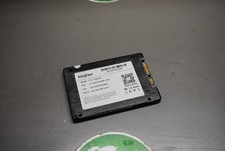
KingFast F10 256GB 2.5” SATA III SSD Tested Working 2710DCS23BF-256
$22.89

2 PACK 128 GB SSD M.2 2280 SATA Solid State Drive Major Brands, Samsung, LiteON
$28.80

Samsung New SSD 970 EVO Plus 2TB 1TB 500GB 250GB NVMe M2 Internal Hard Drive Lot
$79.99

SSD 2.5" SATA Hard Drive for Laptop Desktop Windows 10 pro 64 Pro Pre-installed
$42.00