

 Reply With Quote
Open K3b and go into the Tools menu -> CD -> Burn CD Image and choose the image you want to burn.Originally Posted by sn0wflake


How do I burn a CD? How do I burn ISO, CCD, BIN/CUE files? Is there a simple GUI in KDE that'll do the trick?
I've searched and I can't see a simple howto guide
Open K3b and go into the Tools menu -> CD -> Burn CD Image and choose the image you want to burn.
Thank you Stephen, you're an excellent Helper! My installation test of Knoppix 3.3 borked my network so I have to burn everything to CD and reinstall Knoppix.
Excuse me but I will make an idiot newbie question: An ISO image burned in Linux with k3b is readable in Windows too right?
It depends on the file system that is inside the image in the case of Knoppix images they use a standard CD file system which windows can read.
Thanks StevenThat answered my question perfectly.
I asked because I want to make some copies of Windows programs under Linux, because my external HP recorder is not detected by Nero under Windows XP, but works perfectly under Linux.
Thanks again, greetings from Penguinland.
 Posting Permissions


Dell 6P85J 4TB ST4000NM0063 7.2k 6Gb/s 3.5� SAS SED Hard Drive with Tray
$39.99

Western Digital HUS726T4TAL5204 4TB 7.2K SAS 12Gb/s 3.5" 512e HDD NetApp X375A
$64.00

HGST Ultrastar HUS726040AL5210 4TB 7200RPM SAS 12Gb/s Enterprise HDD
$41.00

Seagate ST8000NM0075 Enterprise Capacity 3.5 HDD 8TB SAS Hard Drive 8TB EXOS
$184.99
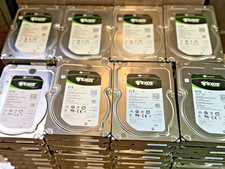
Seagate Exos 7E8 4TB SAS 12Gb ST4000NM0025 7200 512n 3.5 HDD
$48.99

Dell ST6000NM0034 1HT27Z-150 NWCCG 6TB SAS 3.5 7.2K ENTERPRISE SERVER DRIVE
$68.99

Seagate Barracuda ST1000DM003 1 TB SATA III 3.5 in Desktop Hard Drive
$23.99
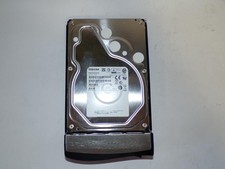
Toshiba MG03ACA400 4TB 7200 RPM SATA 6.0Gb/s 3.5" Enterprise HDD (V6313)
$61.56

DELL 2TB Enterprise HDD (7200RPM, 3.5", SATA III, 128MB Cache) HUS722T2TALA600
$49.95

Tested WD Ultrastar DC HC520 12TB 7.2K RPM SATA 6Gb/s 3.5" HDD HUH721212ALN600
$239.99