

 Reply With Quote
Open K3b and go into the Tools menu -> CD -> Burn CD Image and choose the image you want to burn.Originally Posted by sn0wflake


How do I burn a CD? How do I burn ISO, CCD, BIN/CUE files? Is there a simple GUI in KDE that'll do the trick?
I've searched and I can't see a simple howto guide
Open K3b and go into the Tools menu -> CD -> Burn CD Image and choose the image you want to burn.
Thank you Stephen, you're an excellent Helper! My installation test of Knoppix 3.3 borked my network so I have to burn everything to CD and reinstall Knoppix.
Excuse me but I will make an idiot newbie question: An ISO image burned in Linux with k3b is readable in Windows too right?
It depends on the file system that is inside the image in the case of Knoppix images they use a standard CD file system which windows can read.
Thanks StevenThat answered my question perfectly.
I asked because I want to make some copies of Windows programs under Linux, because my external HP recorder is not detected by Nero under Windows XP, but works perfectly under Linux.
Thanks again, greetings from Penguinland.
 Posting Permissions


GIGABYTE A520M DS3H AC AMD AM4 Motherboard mATX
$59.99

Intel H310 LGA1151 8-9th Gen DDR4 M.2 NVMe mATX Motherboard IO Shield Battery
$54.99

â� Intel H81 Motherboard M.2 NVMe LGA 1150 mATX w/ IO Shield (Random Slot Color)â�
$29.90

ASUS B85M-G/B85M-G PLUS LGA1150 DDR3 Micro ATX Motherboard HDMI for Inter 4thCPU
$45.00

GIGABYTE B365 HD3 LGA1151 Intel 9th Gen motherboard
$59.99

ASRock B550M PRO4 AM4 AMD B550 SATA 6Gb/s Micro ATX AMD Motherboard
$81.99
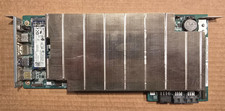
ASRock AMD BC-250 16GB 128GB SSD Used
$220.00

ASUS PRIME Z370-A II LGA 1151 Intel Z370 DDR4 DIMM USB3.1 DVI ATX RGB
$69.99
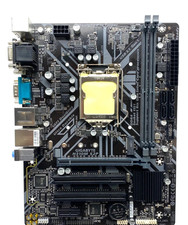
GIGABYTE H310M S2P Motherboard
$55.99
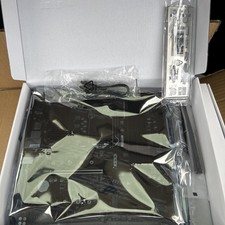
MSI B460M PRO-VDH WIFI LGA1200 Micro ATX Motherboard
$94.99