-
I'm trying to figure this one out, too. So far, I've learned (please correct any mistakes!) that the steps are as follows:
1. As root, "rm /dev/pilot " -- the existing file points to a serial port. If you want to know which port that is, you can check it first, by "ls -al /dev/pilot"
2. Create a new symbolic link: "ln -s /dev/ttyUSB1 /dev/pilot
3. Change the permissions on the file: "chmod 666 /dev/pilot"
Then I run into trouble. I THINK the issue is that the usb module for the Palm, visor.o, I believe, isn't loaded into the kernel. What I've been told is that "modprobe visor.o" should do that. But with or without the full path name to visor.o, Debian won't install that module. So I don't know if I have the wrong module name or the wrong installation process. Anybody?
P.S. I do know that the hardware works, as the same machine successfully synched under Red Hat Linux Enterprise 3 WS.
Similar Threads
-
By Gros104 in forum Hardware & Booting
Replies: 8
Last Post: 04-15-2005, 05:16 PM
-
By jehan60188 in forum MS Windows & New to Linux
Replies: 4
Last Post: 01-12-2005, 02:03 AM
-
By Eshnet.net in forum The Lounge
Replies: 7
Last Post: 03-20-2004, 12:22 AM
-
By VeeDubb in forum Hardware & Booting
Replies: 21
Last Post: 01-20-2004, 09:16 PM
-
By sminotti in forum Hardware & Booting
Replies: 0
Last Post: 06-04-2003, 04:35 PM
 Posting Permissions
- You may not post new threads
- You may not post replies
- You may not post attachments
- You may not edit your posts
-
Forum Rules


GIGABYTE A520M DS3H AC AMD AM4 Motherboard mATX
$59.99

Intel H310 LGA1151 8-9th Gen DDR4 M.2 NVMe mATX Motherboard IO Shield Battery
$54.99

MSI B460M-A Pro DDR4 LGA 1200 Micro ATX Motherboard 10th Gen
$59.99

ASUS B85M-G/B85M-G PLUS LGA1150 DDR3 Micro ATX Motherboard HDMI for Inter 4thCPU
$45.00

Intel H81 Motherboard M.2 NVMe LGA 1150 mATX w/ IO Shield (Random Slot Color)
$29.90

GIGABYTE B365 HD3 LGA1151 Intel 9th Gen motherboard
$59.99

MSI B550M PRO-VDH Micro-ATX Motherboard - AMD AM4, Ryzen 5000/4000/3000 Ready, P
$101.99

ASRock B550M PRO4 AM4 AMD B550 SATA 6Gb/s Micro ATX AMD Motherboard
$76.49

ASUS PRIME Z490-V Motherboard Intel Z490 10th gen DDR4 LGA 1200 ATX w/ IO Shield
$84.99
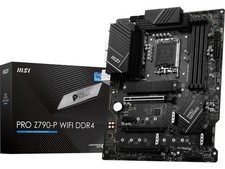
MSI PRO Z790-P WIFI DDR4 LGA 1700 Intel Z790 SATA 6Gb/s DDR4 ATX Motherboard
$163.49



 Reply With Quote