-
new to knoppix
hi everyone!!!
i've started to use knoppix few days ago, and i'm pretty new to all of this linux stuff. i was told that i can adjust the configuration and save the changes i made so i won't have to do them all over again everytime i'm using the cd. does anyone know how am i suppose to do that?
-
Adjust configuration and then do following:
1. Saving configuration to floppy:
K menu - KNOPPIX - Configure - Save Knoppix Configuration
3. At next CD boot up when boot prompt appears do following:
a) Put in the configuration diskette floppy
b) Write at boot prompt:
Knoppix floppyconf
 Posting Permissions
- You may not post new threads
- You may not post replies
- You may not post attachments
- You may not edit your posts
-
Forum Rules


Dell 6P85J 4TB ST4000NM0063 7.2k 6Gb/s 3.5” SAS SED Hard Drive with Tray
$39.99

Western Digital HUS726T4TAL5204 4TB 7.2K SAS 12Gb/s 3.5" 512e HDD NetApp X375A
$64.00

HGST Ultrastar HUS726040AL5210 4TB 7200RPM SAS 12Gb/s Enterprise HDD
$41.00

Tested WD Ultrastar DC HC520 12TB 7.2K RPM SATA 6Gb/s 3.5" HDD HUH721212ALN600
$239.99

Dell ST6000NM0034 1HT27Z-150 NWCCG 6TB SAS 3.5 7.2K ENTERPRISE SERVER DRIVE
$68.99

Seagate Barracuda ST1000DM003 1 TB SATA III 3.5 in Desktop Hard Drive
$23.99

Seagate ST3000NM0005 HDD 3TB SATA 6Gb/s 7.2K 3.5" 512 b/s
$59.00

Toshiba 14TB MG07 MG07ACA14TEY 7.2K RPM SATA 6Gb/s 512e 3.5" Enterprise HDD
$339.00

Seagate ST8000NM0075 Enterprise Capacity 3.5 HDD 8TB SAS Hard Drive 8TB EXOS
$184.99
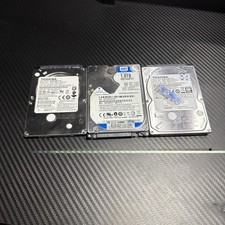
Lot of 3 1TB Samsung WD Toshiba SATA 2.5" HDD Hard Drives - Wiped and Tested
$79.99



 Reply With Quote