-
Senior Member
registered user
Re: Hey

Originally Posted by
Dosmaen
Hello! Knoppix is awesome! There have been a few problems I've had, one is that Chronium goes extremely slowly, and another, how would I go about installing RPMS? I'm trying to take a peek into Adonthell, and I need to know the root password. Thanks for your time!
Oh yeah, my system specs for helping me with Chronium, an Nvidia Geforce FX 5200, P3 800mhz(;_

, and 256mb of memory.
Dosmaen,
Looks like three querries:
(1) Chronium runs slow...
(2) Root password...
(3) Installing RPMS.
Possible answers, from what I know...
(#1) I had a "cheap" motherboard mounted video card, that "shared" memory with my system memory - Chronium ran slower than a rock rolls uphill... I ended up getting a AGP GeForce4, with 64meg of memory on the board... This didn't help, until Stephen pointed me to the drivers/modules that needed to be installed to use that card. After that, I haven't found an action, or arcade, game that doesn't run a lot faster now.
(#2) No Root, or SuperUser, password is given in the Live CD. If you install Knoppix to a hard drive, during the install, it asks for you to set one up. But, if you view the Knoppix CD, you will find a document on "Security" that explains why no ROOT password was set up in Knoppix, on the CD boot... To get a root password, temporarily, you can open a shell (the icon that runs allong the bottom of the screen, looks like a monitor with a shell in front of it)...
In the shell, do the following:
su
passwd
The first command will "make" you root, and since no password is active for root, you just "become" root (in that shell)
The second command is what will change the current users password (since you did a "su", you would thereby be changing the "root" password) for this session...
Explanation of "for this session":
Since you are running off the CD, nothing will be retained from this boot to the next boot, UNLESS - you save your configurations, and/or, use a persistant home...
If my memory serves me correctly - if you set up a root password on this boot, don't save your config or have a persistant home setup, then when you shutdown and then reboot into the Knoppix CD again - nothing will be retained from your previous boot - this includes the root password being setup. (you might want to do a search in knoppix.net for "root password" - tons of postings already exist, in this forum, on this topic)
(#3) Not usre if you know this, so, if you do, humor me... Knoppix is based on Debian - Debian is another "flavor" of Linux - Debian using ".deb" packages for installing software, libs, utiilities, etc... - and lastly - apt-get is used to view, search, install, remove, update, and upgrade these ".deb" packages and software. From what I know... RPMS (or RPM's) are used in RedHat??? Or is it Mandrake??? Never the mind, You might want to see if you can find what you are looking for in a "apt-get" instead of the RPMS form. {???]
Hopefully this helps, (my flame retarded suit is in for "previous" "encounters" [giggle])
Cuddles
 Posting Permissions
- You may not post new threads
- You may not post replies
- You may not post attachments
- You may not edit your posts
-
Forum Rules


Dell EMC PowerEdge R740 8 Bay Server w/ 32GB RAM 2x GOLD 6132 2x 1600W PSU H730p
$499.88

Dell Poweredge R630 2x Xeon E5-2680 v3 2.5ghz 24-Cores / 64gb / Raid / 2x 1Tb
$374.99

Dell EMC PowerEdge R440 Xeon silver 4215 2.5GHz 16 GB ram 2x 550W PSU No HDD
$275.00

Dell Poweredge R630 2x Xeon E5-2680 v3 2.5ghz 24-Core | HBA330 | No RAM or HDD
$169.99

Dell Poweredge R810 4x Xeon X7560 2.26ghz 32-Cores | 256GB | 3x Trays | H700
$289.99

Dell PowerEdge C4130 1U AI GPU Server | 2x E5-2680 v3 | 32gb Ram | 2x 1600W
$409.99

Dell PowerEdge R730XD 28 Core Server 2X Xeon E5-2680 V4 H730 32GB RAM No HDD
$378.93
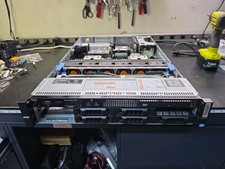
Dell PowerEdge R720 Server 2× Xeon E5-2670 2.6GHz 126GB RAM RAID iDRAC
$350.00

Dell PowerEdge R730 Server 2x Xeon E5-2630 V4 64GB DDR4 2TB HDD Rackmount
$699.99
Dell PowerEdge R740 E38S001 Server E38S
$660.00



 Reply With Quote