-
similar symlink for Speedtouch USb on Knoppix Live
Hi robelanator,
I'm a noob to Linux and have been skeptical for years of the OS just because of the seemingly impossible driver installations for Usb modems. If I can get this running then i might consider actually installing Debian on a Hard Drive again.
You suggested using a symlink to install the NVIDIA driver any ideas how to do a similar "make install" on a live version of knoppix for Speedtouch Usb drivers?
What would I have to symlink and where?
the errors i've been getting when trying to "make install"
are
/usr/bin/install: cannot create regular file '/usr/local/sbin/modem_run': Read-only file system
which I understand is normal cause I'm using the Live knoppix off the CD.
But I really want to get this working without having to install to the hardrive.
I was using the install procedures found at :
http://www.knoppix.net/forum/viewtopic.php?p=55063
and my drivers where downloaded on my windows formated HD which suprisingly automounted when I booted from the knoppix CD.
I set the read and write permissions on that HD drive but "make install" which is part of the "speedtouchconf.sh" seems to want to install to the CD by default.
I successfully Configured the Software, Built the SpeedTouch Driver, but could not install obviously due to the my using LIVE knoppix.
Can you or anybody else help me please?
My willingness to use linux hangs in the balance.
Thanks
Sam
-
no screens found...
Hi,
thanks for wiriting us this great Howto. Everything worked fine until i restarted the computer and XFree couldnt start up. It said "No Screen(s) found".
Do you have an idea how to fix this problem?
(Knppix 3.4, Kernel 2.4.26, nvidia drivers v1.0-4191, nVidia Geforce 2 MX)
Thanks,
Götz
-
Senior Member
registered user
-
Junior Member
registered user
Thanks for writing the howto, but I can't get it to work with the 2.6.7 kernel, I used the
NVIDIA-Linux-x86-1.0-5336-pkg1.run
I installed the 2.6.7.2 kernel header with synaptic made a symlink
I edited the /etc/X11/XF86Config-4
I closed x went into the console and made the symlink
ln -s /usr/src/kernel-headers-2.6.7-1 /usr/src/linux
I also did
export CC=/usr/bin/gcc-2.95
then
./NVIDIA-Linux-x86-1.0-5336-pkg1.run
It wanted to install kernel headers(i think from their site)
It could no precompiled kernel(or something like that)) found.
It also complained still about the gcc compiler (Also when done ln -s /usr/src/kernel-headers-2.6.7-1 /usr/src/linux or not)
Whatever I tried several other possibility's to get the driver installed including new
reinstallations It really drives me nuts.

-
Senior Member
registered user
-
Junior Member
registered user
No doesn't work Tried the whole thing with offcourse change where is written 2.6.6 to
2.6.7 etc etc, really everything seems to work fine, compiling etc, but when I restart
It say s can't load NVIDIA module and get a nice loggin prompt.
There must be something different when using the Knoppix3.4 knoppix26 and hd install.
-
Senior Member
registered user
Since you already compile your kernel, your kernel header should be there.
Get a new nvidia driver from: http://download.nvidia.com/XFree86/L...-6111-pkg1.run
Then get out from kde to command line screen and run:
export CC=/usr/bin/gcc-2.95
sh NVIDIA-Linux-x86-1.0-6111-pkg1.run
or you could try kano's script:
http://kanotix.com/files/install-ker...rce-vanilla.sh
http://kanotix.com/files/install-nvidia-6111-debian.sh
Run install-kernel-source-vanilla.sh first, follow by install-nvidia-6111-debian.sh.

-
Junior Member
registered user
No didn't work eather then tried kanotix script after a new install.
It hopefully started with vanilla script executing downloading installing and ended with:
cp: cannot stat 'kernel-headers-2.6.7/include' :Unknown file or map
finished
Needlles to say that the 6111 script didn't work after it als.
Maybe when I find time I will try Kanotix still, to give it a try thanks for the links.
-
Junior Member
registered user
No didn't work eather then tried kanotix script after a new install.
It hopefully started with vanilla script executing downloading installing and ended with:
cp: cannot stat 'kernel-headers-2.6.7/include' :Unknown file or map
finished
Needlles to say that the 6111 script didn't work after it also.
Maybe when I find time I will try Kanotix still, to give it a try thanks for the links.
Oeps double post 
-
Junior Member
registered user
So I tried Kanotix and yes worked directly, still wondering why it doesn't work on the knoppix 3.4 anyway thanks a lot for the answers :P
Similar Threads
-
By lars in forum Hdd Install / Debian / Apt
Replies: 16
Last Post: 07-02-2004, 10:56 AM
-
By Yakumo in forum Hdd Install / Debian / Apt
Replies: 14
Last Post: 06-14-2004, 05:07 PM
-
By Gozar in forum Hdd Install / Debian / Apt
Replies: 3
Last Post: 06-13-2004, 08:03 PM
-
By MillTek in forum Hdd Install / Debian / Apt
Replies: 10
Last Post: 05-19-2004, 05:56 PM
-
By kelmo in forum Hdd Install / Debian / Apt
Replies: 5
Last Post: 05-09-2004, 09:20 AM
 Posting Permissions
- You may not post new threads
- You may not post replies
- You may not post attachments
- You may not edit your posts
-
Forum Rules


OEM 45w T-Tip Power Adapter charger for Apple macbook air 2012-2017 A1436 A1466
$19.99

Genuine Apple OEM A2164 30W USB-C AC Power Adapter with USB-C Cable, Very Good
$20.59
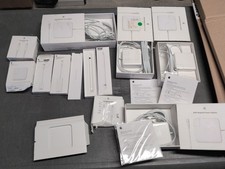
Lot Of Apple Cords And Accessories All OEM Genuine Apple Pencil, Magsafe Power
$109.99

apple oem cube 5w charger
$6.99

Genuine OEM Apple Power Adapter Extension Cable for MacBook Pro Air
$8.99

Genuine OEM Apple 60W MagSafe Power Adapter A1344 ~ FREE S/H
$12.99

OEM Genuine For Apple MacBook Air Magsafe 2 45W Power Adapter Charger A1436 NEW
$26.79

OEM Apple 45W A1436 Power Charger AC Adapter for MacBook Air MagSafe 2
$12.99
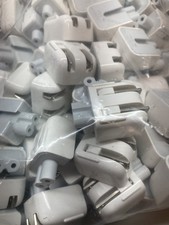
Genuine/OEM Apple Duckhead Two-Prong Plug - MagSafe AC Wall Adapter - Set of 25
$32.29

Genuine Apple Power Adapter Extension Cable 6FT White OEM MacBook MK122LL/A
$10.99



 Reply With Quote