-
GeForce4 install problem.
I'm a Newbie....
I did try everything on this forum , i'm still getting errors.
last thing i did was NVIDIA_kernel-1.0-4191 compile or make...
NVIDIA_kernel-1.0-4191# make install
/usr/bin/gcc-2.95 -c -Wall -Wimplicit -Wreturn-type -Wswitch -Wformat -Wchar-subscripts -Wparentheses -Wpointer-arith -Wcast-qual -Wno-multichar -O -MD -D__KERNEL__ -DMODULE -D_LOOSE_KERNEL_NAMES -DNTRM -D_GNU_SOURCE -D_LOOSE_KERNEL_NAMES -D__KERNEL__ -DMODULE -DNV_MAJOR_VERSION=1 -DNV_MINOR_VERSION=0 -DNV_PATCHLEVEL=4191 -DNV_UNIX -DNV_LINUX -DNV_INT64_OK -DNVCPU_X86 -I. -I/usr/src/linux/include -Wno-cast-qual nv.c
In file included from /usr/include/asm/semaphore.h:42,
from /usr/src/linux/include/linux/fs.h:205,
from /usr/src/linux/include/linux/capability.h:17,
from /usr/src/linux/include/linux/binfmts.h:5,
from /usr/src/linux/include/linux/sched.h:9,
from /usr/src/linux/include/linux/mm.h:4,
from /usr/src/linux/include/linux/slab.h:14,
from nv-linux.h:63,
from nv.c:14:
/usr/src/linux/include/linux/rwsem.h: In function `down_read_trylock':
/usr/src/linux/include/linux/rwsem.h:57: warning: implicit declaration of function `__down_read_trylock'
/usr/src/linux/include/linux/rwsem.h: In function `down_write_trylock':
/usr/src/linux/include/linux/rwsem.h:79: warning: implicit declaration of function `__down_write_trylock'
In file included from /usr/src/linux/include/linux/mm.h:4,
from /usr/src/linux/include/linux/slab.h:14,
from nv-linux.h:63,
from nv.c:14:
/usr/src/linux/include/linux/sched.h: At top level:
/usr/src/linux/include/linux/sched.h:280: parse error before `extern'
/usr/src/linux/include/linux/sched.h:280: warning: no semicolon at end of struct or union
In file included from /usr/src/linux/include/linux/mm.h:4,
from /usr/src/linux/include/linux/slab.h:14,
from nv-linux.h:63,
from nv.c:14:
/usr/src/linux/include/linux/sched.h: In function `mmdrop':
/usr/src/linux/include/linux/sched.h:837: dereferencing pointer to incomplete type
/usr/src/linux/include/linux/sched.h: At top level:
/usr/src/linux/include/linux/sched.h:875: conflicting types for `kernel_thread'
/usr/include/asm/processor.h:436: previous declaration of `kernel_thread'
/usr/src/linux/include/linux/sched.h:1067: warning: This file contains more `{'s than `}'s.
In file included from /usr/src/linux/include/linux/slab.h:14,
from nv-linux.h:63,
from nv.c:14:
/usr/src/linux/include/linux/mm.h: In function `__vma_unlink':
/usr/src/linux/include/linux/mm.h:582: dereferencing pointer to incomplete type
/usr/src/linux/include/linux/mm.h:583: dereferencing pointer to incomplete type
/usr/src/linux/include/linux/mm.h:584: dereferencing pointer to incomplete type
/usr/src/linux/include/linux/slab.h: At top level:
/usr/src/linux/include/linux/mm.h:711: warning: This file contains more `{'s than `}'s.
In file included from nv-linux.h:63,
from nv.c:14:
/usr/src/linux/include/linux/slab.h:81: warning: This file contains more `{'s than `}'s.
In file included from nv.c:14:
nv-linux.h:382: warning: This file contains more `{'s than `}'s.
nv.c: In function `nv_get_phys_address':
nv.c:2233: invalid use of undefined type `struct mm_struct'
nv.c:2235: dereferencing pointer to incomplete type
nv.c:2218: warning: `pg_dir' might be used uninitialized in this function
make: *** [nv.o] Error 1
I allso tried a newer version file: NVIDIA_kernel-1.0-4363
this is the uotput:
/usr/bin/gcc-2.95 -c -Wall -Wimplicit -Wreturn-type -Wswitch -Wformat -Wchar-subscripts -Wparentheses -Wpointer-arith -Wcast-qual -Wno-multichar -O -MD -D__KERNEL__ -DMODULE -D_LOOSE_KERNEL_NAMES -DNTRM -D_GNU_SOURCE -D_LOOSE_KERNEL_NAMES -D__KERNEL__ -DMODULE -DNV_MAJOR_VERSION=1 -DNV_MINOR_VERSION=0 -DNV_PATCHLEVEL=4363 -DNV_UNIX -DNV_LINUX -DNV_INT64_OK -DNVCPU_X86 -I. -I/usr/src/linux/include -Wno-cast-qual nv.c
In file included from nv.c:14:
nv-linux.h:167: #error "Couldn't determine number of arguments expected by remap_page_range!"
make: *** [nv.o] Error 1
Please help....
-
Senior Member
registered user
OOO, this is good. I'll have to try this later this week when I have time to play....
You see, I just got into this hdinstall world and my kids love bzflag, so I apt-got it (apt-get update and apt-get bzflag bzflag-server) as per the http://www.bzflag.org site. Now bzflag works ok, but not with all the acceleration I was getting with the nvidia drivers on the Morphix CD. So I'll have to give this a try!
Thanx
-
Junior Member
registered user
Nvidia Driver
robelanator,
Your procedure worked perfectly.
Thanks
-
Senior Member
registered user
OK, I followed this procedure to the letter and did not get the nvidia splash screen and now bzflag gives me the error "cannot open window - exiting" when I try to open it from a Konsole (which used to work, albeit without graphics acceleration...). I even ran NVChooser.sh before starting to make sure I was getting the right files for my Vanta card (BTW: they were the same files listed in this howto).
Everything seems to work fine for steps 1-4, but I think there's a problem with step 5 or 6. The first time I tried this procedure I added the line alias char-major-195 nvidia as per step 6. However, the line alias char_major-196 nvidia as already there. Upon reboot I got all kinds of char-major errors and then it defaulted to vesa. The next time I tried this procedure I added alias char-major-195 nvidia and commented out alias char_major-196 nvidia and everything boots ok, but no splash and no bz. The last trial I deleted alias char_major-196 nvidia and added alias char_major-195 nvidia with the same results.
What am I doing wrong? Please help!
TIA,
-
Junior Member
registered user
I just got my NVidia setup working, so I thought I;d share:
The newer NVidia drivers are packaged in an auto-run binary, instead of as source files.
They install just fine with two quick things I had to do:
*apt-get install the correct kernel-headers for your version
*export CC=/usr/bin/gcc-2.95
Then run the nvidia script, modify 3 lines in XF86Config-4 like they tell you to, and presto!
-
Senior Member
registered user
Kano has created yet more scripts to make life easy for us to install a kernel which also includes the forcedeth driver as well as acpi support. If you have onboard ethernet w/ an nvidia mobo then this is for you. No more nvnet.
Additionally there are scripts to install nvidia graphics drivers and make all necessary changes to config files for you. Simply install the kernel according to the instructions provided and run the nvidia install script after. It works.
-
I have tried a variety of things to make this work, however, I am still stuck on something. I looked at Kanos' script and it starts out with an URL call. How does one apt-get the kernel-source with a broken NIC? Do you specify the Knoppix disk as the place for apt to look? Where does it look? I get a page full of errors complaining that apt-get doesn't find any sources because the network is unreachable. Man, I thought I had the nVidia kludge under control, but I still don't get this part. I keep missing easy things, but some things are at least looking more intuitive.
-
Senior Member
registered user

Originally Posted by
nrj
I have tried a variety of things to make this work, however, I am still stuck on something. I looked at Kanos' script and it starts out with an URL call. How does one apt-get the kernel-source with a broken NIC? Do you specify the Knoppix disk as the place for apt to look? Where does it look? I get a page full of errors complaining that apt-get doesn't find any sources because the network is unreachable. Man, I thought I had the nVidia kludge under control, but I still don't get this part. I keep missing easy things, but some things are at least looking more intuitive.
You do not need the kernel source you have the kernel headers on the Knoppix install. You just need to download the the drivers you need in your other OS and mount the partition and copy the file(s) and then compile.
-
On 22-dec-2003 NVIDIA released new drivers for linux.
They can be found here: www.nvidia.com/object/linux_display_archive.html
The sources from this driver are not directy aviable on this link any more. However if you do need the driver sources they can be found on the ftp server from NVIDIA. ftp://download.nvidia.com/XFree86/Linux-x86/1.0-5328/
the 1.0-5328 part is ofcourse your version number and could change in the future.
I Almost forgot, if you are in need off the headers from your kernel you could find them here: http://developer.linuxtag.net/knoppix/i386/. When you are a lover from good old fashioned handiwork you can get the sources here: http://developer.linuxtag.net/knoppix/sources/
The kernel version will show when you type
on the commandline or in the console.
-
Senior Member
registered user
Originally Posted by
nrj
I have tried a variety of things to make this work, however, I am still stuck on something. I looked at Kanos' script and it starts out with an URL call. How does one apt-get the kernel-source with a broken NIC? Do you specify the Knoppix disk as the place for apt to look? Where does it look? I get a page full of errors complaining that apt-get doesn't find any sources because the network is unreachable. Man, I thought I had the nVidia kludge under control, but I still don't get this part. I keep missing easy things, but some things are at least looking more intuitive.
Like Stephen said you could download the drivers and/or kernel and save them to a partition that's accessible by Linux. You could also get Kanotix which has the forcedeth driver already installed. Of course I realize that you need a network connection from somewhere to do any of this. If none of these solutions work for you let me know.
Similar Threads
-
By lars in forum Hdd Install / Debian / Apt
Replies: 16
Last Post: 07-02-2004, 10:56 AM
-
By Yakumo in forum Hdd Install / Debian / Apt
Replies: 14
Last Post: 06-14-2004, 05:07 PM
-
By Gozar in forum Hdd Install / Debian / Apt
Replies: 3
Last Post: 06-13-2004, 08:03 PM
-
By MillTek in forum Hdd Install / Debian / Apt
Replies: 10
Last Post: 05-19-2004, 05:56 PM
-
By kelmo in forum Hdd Install / Debian / Apt
Replies: 5
Last Post: 05-09-2004, 09:20 AM
 Posting Permissions
- You may not post new threads
- You may not post replies
- You may not post attachments
- You may not edit your posts
-
Forum Rules


Netac DDR4 32GB 16GB DDR4 3200MHz UDIMM C16 Desktop Internal Memory RAM Kit
$99.99

16GB KIT (2x8GB) DDR4 Gamer Desktop RAM PC4 MIXED BRANDS
$65.00

Samsung 8GB DDR4 SO-DIMM PC4-3200AA 260-Pin RAM M471A1G44BB0-CWE Module
$29.25

A-Tech 8GB DDR3 1600 PC3-12800 Laptop SODIMM 204-Pin Memory RAM PC3L DDR3L 1x 8G
$21.68
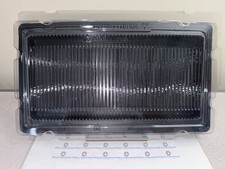
50x RAM Box Tray DDR2 DDR3 DDR4 DDR5 ESD DIMM Memory Shipping Storage Transport
$9.99

MINT Micron Cisco 32GB PC4-2400T DDR4 2Rx4 RDIMM RAM MTA36ASF4G72PZ-2G3 LOT
$159.99

DDR4 Laptop RAM 4GB 8GB 16GB 32GB 2400 2666 3200 Samsung Hynix
$30.00

Major Brand 16GB (2x8GB) PC3-12800U DDR3-1600MHz DDR3-12800 DESKTOP RAM NON-ECC
$29.99
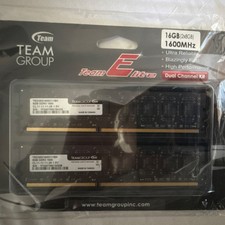
Team Group Team Elite DDR3-1600 DIMM 16GB (2x8GB) 240-Pin Desktop RAM
$35.00
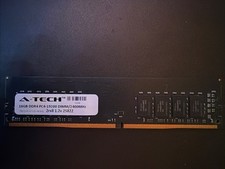
A-tech 16GB Ddr4 Pc4-19200 Dimm/2400mhz 2rx8 1.2v 25822
$49.95



 Reply With Quote