-
proper complete harddisk install
hi there
i got a compaq evo200 subnotebook without any external drives, so i tried to install knoppix using another (a dell) laptop and knx-hdinstall. but that didn't work very well because it saved the dell-system-configuration to the harddisk and then consequently didn't boot properly (network card didnt work, most of all) as i placed it back into my evo200.
so, anyone got a good idea what to do?
i was wondering if i couldn't copy the whole cd to the disk and run it like a cd right there - that would make sure all the hardware is autoconfigured properly. - but i couldn't find any how to's, they all use some kind of extra boot disk or something..
why can't i just copy the complete cd data as it is to a blank partition on my hard disk and install it to another one? does the knoppix-cd-content have to be ran from cd?
-
Senior Member
registered user
You can install to the hard drive as a knoppix-style install.
When you choose 1.Configure Installation, one of the last questions is a choice between knoppix or debian style install. Choosing Knoppix should make it act as a live knoppix cd with the autoconfiguation on each boot. I have not tried swaping it to a different computer. Another option would be a network install.
johnb
-
Junior Member
registered user
Re: proper complete harddisk install

Originally Posted by
fabfab
why can't i just copy the complete cd data as it is to a blank partition on my hard disk and install it to another one? does the knoppix-cd-content have to be ran from cd?
you can!
create 3 partitions;
f.ex.
hda1 - 2 mb (boot; make sure this is active)
hda2 - 800 mb (knoppix cd)
hda3 - 512 mb (swap)
hda4 - the rest (persistant home)
use "cat /cdrom/KNOPPIX/boot.img > /mnt/hda1" and make it bootable
format hda2 as FAT32 "mkdosfs /dev/hda2 -F 32" and copy the CD to it "cp -r -v -v /cdrom/* /mnt/hda2"
make hda3 swap "mkswap /dev/hda3; swapon /dev/hda3". Then Format hda4 as ext3 "mkfs.ext3 /dev/hda4" and reboot. If you can't boot right away insert a DOS/Windows floppy and use "fdisk /mbr"
Hope this helps.
-
okai, that'll do.. thanks!
Similar Threads
-
By Merdock in forum Customising & Remastering
Replies: 0
Last Post: 12-27-2004, 04:33 AM
-
By ANDREW03 in forum Hdd Install / Debian / Apt
Replies: 2
Last Post: 09-25-2004, 06:10 PM
-
By rrfish72 in forum General Support
Replies: 2
Last Post: 09-18-2004, 07:31 PM
-
By Panada in forum General Support
Replies: 9
Last Post: 04-12-2004, 02:08 PM
-
By david90schr in forum Hdd Install / Debian / Apt
Replies: 4
Last Post: 01-26-2004, 04:24 PM
 Posting Permissions
- You may not post new threads
- You may not post replies
- You may not post attachments
- You may not edit your posts
-
Forum Rules


Broadcom LSI 9305-16i 12Gbps SAS-3 PCIe x8 HBA 16-Ports Raid Controller
$64.99

Broadcom MegaRAID 9480-8e Fujitsu PRAID EP540e SAS RAID Card (Replac 9380-8e) 8i
$228.00

G-Technology G-SPEED Studio XL 48TB Thunderbolt 2 Storage - Housing Only
$200.00

EMC KTN-SL3 15-Bay Disk Array Enclosure w/2x 303-108-000E Cards, Dual PSU,No HDD
$239.99

OWC Mercury Elite Pro 2 Bay RAID Enclosure with USB 3.2 for Dual 3.5 inch HDDs
$87.99

Dell PowerEdge HBA330 LP PCI-E 12GBs RAID SAS Controller Adapter J7TNV
$18.95
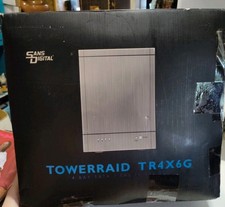
SansDigital TowerRaid TR4X+ 4x6TB 24TB SAS2 External RAID JBOD Enclosure
$189.45

WAVLINK RAID 2 Bay Hard Drive Docking Station SATA 2.5/3.5'' SSD HDD Enclosure
$119.99

Areca ARC-1882IX-24 (16i4e)24-Port RAID Controller Card w/BBU /HDD Monitor Board
$300.00

Intel VROC Premium RAID Controller Card PCIe Add-On Module VROCPREMMOD
$265.00



 Reply With Quote