-
Junior Member
registered user
Baffled By lilo
I just attempted, against my better judgement, to install kernel image 2.6.3-1-k7 via apt-get. After configuring /etc/lilo.conf (to the best of my limitted ability) and running lilo -v, I rebooted my computer. My computer boots first through the NT Loader (with Linux as a choice), then through lilo on the root partition of /dev/hdb. When the lilo menu came up, the menu item that I'd just included in /etc/lilo.conf was no where to be seen. I can still boot with my original vmlinuz-2.4.24-xfs kernel. However, no matter how I configure /etc/lilo.conf or how many times I run lilo or lilo -v, no other choice shows up in the lilo menu. 
There is a curious entry in my /etc/lilo.conf file "install= /boot/boot-menu.b" I don't know if this is significant or not, but there is no /boot/boot-menu.b file. I changed this entry to "install=/boot/menu" with no affect. 
TRS@GNUbox:/boot$ ls -a
.
..
System.map
System.map-2.4.24-xfs
System.map-2.6.3-1-k7
boot.0200
boot.0300
boot.0345
boot.0345.old
boothelp.txt
config-2.4.24-xfs
config-2.6.3-1-k7
debian.bmp
debianlilo.bmp
grub
initrd.gz
initrd.img
initrd.img-2.6.3-1-k7
knoppix-old-mbr.1077746836
map
sarge.bmp
sid.bmp
vmlinuz
vmlinuz-2.4.24-xfs
vmlinuz-2.6.3-1-k7
vmlinuz.old
This is a copy of my /etc/lilo.conf file, with the superflous comments edited out.
vga=791
lba32
boot=/dev/hdb5
root=/dev/hdb5
compact
install= /boot/boot-menu.b
map=/boot/map
delay=0
# message=/boot/bootmess.txt
prompt
timeout=1
# prompt
# single-key
# delay=100
# timeout=100
# append=""
append="hda=scsi hdb=scsi hdc=scsi hdd=scsi hde=scsi hdf=scsi hdg=scsi hdh=scsi apm=power-off nomce"
# Boot up Linux by default.
#
default=Linux
image=/boot/vmlinuz-2.4.24-xfs
label=Linux
initrd=/boot/initrd.gz
read-only
# restricted
# alias=1
image=/boot/vmlinuz-2.6.3-1-k7
label=Linux2.6
initrd=/boot/initrd.img-2.6.3-1-k7
read-only
# image=/vmlinuz.old
# label=LinuxOLD
# read-only
# optional
# restricted
# alias=3
# other=/dev/hda4
# label=HURD
# restricted
# alias=3
If anyone has any ideas as to why the lilo menu doesn't reflect what's in lilo-conf, I'd appreciated hearing them. Thanks
-
Senior Member
registered user
Since your first stage boot loader is the NT one, you need to copy your linux boot sector to your windows partition every time you re-run lilo. eg "dd if=/dev/hdb5 of=/mnt/hda1/linux.bs count=1", assuming hda1 is a writable windows partiton (vfat or ntfs with capture), and that linux.bs is the file to which you refer to in c:\boot.ini...
-
Junior Member
registered user

Originally Posted by
baldyeti
Since your first stage boot loader is the NT one, you need to copy your linux boot sector to your windows partition every time you re-run lilo. eg "dd if=/dev/hdb5 of=/mnt/hda1/linux.bs count=1", assuming hda1 is a writable windows partiton (vfat or ntfs with capture), and that linux.bs is the file to which you refer to in c:\boot.ini...
Thanks for the info. By the time that I'd read this, I had already horribly screwed up my Linux installation. I ended up reinstalling knoppix on the hard drive. I'm about to get new desk-top. So, I'm going to wait until then before I attempt to upgrade the kernel on this one.
-
use bootpart
Try using bootpart, you won't have to copy the lilo boot code each time. Bootpart creates an image which is keyed to a particular partition, when run it loads and executes the boot code for that partition. Bootpart also adds itself to boot.ini automatically, and can tell you what partition is what.
http://winimage.com/bootpart.htm
I use it - or did, that is - WinXP died on my computer... it absolutely refuses to install again, though Debian will work fine... So yes, even more proof that, like MS says, Linux is too much of a pain in the @$$! 
Mark
Similar Threads
-
By tomjermy in forum Hardware & Booting
Replies: 1
Last Post: 03-17-2005, 01:07 AM
-
By Ewen in forum Hdd Install / Debian / Apt
Replies: 6
Last Post: 07-10-2004, 01:15 PM
-
By peeb in forum Hdd Install / Debian / Apt
Replies: 0
Last Post: 05-06-2004, 07:11 AM
-
By JockVSJock in forum General Support
Replies: 7
Last Post: 04-09-2004, 10:42 AM
-
By A. Jorge Garcia in forum Hdd Install / Debian / Apt
Replies: 2
Last Post: 10-09-2003, 04:08 PM
 Posting Permissions
- You may not post new threads
- You may not post replies
- You may not post attachments
- You may not edit your posts
-
Forum Rules


Atari 800 Home Computer System 800 Untested
$95.00

DEFECTIVE Atari 810 Vintage Computer Disk Drive powers on Unit Only Boo G3D
$55.24

Vintage Atari 410 Program Recorder CIB Open Box Appears Unused 400 800
$194.99
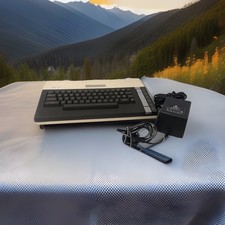
ATARI 800 XL 8-Bit Computer w/ Power Supply
$169.00
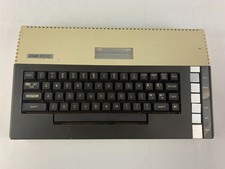
Atari 800XL Home Computer Unit Only - UNTESTED, For Parts or Repairs
$94.97

VTG Atari 800XL Home Computer Retro System Console Untested Parts Repair Only
$119.99
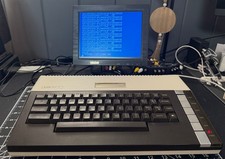
ATARI 800 XL 8-Bit Computer w/ Power Supply and video cable - Works
$219.99

Fujinet 1.7.1 Atari 400 800 800XL 130XE 65XE XEGS Assembled, Tested, Working
$99.99
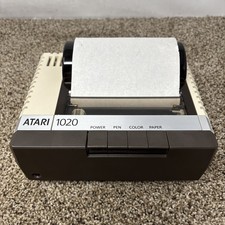
Atari 1020 Color Printer w/ Paper Only Untested Parts Or Repair
$55.00
Vintage Atari 800 Computer + 1050 Disk Drive Manuals Games Software Cables Power
$349.00



 Reply With Quote