-
text mode or "X"
I'd like to be able to deside whether I want to start "X" or just text mode without having to go to KDM .
What configuration file do I have to edit
I can probably figure it out from there if not I can always ask again
-
Senior Member
registered user
Re: text mode or "X"

Originally Posted by
dougvega
I'd like to be able to deside whether I want to start "X" or just text mode without having to go to KDM .
What configuration file do I have to edit
I can probably figure it out from there if not I can always ask again
You can just apt-get --purge remove kdm then you will boot to a console login every time or if you just want to remove the startup links then as root use update-rc.d -f kdm remove will remove all the links in the /etc/rc[0-6].d/ directories that are used by kdm during startup and shutdown. Note: The next time the kdm package is upgraded the links will be recreated unless you go and remove all but one of them in the directories by hand then the kdm install script that runs update-rc.d will leave it as you have configured it.
Similar Threads
-
By sakiZ in forum General Support
Replies: 2
Last Post: 07-23-2005, 11:40 AM
-
By OP4Latino in forum General Support
Replies: 1
Last Post: 07-08-2005, 03:32 AM
-
By henrique in forum Customising & Remastering
Replies: 1
Last Post: 11-15-2003, 04:42 AM
-
By violinist in forum Hdd Install / Debian / Apt
Replies: 6
Last Post: 10-07-2003, 06:14 PM
-
By logiker in forum Hardware & Booting
Replies: 3
Last Post: 07-11-2003, 06:26 AM
 Posting Permissions
- You may not post new threads
- You may not post replies
- You may not post attachments
- You may not edit your posts
-
Forum Rules


Yealink T48S VoIP/SIP Phone, 2 x Gigabit Ports PoE 7" Color SIP-T48S | TESTED
$34.95

Poly CCX 400 Desktop Business Media Phone VoIP 2200-49700-019
$49.99

Grandstream VoIP Phone Adapter ATA 1-Line Black Ethernet (RJ-45) Micro USB
$27.07

SIM Bank 32 SIM Card Slots Ethernet SIM Server for GoIP
$400.00

Yealink SIP-T33G IP Phone 4-LineSpeakerphone VoIP Desk Phone Black w/ Power Sply
$25.00

Grandstream WP810 Portable Cordless Wi-Fi IP Phone
$49.28

Cisco / Linksys SPA2102 VoIP 2FXS Phone Adapter with Router (unlocked)
$18.99

Grandstream HT701 1-Port FXS Analog Telephone Adapter ATA VoIP Gateway -Free S/H
$18.95

Cisco CP-8841 IP Phone Charcoal Handset And Stand Included
$27.99
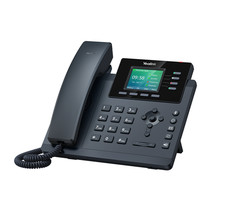
YEALINK T34W PHONE & 2 MONTHS OF PHONE SERVICE
$65.00



 Reply With Quote