

 Reply With Quote
hey we might as well go via ICQ, we are reading/posting in near realtie anyway


Please notice the smileys, the remark about making me more nervous wasn't meant to be taken seriously...Originally Posted by OErjan
hey we might as well go via ICQ, we are reading/posting in near realtie anyway
I don't know if knoppix 3.2 had qtparted ... but to find out
type in konsole:
sudo qtparted
if this doesn't work - try:
sudo nparted
BTW I'm not sure by what you mean about your sytem not meeting the requirements for g4u??? If your system can boot knoppix it can boot g4u ...........
Then use the copy drive to drive option:
* to copy disks locally, type copydisk disk0 disk1
Hope you find something that suits you!
Cheers
rob
Good idea. I forgot my UIN, but found it again now. I have added it to my profile so feel free to contact me.
Here's a little status report:
I am not 100% finished with copying the harddisk but DD seemed to have been what i was looking for.
The only problem i have encountered was an I/O error which caused a termination of the copy process. But every cloud has a silver lining and the process did copy the partition table as well as a large part of the harddisk.
What i will need to do at this moment is compare all the partitions and copy the files that seem to be missing. One potential problem is that amongst those partitions are a few that are NTFS formatted, but i'll see how i'lkl tackle that one.
Thank you all for your help, and monkeymind, i have tried the copydisk command you've suggested, but it seems that this command also does not come with Knoppix 3.2, sorry....
Anyway, you now know how far i've got at this moment. I'll check back in when everything is ready and working.
Another update:
After my last post, i have copied the missing partitions using the commandand most partitions were copied just fine, but some revealed more I/O errors.Code:dd /dev/hdbX /dev/hdcX
These errors were the reason why i needed to move my stuff from harddisk #1 to harddisk #2 in the first place. Anyway, these errors caused some partitions to be only copied partially.
Now the partition table contains the info that partition X, let's say /dev/hdb10 is 10GB, but because it's only partially copied, the actual size is smaller than reported.
So i must reformat those faulty partitions now (i have over 20 partitions) and filecopy the contents of the decaying harddisk over to the new one.
I am copying my files from the old harddisk to the new one using Midnight Commander (to noobs like me, the command is "mc") which works perfectly. It is a lot like Norton Commander so it looks and feels familiar, but it's much better at handling errors than any other method i have tried so far.
Expect at least one more status report from me a a later time.
Again, thanks to everyone that helped!
 Posting Permissions


1969 EAI TR-20 Analog Computer Programming PACE Philbrick Electronic Associates
$36.00

Vintage George A Philbrick Researches Tube Analog Computer Module Serial 005503
$109.99

Refurbished Working 1960's Heathkit EC-1 Educational Electronic Analog Computer
$2999.99

Vintage Early Week 12 1984 Apple Macintosh 128K Computer M0001 w/Analog Board+
$209.99

Extron RGB-160XI Analog Computer Video 60-378-01
$127.06

Vintage Analog Computing Magazines For Atari Computer Owners No 11-20 Acceptable
$75.00

Vintage Goodyear Electronic GEDA Analog Computer Plug -- Extremely Rare
$179.00

1950 High Speed Computers Analog ENIAC UNIVAC EDVAC IBM SSEC Relay Logic Tubes
$65.00

VINTAGE 1970s SKIT Scientific Kit for Computer & Electronics SEALED INSIDE Rare
$380.00
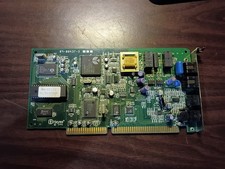
vintage internal ISA Dial-Up Modem from the Accura 28.8 series. 5617us
$13.99