-
Junior Member
registered user
problem with copying files
my windows XP Pro machine crashed the other day when i was deleting some spyware. somehow it messed up the MBR and the boot partition, i now have that fixed so the i can get grub and RedHat but when i go into windows it says it is missing a hal.dill file so now i have to use my XP disk to restore the file but in doing so there is a risk of deleting all of my data. . . . so what i want to do is backup all of my data to my other HDD the one that is dedicated to linux just incase something goes wrong.
The problem is that when i go to copy anything from hda1 which is my NTFS drive i get this error
__________________________________________________ ___________
You do not have enough permissions to read file:/mnt/hda1/Documents and Settings/All Users/Desktop
(^ ^ or whatever file i am trying to copy ^ ^)
__________________________________________________ ___________
How do i get around this on the icon it has a little lock in the left hand corner . . . what do i do
i have already tried to change the permissions on that particular file but it gives me another error saying
__________________________________________________ ___________
"Could not change permissions for /mnt/hda1/Documents and Settings/Josh/Desktop"
__________________________________________________ ___________
Thanks,
jc01
PS: i HATE windows and an trying to get away from it
-
Senior Member
registered user
Either do the copying as root or mount the drive from a mountpoint in your /home directory with a line in /etc/fstab which includes users.
Be a bit careful if you have to copy a file back. It's wise to do that via a fat32 partition (copy to vfat in Linux, copy from vfat into ntfs). Writing directly to ntfs from Linux is likely to trash your ntfs file system.
-
Junior Member
registered user
ok
i am trying that but this is what i get
Code:
knoppix@ttyp0[Documents and Settings]$ su

root@ttyp0[Documents and Settings]# cd '/mnt/hda1/Documents and Settings'

root@ttyp0[Documents and Settings]# ls
Administrator  All Users  Default User  jc01  LocalService  NetworkService

ot@ttyp0[Documents and Settings]# cd '/mnt/hda1/Documents and Settings/jc01'

root@ttyp0[jc01]# ls
ls: NTUSER.DAT: No such file or directory
Application Data  Local Settings  Recent      UserData        ntuser.ini
Cookies           My Documents    SendTo      WINDOWS
Desktop           NetHood         Start Menu  index.html
Favorites         PrintHood       Templates   ntuser.dat.LOG

root@ttyp0[jc01]# cd '/mnt/hda1/Documents and Settings/jc01/My Documents'
bash: cd: /mnt/hda1/Documents and Settings/jc01/My Documents: No such file or directory
the file is there it even says it is there but why does it say "No such file or directory"? and why cant i get to it?
when i tried to navigate to Documents and Settings by typing "Documents and Settings" it gave me the same error saying "No such file or directory" so then i dragged and droped the file into the window and selected "cd" then it worked so why does it not work when i type it?
is there some way to root myself and move these files the GUI way? that would be much more convient.
thanks,
jc01
-
Linux doesn't usually like spaces in file or directory names, so you should type a backslash \ before a space, or type a couple of chars like "My" and press tab. If there's more than one file or directory beginning with "My" press tab again to see them all and give the extra unique characters needed and press tab again.
You can run konqueror as root by first typing "su" in a shell and then "konqueror".
Similar Threads
-
By fordprefect3 in forum General Support
Replies: 3
Last Post: 10-13-2004, 03:58 AM
-
By FireStorm in forum General Support
Replies: 8
Last Post: 09-15-2004, 11:24 PM
-
By cld in forum General Support
Replies: 0
Last Post: 07-15-2004, 12:57 AM
-
By konfused in forum Hdd Install / Debian / Apt
Replies: 2
Last Post: 05-05-2004, 09:28 AM
-
By Johnny3 in forum General Support
Replies: 2
Last Post: 10-31-2003, 07:19 PM
 Posting Permissions
- You may not post new threads
- You may not post replies
- You may not post attachments
- You may not edit your posts
-
Forum Rules


Dell Poweredge R720 8SFF 2.5" x Xeon E5-2680 v2 2.8GHz 20-Cores 128gb 4x Trays
$349.99

Dell PowerEdge R730XD Server 2x E5-2695 V4 = 36 Cores H730p 32GB RAM 4x trays
$649.99

Dell EMC PowerEdge R440 Xeon silver 4215 2.5GHz 16 GB ram 2x 550W PSU No HDD
$275.00

Dell R640 Diskless Servers 2x Gold 18-Cores 6254 3.10GHz CPU, 32gb RAM, No Raid
$699.00

Dell PowerEdge R620 2x Xeon E5-2630 v2 3.1GHz 2.5" 4-BAY 32GB RAM No OS 2x 495w
$174.95

Dell Poweredge R720 8SFF 2.5" 2x Xeon E5-2680 v2 2.8GHz 20-Cores 64gb 4x Trays
$259.99

Dell Poweredge R630 2x Xeon E5-2680 v4 2.4ghz 28-Core | 32GB | HBA330 | 2x 1100w
$359.99
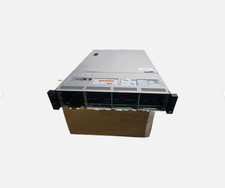
Dell Poweredge R730xd 12LFF 2*2670v3 4*1Gbe h730 2x 750W Server CTO
$488.00

DELL R640 10SFF Server 2x Gold 6152 2.1GHz =44 Cores 64GB H730p 4xRJ45
$959.00

Dell PowerEdge R530 2x E5-2630v4 H330 iDRAC8 Port Card Riser No PSU/RAM/HDD
$99.99



 Reply With Quote