

 Reply With Quote
Maybe a better question would be "What's the big dif, between them?"
I don't know or I would have answered you.


What file system should I use to install Knoppix on?
ext2
ext3
reiserFS
xfs
Maybe a better question would be "What's the big dif, between them?"
I don't know or I would have answered you.
Dear Friend,
preferable you should select ext3 or reiserfs.
Both are almost equally great
Best Regards
Mike Kranidis
But which is better, and why? Like is there a site for this information.
I used reiser for one of my knoppix 3.3 hd install and got a "DMA not supported" during the boot up screen. Maybe the current kernel doesn't support reiser DMA yet?
It was so slow without dma.. I had reinstall knoppix again using ext3. IMO, ext3 is good enough. reiser just sounds sexier.
I may be wrong, but I think the Knoppix installer supports Ext3 and ReiserFS only. Also, the DMA problem mentioned above is not due to the filesystem. You just have to edit /etc/hdparm.conf and uncomment lines near the end of the file to activate DMA on your hard drive. Below is a comparison of different linux filesystems. I use ReiserFS and DMA is turned on.
quoted from http://www.gentoo.org installation guide/handbook
ext2 is the tried and true Linux filesystem but doesn't have metadata journaling, which means that routine ext2 filesystem checks at startup time can be quite time-consuming. There is now quite a selection of newer-generation journaled filesystems that can be checked for consistency very quickly and are thus generally preferred over their non-journaled counterparts. Journaled filesystems prevent long delays when you boot your system and your filesystem happens to be in an inconsistent state.
ext3 is the journaled version of the ext2 filesystem, providing metadata journaling for fast recovery in addition to other enhanced journaling modes like full data and ordered data journaling. ext3 is a very good and reliable filesystem. It offers generally decent performance under most conditions. Because it does not extensively employ the use of "trees" in its internal design, it doesn't scale very well, meaning that it is not an ideal choice for very large filesystems, or situations where you will be handling very large files or large quantities of files in a single directory. But when used within its design parameters, ext3 is an excellent filesystem.
ReiserFS is a B*-tree based filesystem that has very good overall performance and greatly outperforms both ext2 and ext3 when dealing with small files (files less than 4k), often by a factor of 10x-15x. ReiserFS also scales extremely well and has metadata journaling. As of kernel 2.4.18+, ReiserFS is solid and usable as both general-purpose filesystem and for extreme cases such as the creation of large filesystems, the use of many small files, very large files and directories containing tens of thousands of files.
XFS is a filesystem with metadata journaling that is fully supported under Gentoo Linux's xfs-sources kernel. It comes with a robust feature-set and is optimized for scalability. We only recommend using this filesystem on Linux systems with high-end SCSI and/or fibre channel storage and a uninterruptible power supply. Because XFS aggressively caches in-transit data in RAM, improperly designed programs (those that don't take proper precautions when writing files to disk and there are quite a few of them) can lose a good deal of data if the system goes down unexpectedly.
JFS is IBM's high-performance journaling filesystem. It has recently become production-ready and there hasn't been a sufficient track record to comment positively nor negatively on its general stability at this point.
Thanks!
 Posting Permissions


Dell 6P85J 4TB ST4000NM0063 7.2k 6Gb/s 3.5” SAS SED Hard Drive with Tray
$39.99

Western Digital HUS726T4TAL5204 4TB 7.2K SAS 12Gb/s 3.5" 512e HDD NetApp X375A
$64.00
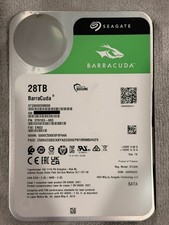
Seagate BarraCuda 28TB 7.2K SATA 6Gb/s 3.5in Internal HDD ST28000DM000 - Tested
$670.00

Seagate ST12000NM0127 12TB 256MB 7200RPM 3.5" SATA 6.0Gb/s Enterprise Hard Drive
$318.99

Seagate ST4000NM0034 Enterprise 4TB 7200RPM SAS 12Gb/s HDD v4
$39.00

Seagate ST500DM009 BarraCuda 500 GB 3.5" SATA III Desktop Hard Drive
$14.99

HGST HUS724040ALA640 HDD 4TB SATA 6Gb/s 7.5K 3.5" 0F19459 512 b/s
$78.00

Toshiba 14TB MG07 MG07ACA14TEY 7.2K RPM SATA 6Gb/s 512e 3.5" Enterprise HDD
$329.00

Seagate ST8000NM0075 Enterprise Capacity 3.5 HDD 8TB SAS Hard Drive 8TB EXOS
$184.99

DELL 2TB Enterprise HDD (7200RPM, 3.5", SATA III, 128MB Cache) HUS722T2TALA600
$49.95