-
Video Problem - Knoppix v3.3 with GFFX5950 and 1760NX LCD
Hey Guys,
I've been running Knoppix v3.3 at work flawlessly, however at home the OS outputs bad screen image when the GUI loads. What is happening is like when on a regular computer you set a resolution that your monitor can't take and all you see is an unstable shade of the GUI and can barely see the mouse pointer moving, with the only difference that this happens as soon as the GUI loads.
I am not a Pro, however after searching a bit and reading the advanced startup codes, I tried booting specifying:
1- knoppix screen=800x600 (just in case)
2- knoppix toram
...with no luck.
Here are some of the relevant specs from my machine:
Intel 875PBZ Mobo
Intel P4 2.8 HT
1Giga Corsair XMS DDR RAM (can you say "toram"?  )
)
nVidia GeForce FX5950
NEC 1760NX LCD Monitor
Two Hitachi/IBM 80Gb SATA on RAID-0
What I was thinking is that there could be some sort of Driver incompatibility, perhaps I could trow a new driver on a floppy and use a command similar to F6 when you install Windows 2000 that specifies alternate driver usage at boot up?
Any help will be greatly appreciated.
Keep up the great work.
Walter
-
Senior Member
registered user
Try knoppix toram xmodule=nv vsync=?? hsync=?? screen=800x600 replace the ?? with the proper values for the horizontal and vertical refresh rate for the panel.
-

Originally Posted by
Stephen
Try knoppix toram xmodule=nv vsync=?? hsync=?? screen=800x600 replace the ?? with the proper values for the horizontal and vertical refresh rate for the panel.
Thanks for the advice Stephen, I'll try it tonight when I get home from work and let you know.
Walter
-
Stephen, it worked great. Now I am rebooting several times gradually increasing resolution and refresh rates as an attempt to squeeze as much video quality as possible.
Many thanks for the tip.
Walter
-
Senior Member
registered user
Originally Posted by
Treppiede
Stephen, it worked great. Now I am rebooting several times gradually increasing resolution and refresh rates as an attempt to squeeze as much video quality as possible.
Many thanks for the tip.
Walter
Good to hear when you get it where you want then you can go into the Knoppix menu and use the save configuration to floppy item and then when you boot you can use knoppix floppyconfig to use the same configuration every time.
-
Originally Posted by
Stephen
Good to hear when you get it where you want then you can go into the Knoppix menu and use the save configuration to floppy item and then when you boot you can use knoppix floppyconfig to use the same configuration every time.
Great tip Stephen, that will surely save me some time during boot. I am reading into it right now.
Regards,
Walter
Similar Threads
-
By obsoleto in forum Hardware & Booting
Replies: 1
Last Post: 10-18-2004, 03:21 PM
-
By davegod75 in forum General Support
Replies: 4
Last Post: 09-08-2004, 06:05 PM
-
By Pliskit in forum General Support
Replies: 2
Last Post: 04-23-2004, 09:53 PM
-
By rowck001 in forum General Support
Replies: 1
Last Post: 04-23-2004, 06:45 PM
-
By VFSampa in forum General Support
Replies: 7
Last Post: 10-01-2003, 01:27 AM
 Posting Permissions
- You may not post new threads
- You may not post replies
- You may not post attachments
- You may not edit your posts
-
Forum Rules


Dell 6P85J 4TB ST4000NM0063 7.2k 6Gb/s 3.5” SAS SED Hard Drive with Tray
$39.99

Western Digital HUS726T4TAL5204 4TB 7.2K SAS 12Gb/s 3.5" 512e HDD NetApp X375A
$64.00

HGST Ultrastar HUS726040AL5210 4TB 7200RPM SAS 12Gb/s Enterprise HDD
$41.00

20TB 7200 RPM SATA III Internal 3.5" White Label Hard drive
$349.99

Dell ST6000NM0034 1HT27Z-150 NWCCG 6TB SAS 3.5 7.2K ENTERPRISE SERVER DRIVE
$68.99

Lot of 2 HP 4TB / 128MB SATA 7.2K RPM 3.5" Hard Drive MB4000GCWDC /ST4000NM0033
$125.00

Seagate Exos ST2000NX0253 HDD 2TB SATA 7.2K 2.5" 512b/s
$58.00

Toshiba 14TB MG07 MG07ACA14TEY 7.2K RPM SATA 6Gb/s 512e 3.5" Enterprise HDD
$339.00

DELL 2TB Enterprise HDD (7200RPM, 3.5", SATA III, 128MB Cache) HUS722T2TALA600
$49.95
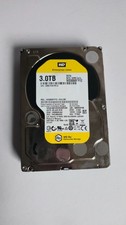
WD Re 3TB Enterprise 3.5" HDD SATA 6Gb/s 7200RPM 64MB Cache
$70.00



 Reply With Quote