-
change language after HDD install
i use knoppix-installer install knoppix to HDD, before install to HDD, i boot from cd , the language is english, but after install to HDD, when i use the console, the language is DE.
now how can i change the system language to english.
thank.
-
Re: change language after HDD install

Originally Posted by
kamming
i use knoppix-installer install knoppix to HDD, before install to HDD, i boot from cd , the language is english, but after install to HDD, when i use the console, the language is DE.
now how can i change the system language to english.
thank.
I don't recall how much was in German and what was (still) in English, so I;m going to assume the worst in the following.
Go to the Start ("K") button:
select "System" (it will be in German, not English, 10th icon up),
and click on "Control Center" (Kontrol..., 3rd icon down).
Then select System Administration (last icon on the left pane), and select Login Manager (icon looks like two heads).
Then click on the Administrator Mode button (lower left of right-hand pane); it will ask for root password -- give it that and click "OK" (middle button). Then click on the pane-wide button and select English. Then click on Apply (second button from right, at bottom of right pane. You might have to log out and back in for this to take effect; I don't recall.
Good luck!
Similar Threads
-
By dr.huynh in forum General Support
Replies: 1
Last Post: 08-11-2005, 06:18 PM
-
By Dale in forum Hdd Install / Debian / Apt
Replies: 4
Last Post: 03-07-2005, 07:45 AM
-
By plener in forum General Support
Replies: 5
Last Post: 11-17-2004, 11:01 AM
-
By majikman in forum Hdd Install / Debian / Apt
Replies: 0
Last Post: 10-20-2004, 07:13 AM
-
By Marquis_24 in forum General Support
Replies: 3
Last Post: 03-11-2004, 05:28 AM
 Posting Permissions
- You may not post new threads
- You may not post replies
- You may not post attachments
- You may not edit your posts
-
Forum Rules


IBM System X3850-X5 Server w/4x Intel Xeon E7-4870 CPU , 512 GB DDR3 RAM,NO HDD
$1299.99

Unused IBM 09P0037 MAINBOARD For RS/6000 7044-170 P-Series
$375.00

IBM QRadar xx29 2x Xeon E5-2650v4 2x 900W PSU M5120 12x 3.5" Bay Server No RAM
$179.99

IBM ADP Server Type 7870 AC1 NO HDD | 128GB RAM PC3L | 2 x Xeon E5620
$199.99

Compaq ProLiant 1500R 5/100 rack server, Series 3155, with IBM 2.1GB HD, VINTAGE
$295.00

IBM SYSTEM X3500 M3 SERVER 7380AC1 TOWER Server XEON E5620 8GB RAID SEE NOTES
$110.30

IBM 4262 SYSTEM x3200 Tower - HDD Wiped, NO OS
$80.00
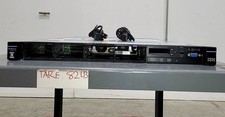
IBM SYSTEM X3550 M5 5463AC1 2.5x8 Server 2*XEON E5-2640 V3 8GB SEE NOTES
$85.99

Rare Vintage IBM 93ZZ PowerPC Server Board - MCM Ceramic CPU - 40N1844 - 1.1 lbs
$49.99

IBM 7014-T00 Enterprise 19" Rack Enclosure No Keys
$549.95



 Reply With Quote