

I am using the CD to boot up my PC and I want to delete files on my Windows HD.
I Unmount the hda2 and uncheck the "read only" check mark box and then go into the hda2, navigate to the file(s) I want to delete and I get the message box comming up that says cannot delete and the ooptions are to "cance", "skip", "skip all".
Does anyone have any Ideas?
I just thought now as I am typing this that it may be that I have to take out the check mark "read only" for each of these files.
If this is so then I am sorry to wast your time reading this.
 Posting Permissions


Netac DDR4 32GB 16GB DDR4 3200MHz UDIMM C16 Desktop Internal Memory RAM Kit
$199.99

16GB KIT (2x8GB) DDR4 Gamer Desktop RAM PC4 MIXED BRANDS
$65.00

Kingston 16GB DDR4 3200MHz PC4-3200AA-SA2-12 Laptop RAM SODIMM (HP32D4S2S8ME-16)
$64.99
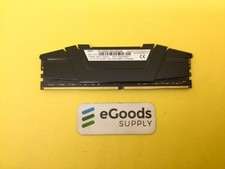
F4-3200C16D-64GVK G.Skill RipJaws 32GB RAM DDR4 3200MHz Memory
$159.00
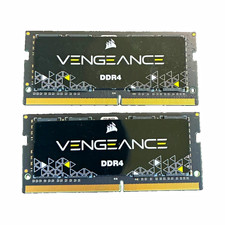
Corsair Vengeance 64GB (2x32GB) DDR4-3200 SO-DIMM 260-Pin CMSX32GX4M1A3200C22
$239.00
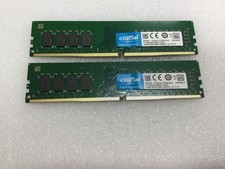
Crucial 32GB (2x16GB) DDR4 2666MHz Desktop 288 -Pin RAM Kit -OPEN BOX
$114.99
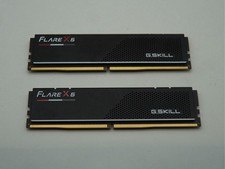
G.Skill Flare X5 32GB (2x16GB) (DDR5-6000 DDR5 RAM Memory Cl30-38-38-96 AMD EXPO
$419.95
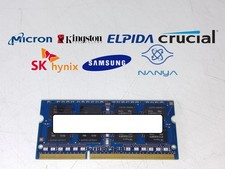
Major Brand 8 GB PC3L-12800 (DDR3-1600) 2Rx8 DDR3L Laptop Memory RAM
$10.99
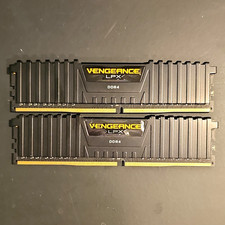
Corsair Vengeance LPX 16GB (2x8GB) DDR4 3000MHz CL15 DIMM RAM CMK16GX4M2B3000C15
$52.99

RAMAXEL Lenovo 32GB LPDDR5X CAMM2 7500MHz Laptop RAM | UNTESTED
$445.00


 Reply With Quote