-
I'm relatively new to Linux, and love the ease of showing providing a friend with a Knoppix CD. But I'm glad you guys have this problem -- because the one complaint I hear the most is there's too many programs scattered around, many of which do the same thing.
If a goal of Knoppix is to convert the masses of Windows users, I'd really simplify the next release. Just use one best of breed (hard to agree on, I know) application for each category. Cut back on the games to 4-5. Rethink the menus to make things more intuitive to newbies. Keep it clean, simple, and uncluttered.
If it were me, I'd keep it at KDE 3.2.1/Kernel 2.6 only, and put a GUI on the boot process for absolute newbie friendliness. (you can leave a command line option for the hard core).
I'm looking forward to whatever you come up with, and certainly appreciate all the hard work! Hope my suggestions are helpful.
-
Junior Member
registered user
Fabian
I've been usin Knoppix for the last 10 months and it's been a joy. Personally I could live with KDE 3.2 and fluxbox as window managers. The rest I really don't use. Mozilla is a good package as far as web browsing/email/html editor and composer, but as far as browsing is concerned, I love Firefox. KOffice vs. OO. Hmmmm. It's a coin toss really, but either one of them will do. Most people use Knoppix as a rescue CD so I might be more inclined to the one office package that is more compatible and easier to exchange with Windows. I don't care much about games and development tools, but if you're gonna ditch Mozilla as a browser, make sure to have an html editor. Keep both kernels because 2.6 doesn't get along well with some machines, as well as it still has problem recognizing some hardware. Keep all partition tools and both knoppix-installer and knx-hdinstall options. I've lost count of how many times the knx-hdinstall script has done the job instead of hte knoppix-installer script.
Anyway it'd be nice to have a utility like klik or some install scripts for an antivirus and firewall utilities. I'd suggest guarddog for a firewall and f-prot for an antivirus.
Thanks Fabian and Klaus for your hard work.
-
I'd vote for removing Acrobat Reader. Konqueror 3.2 displays PDF files a lot better then the aging AR 4.0 does. And Konqueror is the default file manager of KDE, not only a browser, so it probably will stay.
As to Koffice, I don't mind losing it, but the 1.3 version is pretty good and, because it is tightly integrated with KDE, it is relatively small. It is therefore more space-efficient to include it in a live CD.
I would like to keep TeX. Although it is irrelavant to many people, it is a treasure for many others. One of the major factors of Knoppix's success is its wide selection of applications, and Klaus and team have good sense regarding what should be included. But it comes to the time that we have to removed some of the apps simply because the software included are getting bigger while getting better. I'd like to see an online poll to rank apps in each category so as to help the Knoppix team to decide which one can be left out of the live CD.
Since this is my first post in this forum I would like to thank Klaus and all involved with high respect for their excellent work!
-
Senior Member
registered user

Originally Posted by
Bobmeister
I agree about Koffice, it can go away...just about EVERYONE is using OpenOffice now as the best suite for that stuff.
I don't want to start a flame war, but a office program that takes several minutes to boot (actually far longer than the OS itself) is imho totally unacceptable, no matter how good it is. Especially since we are running from CD, OOo is not usable.
Instead, I would remove every application that provides functionality which is also natively provided by KDE 3.2.1, that would include Mozilla (use Konqueror and KMail), xchat and gaim (use Kopete), etc (you get an idea). The KDE apps have made considerable improvements over the past time.
Please keep in mind that the important thing about Knoppix is that you can run many *different* kinds of applications from a live CD, we really do not need redundancy that much (I know, choice is good, but there is the choice to hd-install, klik-install or use knoppix remasters focusing on different aspects).
DVD is not yet a real option because there are way too many PCs without DVD drives (e. g. notebooks).
It's time to debianize Knoppix and have a website where one can select which packages to include in a custom-made ISO... 
-
Wow! So many different opinions. I personally use a variety of the programs except for the games. However, if it was not for the frozen bubbles, I know a few people who would not boot this CD. I have now convinced probably 30+ people here in Florida to use Knoppix for surfing the Internet. It is the safest way!
It would be easier to list what I use then what I don't because there is so much on the CD. I think someone should create a poll listing the contents of the CD so we could mark what we use. What ever has the least we drop it! This would be more accurate than reading these posts.
-
My Humble Opinion.
First, Thanks Klaus, Fabian, Eadz, everybody. I copied the Knoppix CD to a HD partition last June and haven't looked back. No more Win98 for me. With my /home on another partition upgrading means simply replacing the CD files. I moved from 56k to DSL just to get the newer Knoppix releases.
So here's my thoughts:
KOffice goes, tho consider keeping KWord.
gnumeric goes.
Bochs goes.
LaTex/Lyx goes.
BASH is the only shell needed.
Most games go, tho keep KMahjongg (please!), Frozen Bubble, and a few card games.
2.6 is the only kernel I want. (2-16-04 otherwise.)
I have to have Konqueror and KMail.
Please keep the awesome KStars.
Consider adding: support for digital cameras and Quanta+.
Thanks again everyone.
-
Senior Member
registered user
700 meg is good so 4.5 gig is better
Some people don’t have a dvd burner or rom. I understand. A cd distribution would be perfect for those people. However, in addition to the cd version, I would like to see a big bloated 4.5 gig dvd UberKnoppix. I want to learn KDE, Gnome, Fluxbox, Blackbox, windowmaker, and any others that will fit.
I would like to try Open Office, K Office, Abiword, and even Ted
Browsers? All of them. Games? There are not nearly enough on the cd. Open GL Xscreensavers you bet. Kmail, Evolution and 12 other email programs. Tools for installing, Tools for remastering. Well you get the Idea. I got my hands on a dvd version of cebit. It was nice. A little buggy but nice. Would it work if it were 4.5 gig I don’t know. But if it did it would be a useful and fun disk!
Whatever you decide I'm sure it will be great
-
I noticed in the "unofficial" versions of knoppix 3.4 there is a live-cd apt-get type installation program that might solve all the space problems.
Please consider this:
Throw out EVERYTHING EXCEPT
- the 2.6 kernal with X support
- KDE 3.2 (including konqueror browser)
- dev tools and libs (including gcc compiler) to allow live installations
- drivers (including nvidia & ati graphics drivers)
Now people can download any utilities, office software, games, etc. they want and install them with the live-cd into the ramdisk.
Let the resulting download statistics tell you what the majority of people want.
Moustache
-
Junior Member
registered user
My quick take on this:
a. Absolutely keep the CD-ROM as the main version, and only make DVDs for extra, kitchen sink functionality (games, apps, what-have-you). I've probably run Knoppix on something like 40 machines or so by now, and I think only one or two of them had a DVD *reader* in it. I certainly don't have a DVD burner, and I've probably given away a good 25 Knoppix CDs by now (some less used/appreciated than others - like for some programming students to test out C programming with Kate & gcc).
b. I have never used KOffice - I'm not entirely enamored with OO.o, but it probably has the most complete compatibility out there (which is really important for new users). I'm not knocking KOffice here, but I just never took to it - I have an enormous respect for KDE development, and really think their development model is great (very open). Personally, I use AbiWord & Gnumeric, and love how fast and streamlined they are - I have a slower laptop, and OO.o is a slug on it. As such, I'd ask that these two apps stay in, but would completely understand if they also took the cut for OO.o's sake.
c. Please keep WindowMaker  . Fast and clean, this is my window manager of choice, and it works quite well on some older machines that just choke on KDE.
d. I'm all in favor of Mozilla Firefox in lieu of Mozilla [Application Suite]. The former will be taking the latter's place in the future (some time frame possibly less than 12 months). I think we all know that it's faster, has a much cleaner interface, and just works well. Heck, I'm posting this from Firefox .
-
Big CD ?? NO, they have problems on some of my friends old computer, not to mention the compatability problems with some burners... and aquiring. As much as I hate to say it Koffice should go OOo works fine, and windows can use it. If you can convince the masses to slowly adopt the OSS ideaology, then the will fully embrace it. (first step to getting most of my friends to switch from MS to Linux is to show them the power (and problems) with open source software, and OOo on Win is the furthest I can push at some times. [if you don't belive that OOo has some issues, try to go through and set a document to center on a page, it is to stupid of a problem, when in MS office you can just chose to center on the page in the page settings]
Leave Moz', lose the 'Fox, when people need the features of Moz, fox won't cut it all the time, when I have issues with an HTML page, and I can't get the browser to work right, I need the HTML pages to be viewed in a composer interface to see the bad code. Leave Konquer also, it is one of the best ways to go through and browse files, plus it does everything else.
Lose some of the double and triple functionality for file editing, you don't need Abiword, I haven't met anyone who uses it anymore, and why do you need emacs, vi, etc. choose one or two of the most popular, let people learn.
As far as Nvidia 3D drivers go, I would say to place that on as a script or a document to follow, but not activily on the disk, what are you going to use 3d for on a bootable disk, you won't really use it until there are some games that can use it, which would probably come from a remaster, and they can include it. But this should be the first option to put on in the next version that doesn't have the 2.4 kernel, which should be kept for a few releases only to ensure that there are no issues with the current programs, i.e. I heard that cloop had some bugs that needed to be looked into to get working properly, but i don't know for sure.
As far as a DVD idea, I would say that Klaus should make it into the 4.0 tree, and "kill" the CD version in 3.x, he can actively persue the focus that he wants with out having to worry about the space issues in the short term.
 Posting Permissions
- You may not post new threads
- You may not post replies
- You may not post attachments
- You may not edit your posts
-
Forum Rules

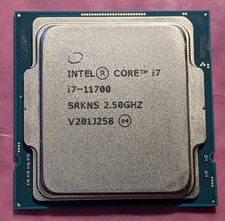
Intel Core i7-11700 SRKNS Desktop Processor 8 Cores up to 4.9 GHz LGA1200 Tested
$138.95
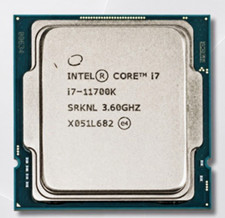
Intel Core i7-11700K Core i7 11th Gen 3.60GHz CPU Processor MPN SRKNL
$150.00
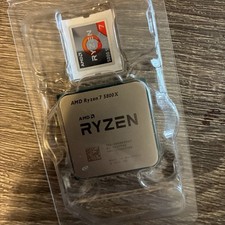
AMD Ryzen 7 5800X Desktop Processor (4.7GHz, 8 Cores, Socket AM4)
$169.99

Intel Core i7-9700 3.0 GHz 8 Core Processor
$75.00

Intel Core i7-7700T 2.9GHz 8MB Socket LGA1151 Quad Core Processor SR339
$39.99

Intel i7-8700 Coffee Lake 3.2GHz 6-Core Max Turbo 4.6GHz Processor
$69.99

Intel 4th Gen Core i7-4790 SR1QF 3.60GHz (Turbo 4.00GHz) 8M 4-Core LGA-1150 CPU
$39.99
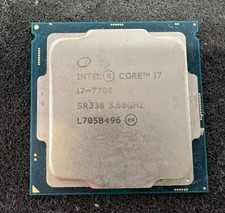
Intel 7th Gen Core i7-7700 3.6GHz 4 Core 8 Thread LGA1151 CPU SR338
$42.99
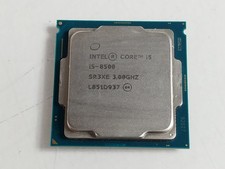
Intel Core i5-8500 3 GHz 8 GT/s LGA 1151 Desktop CPU Processor SR3XE
$38.99

Corsair RM750e 750W Fully Modular 80 Plus Gold ATX 3.1 PSU Certified Refurbished
$52.99



