-
Junior Member
registered user
Just a thought, but I would like to keep Koffice... I set my little brother up with my old laptop (800mhz PIII with broken hard drive) so he can do his work. OpenOffice takes 10 minutes to load, KWord about 30 seconds. Also, Gnumetric seems to be the only spreadsheet program that will actually make graphs and save them to proper formats (to be printed on my parent's Windows XP machine).
I seem to recall someone saying that both the German and English Knoppix versions have German and English OpenOffices. Why not take the English version of OpenOffice out of the German Knoppix CD and the German version out of the English CD?
Also: cut BB (in the 'Toys' menu), and TextXaoS (in "Graphics"). They're cool, but... If you absolutely have to have a Linux demo, there's always "Yellow Rose of Texas" by Fit & Bandwagon, Assembly 2003, and it's only 4 kilobytes, and uses SDL. Search Pouet.net. That would shave a few mb...
-
I find the Koffice modules faster and more versatile than their OO equivelants
probably for a small note...
Otherwise Ooo is more faster and stable than Koffice, especially if you don't run any kde application at all at the same time (Ooo + fluxbox for ex.)
On a slow computer, I'd be curious to compare the loading time of Kde + koffice on the one hand, and FluxBox + OpenOffice on the other hand...
And keep in mind if you want to use knoppix also as a "rescue" disk, it's important the office suite on it can handle the .doc files well. So far only Ooo can do this.
Kde is nice and easier to configure, but its applications tend to crash more 
I used it more before, but for now I feel I need something less bloated (even by using Ooo  )
)
it seems it's a bit a pity to remove koffice, but it'd be much worse to remove OpenOffice. If possible, removing TeX / LaTeX things in prority would be less damaging for Knoppix.
-
I set my little brother up with my old laptop (800mhz PIII with broken hard drive) so he can do his work. OpenOffice takes 10 minutes to load, KWord about 30 seconds
the hard drive must be much broken because on my 350mhz AMD OpenOffice takes 45 s to load, while KWord takes 9 seconds.
But I'm using WindowMaker that takes 20 seconds to load, while KDE takes 45 s....
and also, once OpenOffice is loaded, if you close it it will take only 5 seconds to load again...
-
Hi Fabianx;
 I think that the CD format should be maintained.
If like other have mentioned I would remove the Koffice modules, Use a smaller Mozilla like Firefox and remove the less utilized programs from the CD format...Ahh Yes like mentioned before KStars is a must...Maybe this will help, I guess it would be to look a the biggest programs consuming space and if there use by user would be mininum or none these would be candidates to be excluded but that the user could install thru the use of APT-GET...
This is my humble opinion, I don't know if it is possible but the CD format still should be a Kept...
Thanks again for helping such a great Distro or Debian Based Linux System. May God Bless you both Fabianx and Klaus
-
Senior Member
registered user
If Tex is removed, I'll have to switch over to Quantian. Quantian is cool with a lot of numerical analysis and scientific computing apps and its built on top of clusterKNOPPIX. Just pop a Quantian CD in multiple PCs and presto, you have a Linux SuperCluster based on openMOSIX plus diagnostic utilities!
One thing Quantian doesn't seem to have, however, is a version of jdk for making java apps and applets. Neither does it have a version of jre for running applets in Konqueror.... These are in KNOPPIX and instrumental to my students.
I guess I'm a bit confused. I thought that Blackdown made a GNU version of jre and GCC made a GNU version of jdk. I guess not, as Quantian has GCC....
BTW, I've been using Linux for nearly 10 years now and KNOPPIX for the last 2 years to expose many students to the joys of no WIMPdoze environments!
Regards,
AJG
-
Junior Member
registered user
One of the key features of Knoppix is that everything is on the CD. For this reason I don't think including a minimal installation and making the user download/install what they want is a good idea. It's a great idea for a "make-your-own" version, but I'd like to have a disc to pop in where everyhting is just there already.
My vote is to reduce all of the redundancy except add Firefox because IMO it's a lot better than Konqueror. KDE does well enough for other things (office, IM, etc).
Also, while I have a DVD burner, I don't think it's time to move away from CDs yet. I've got a pile of free-after-rebate CDRs that I can burn for every new version of Knoppix and toss in the trash the second their obsolete, but I can't say the same for DVDRs. Plus if it's gonna use a DVDR, it should use almost the whole thing, not just a gig or two.
-
Junior Member
registered user

Originally Posted by
sligh
Computer shows, I see Knoppix on systems for the show hours .
DVD is up and coming . If Knoppix is distributed on a DVD It will simply be ahead of it’s time . there will be plenty of CD’s floating around to be copied .When all computers have DVD Knoppix will have a larger market share .
From popular parts supply site -BenQ 16X DVD-ROM, 48X CD-ROM 31.00.- DVD it’s time is here !
I know a lot of people have more disposable income, and have DVD drives in their own computers, and they've come down in price, but please understand that your machines are *not* the majority. I help manage a network of ~700 computers, and in that network, and I don't think there are 5 computers in that mix with DVD drives. We've deliberately ordered them without DVD drives - we have absolutely no use for them. There is absolutely no need for DVD drives in our environment - our computers are for office-style work, teaching, related software dev., and general Internet usage. DVD drives encourage playing - namely of movies - and DVD-ROM has shown no convincing uses (Knoppix might be the only one I could see) - software companies realize how small the installed base is, and would never release their software on a medium that only a fraction of their target audience could use. The possible exception to this rule is games, as gamers are expected to have leading technology in their computers. Thinking of my network - I can use the current version of Knoppix in every single computer there, and it works quite well. Moving the development to a DVD format, and letting the CD-ROM format fester would be *very bad* for the spread of Knoppix, and would not help a push for the use of Linux.
P.S. Do I know people with DVD-ROM drives? Sure - I was one of the first people to buy one - for my PII/266, and still have it (but the rest of the computer couldn't possibly support such a version of Knoppix). The ThinkPad I'm composing this one also has a DVD-ROM drive, but probably is too weak to support so much extracting & swapping. My girlfriend's computer is probably the most capable personal computer I know of with a DVD-ROM drive, and before I got her set up with a Knoppix load, I did use the very cool (and very small) Geexbox distro to play DVDs on it. However, I do see these as exceptions to the rule - there are still loads of computers without DVD drives - in fact, when I configured a new Dell for my mother, I got it without DVD or CD-RW (I felt it was unnecessary, and would lead to more software/driver corruption under Windows - this is my mother we're talking about...we'll wait a bit on Linux for her =P).
[/rant]
-
Junior Member
registered user
Ok, No on the DVD idea. I run Knoppix on alot of older systems that don't have DVD drives.
I'd say drop Open Office for the same reason, cause it takes up alot of space, hogs abunch of resources when running, and takes forever to load (it runs like crap from a live cd, or any older machine that doesnt surpass the minimum requirements). Personally I removed it (well, most of it, I can't seem to get it out of the Kmenu), and use Abiword for my big fancy word work, and use Kedit for my text files (and what little spreadsheet, etc is done with Koffice).
Also, scrap Seamonkey for Firefox. I did that, and most people are.
Can't remove Konqueror, because its the file manager for KDE (plus my guestimates are that its a pain to remove, because its integrated so much into KDE).
I'd also suggest removing some of the software that requires special hardware, like the TV tuner or Radio tuner. A majority of all computers dont have either of those.
-
Senior Member
registered user
alot ppl want to remove Koffice, for example because it crashes, or doesnt load word files. well, they haven't seen KDE 3.2.x!!! Koffice is now stable, and DOES read ms Word files. no problem. and even integrated into konqueror, which is now almost as good a webbrowser as mozilla/firefox, while even faster, and way better integrated.
I'd drop OO and firefox, cuz its only useless duplication of applications. the native KDE apps offer almost the same features at less space (koffice is *waaay* smaller than OO, Konqi can't even be removed), with more integration and better speed.
name me one thing Koffice can't do that you reguarly use in OO... I'm very sure there isn't much. Of course OO has more features than Koffice, but not much features we use daily, I'm sure. same to Mozilla (firefox even has LESS features than Konqueror, you have to download and install a few plugins to make it work nice)
-
What to drop, what to not
I'd vote in favor of removal of Kword as well. OpenOffice, while being larger than Kword, simply handles more file types than Kword. Also, I've had more problems with Kword crashing while trying to save new work, than OpenOffice, and more problems with Kword trying to print to pdf than OpenOffice. OpenOffice is simply more stable than Kword right now. While Kword will be great as it gets more stable, it isn't really stable yet. And I'll probably prefer it over OpenOffice as it does become more stable, and as it gets better at supporting more file formats. In the meantime, Knoppix must solve a space problem, and one of the two should go. Also, Knoppix is helping to bring Windows users to Linux, and OpenOffice runs on both Windows and Linux, so it can help by getting people onto Windows/OpenOffice, and then Linux/OpenOffice while keeping at least the office suite familiar.
I was going to vote for removal of Mozilla also, like others have done, until I realized that it would also mean the removal of Mozilla's Composer. This would be a bad idea. I, and others, find Composer useful, as one of the few wysiwyg type of web page builders out there. This is also something missing for would-be converts to Linux from Windows. Knoppix doesn't have Quanta Plus which is part of KDE, so the removal of Mozilla would cause two or three different major functionalities to be removed, Mozilla browser, Mozilla composer, and Mozilla mail. While I use and very much like Kmail, Kmail doesn't appear to have support for IMAP. Mozilla Mail does. So as much as I'd like to remove Mozilla due to its very large size, it would be a mistake to remove it, considering the audience of Knoppix users.
I've seen quite a few suggestions of getting rid of the 2.4 series kernel as well. I don't know how many Knoppix live-cd users are using the live-cd to run a database server, but I'd guess it isn't many. Simply because the 2.6 kernel is next to succeed 2.4 series, does not make it the best choice for everyone. I'd guess that the 2.6 kernel, currently, is a worse choice, not better choice, for most every user of Knoppix. One should read <a href=http://www.2cpu.com/articles/98_1.html>this article</a>
http://www.2cpu.com/articles/98_1.html
before making a choice for oneself. And Linus and others have made similar remarks, and warnings, one which kernel would be faster, depending on what you are using it for. So to simply dismiss the 2.4 kernel, and suggest that it be removed, without carefully examining why, and considering knoppix's intended uses, is a mistake.
One last idea. Others have suggested dropping the cd version, and maintaining only a dvd version. And others have pointed out the mistake this would be. But I think a better idea would be to take programs like kword, and other duplicative applications, and putting them on a SECOND supplemental live CD, would be a good idea. I'd guess that a large number of Knoppix users have a cd-rom drive that came with their computer, and a cd-writer that they burn the cds with. Due to space constraints, some apps have to come out of the base cd. Put the removed apps in a second cd, and enable the second cd to run from the second cd drive, which should be the cd writer. This will enable users to be able to continue using their cd burner to burn newer knoppix disks or music/data cds by removing the supplemental cd temporarily without affecting the running of knoppix, will enable 2 more Gigabytes of applications to be included for those with the two drives, and yet will still enable knoppix to be used in single cd equipped computers as a rescue disk or to write letters/whatever with OpenOffice and use other apps as well. And the second cd will enable Quanta Plus, Firefox (or whatever the current name is), kword, and other apps to still be available.
One cd is good, a second supplemental cd that runs from the second cd burner drive (or can be run from a salvaged cd drive from an older computer which is very common), and that offers an additional 2 gig of applications to be accesible is better. The second cd can be removed to burn cds, and the work that goes into enabling a second cd to run from a second drive may also provide the guidance to others to enable a dvd to run from a (second) dvd drive, enabling many more gigs of applications to be available. And at the same time, because the base cd runs from the cd drive, it will enable the supplemental dvd to be removed for dvd burning, if the dvd drive is a dvd burner.
Just my 2 cents.
 Posting Permissions
- You may not post new threads
- You may not post replies
- You may not post attachments
- You may not edit your posts
-
Forum Rules


Broadcom LSI 9305-16i 12Gbps SAS-3 PCIe x8 HBA 16-Ports Raid Controller
$64.99

HP controller P3410-69003 NetRAID-1M SCSI 64-bit U160 32MB Cache (PCI)
$359.00
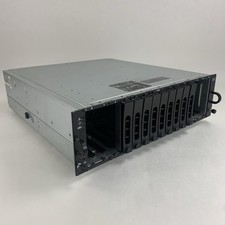
Dell PowerVault MD3000i AMP01 Storage Array 2x PSUs No HDDs/Controllers/Caddies
$144.95

Broadcom LSI Avago RAID card MegaRAID SAS 9480-8i8e 05-50031-00
$400.00

OWC Mercury Elite Pro Quad 4 Bay RAID Storage Enclosure USB 3.1 Gen 2 No Drives
$149.95
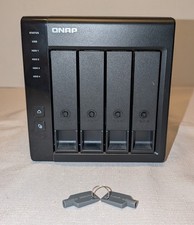
QNAP TR-004 4-Bay USB RAID Enclosure w/16TB disk (4x4TB WD Red NAS Drives) - DAS
$400.00

Inspur LSI YZCA-00424-101 12Gbps SAS 3.0 RAID Controller CARD HBA HDD
$14.99
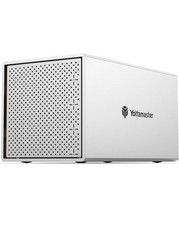
Yottamaster 4 Bay RAID Hard Drive Enclosure USB 3.0 Aluminum SATA DAS Excellent✅
$109.00

BROADCOM 05-50077-01 PCI-E 4.0 x8 PCI-Express MegaRAID 9560-8i RAID Controller
$714.99

9300-8i LSI SAS3008 8-Port 12Gb PCIe IT mode ZFS FreeNAS unRAID 2*SFF-8643 US
$49.50



