-
Senior Member
registered user
DVD and CD
I think some may have misinterpreted my earlier post. I do not want to do away with the cd knoppix. Undeniably it needs to be there. I just want an option to download an official cd version or an official dvd version. You can fit a lot of compressed software on a dvd. And it would be nice to have that option. Even if it were available for free download I think that people would be willing to pay for a kitchen sink version uberknoppix dvd rather than spend hours downloading it to burn. It would be ok for Mr. Knopper to make money for his efforts wouldn’t it?
As far as what to remove to fit the cd, I think remove anything that can be reinstalled as an option with Fabian’s add software script or Probono’s Klik page. That way you could just download the removed software. Have the cake and eat it too
-
Junior Member
registered user
What's In
The trouble with choosing what to put in is that Knoppix is that it is so useful for so many things. I wish other software had those kinds of problems!! I use the Knoppix live CD to introduce Linux to non-users. It needs a set of utilities to that purpose. It must be a CD to be useful on most computers. And games. (I like to play freecell when I am burning with the live CD.) I use the live CD on my work computer that I must not modify. I use a HD install for my Linux distro. I need different group of applications for each task. Of course, there is a great deal of overlap. I am a developer so I like lots of development software. I do not usually use them on a live CD. is great for all kinds of stuff. I do not have DVD readers yet on any of my computers, my work computer can not be modified. But a DVD burning application would be useful for the future. How about an extra CD for HD installs with the software version of the kitchen sink? I do not have any problems with a DVD version, as long as I can get it on (more than one?) CD. I know that the distro was designed to be a live CD (cheers!) but many of the more serious users (or those wishing to be serious users!) have used it a really good way to install Debian. I have a T1 at work, but only dialup at home, so an iso is a really handy to build a system. The Knoppix distro is truely an impressive work! Thanks!!!
-
Senior Member
registered user
Just weighing in. I would not miss KWord. The games are a strong easy demo and good for evangelism, and usually not to big in footprint.
I would avoid a DVD. It is too big and will encourage bloat.
A link to install KWord or other packages would ease their omission and they could be on a second CD for those who don't have fast internet.
Two masters, one with 2.6 and one with 2.4 would ease the problems. Speaking English with some German, I don't see any language problem on language support, but don't feel I should express an opinion on something the may be quite important to someone else. Here again, this might be somefiles that can be relegated to a second CD.
Another thing would be to use pareto's 80/20 rules in making decisions. The old addage about you can't be everything to everyone. There are already many remasters for special interests.
-
Junior Member
registered user
LINKS vs APPS
Ok ppl!
I think this would pretty much soothe the up-and-coming flame KOFFICE vs OpenOffice... Why not kill them both, and instead do the following:
1. Include a universal /sources-list (*.debian.org) instead of regional mirrors, or - why not include ALL local source mirrors? How big would that make the /sources-list file? A megabyte? I think less... Inside this file, you could include a line or two advising newbies how to #comment out the mirrors that are far, and leave in those near them.
2. Include a whole section with links to installing applications (perhaps inside the KNOPPIX menu?) OFFICE TOOLS>KOffice, OOffice, etc.
This way, we can have it slim and fast (preserving the games for demo), and we can leave it to the user to decide on what to order in after a hdinstall. Not only we will save space, but we will also demonstrate this other strong feature - tools and apps on demand. Say, you need office suite? Go ahead, click on the link and in a sec you will have whatever selected INSTALLED on your PC with no fuss or charge... How is that for a change, huh? No vendors, no license agreements... click and use.
What do you say fellas? How feasible is this?
Smith
-
Junior Member
registered user
Re: LINKS vs APPS

Originally Posted by
agent_smith
This way, we can have it slim and fast (preserving the games for demo), and we can leave it to the user to decide on what to order in after a hdinstall.
But you are missing the point. Knoppix is, above all, a LIVE CD. Not a 1cd distro. It's nice that it can be hd installed, but many people (including me) can't/won't/are-afraid-of hdinstall, and a live cd with an office suite might be the right tool they need, and knoppix does the job (I'm not talking about evangelism here, although knoppix does a great job here). Why change that?
It's obvious that any software that is removed from knoppix will upset some people... but I'm confident that Klaus will make a wise decision.
-
Senior Member
registered user
I like agent_smith's idea. No, we can't remove all these apps, but making apt-get install accessible to the noob is an interesting idea!
Regards,
AJG
-
Senior Member
registered user
How? and where would the installed programs go if it can't fit into the ramdisk? I'm not exactly sure if this is a good decision when running a live cd. Certainly it's an excellent idea for hd-installs as that would give you a choice of packages to your preferences. For live cd's, though, it's better to have it already installed but reduce the duplication, etc, install KDE-core but not the entire desktop environment, lose koffice, some editors, I vote to keep kwrite, but all others should go, except for midnight commander (gotta have that). One desktop environment with one additional lightweight window manager should suffice. Some computers have problems with 2.6 so sticking with that one isn't exactly the best option, if anything, I would prefer a single patched 2.4.25 kernel with supermount, cpufreq, sata, and perhaps both apm & acpi support compiled in. This would give the live cd more robust (& reliable?) support for mobile computers as well as desktops using sata drives. That said, how about a 2 cd/iso option, one with the patched 2.4.25 kernel from above and the other with 2.6.5 kernel, both with the same base packages? All in all, this is Klaus' pet project, and I thank him for coming out with a live cd that enabled me to jump into linux with both feet.
-
My vote is the two most popular apps have to stay. Mozilla suite and OOo. These are really useful and new users don't care much about the extra time to load. They realize it's a cd drive running the system and it is slower.
Koffice can go. Everything that is a dupe in OOo should go. Also the text processing tools, who actually uses these much anymore?
Window managers are nice to have but why so many? A user who knows what a windows manager is surely knows how to do a hd install and get what they want. I would leave one lightweight wm for weak hardware.
Including nvida and ATI drivers and alsa is necessary. Some games are a real plus when trying to get new users interested.
Developers are the most likely to do a hd install and be able to download what they need anyway, so why include all the developer tools.
If the target is slanted to new users I believe it will be best for Knoppix, best for Linux and OOS people in general. After all it is new users we want not 16 text editors to choose from.
Maybe the previous version 3.3 could be kept around and updated, to serve as a version when the latest kernel isn't needed? After all a new user isn't going to know what is meant by kernel, much less 2.6.
Knoppix as a core system, that's my vote. Download the rest.
Just my 2 cents.
tb
-
Originally Posted by
A. Jorge Garcia
I like agent_smith's idea. No, we can't remove all these apps, but making apt-get install accessible to the noob is an interesting idea!
Regards,
AJG
Allowing apt-get on a Live-cd environment will be difficult... as the filesystem is mounted under a read-only CLOOP file system. The easiest way would probably be to install all software under an /opt tree (either located in RAM or on some other media).
I would agree to take off KOffice and mozilla-browser/mozilla-mail. Konq's a very decent browser (especially the KDE 3.2 version!), and I see no advantages of Mozilla over Konq. Konq renders significantly faster than Mozilla, and I've never seen Konq have any trouble with rendering...
Also, maybe remove some of the development tools/packages??
-
Junior Member
registered user
Re: LINKS vs APPS
Originally Posted by
agent_smith
I think this would pretty much soothe the up-and-coming flame KOFFICE vs OpenOffice... Why not kill them both, and instead do the following:
I really, really, REALLY don't like the idea of Knoppix requiring extra downloads or installations. It's a live CD used for demoing or just keeping a copy of Linux handy for those of us who don't normally use it.
If you want a minimal or custom-tailored Linux install, go get Debian or Mandrake and install it on your hard drive. Knoppix should have everything right on the CD. Users running it right from the CD should not have to use the hard drive or download packages to get anything working.
I think asking users to comment out mirrors in a config file is totally out of the question. That would confuse the hell out of most people who don't use Linux already. That's very unfriendly, and like I said, Knoppix shouldn't require any configuration or installation.
 Posting Permissions
- You may not post new threads
- You may not post replies
- You may not post attachments
- You may not edit your posts
-
Forum Rules


SFP TO RJ45 TRANSCEIVER SFP MODULE COPPER SFP OPTICAL PORT TO RJ45 ETHERNET PORT
$7.99
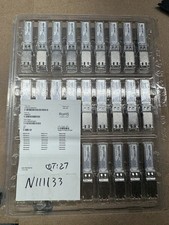
Finisar Copper SFP 1Gbps Transceiver Module FCLF8522P2BTL (34 total)
$680.00

Dell Intel X710-DA2 5N7Y5 Dual-Port 10GbE SFP+ PCIe 3.0 x8 Network Adapter
$27.50
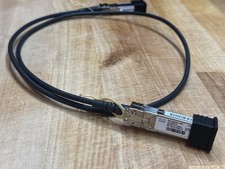
Cisco SFP-H10GB-CU Series 10Gb SFP+ Direct Attach Copper (DAC) Cables
$10.00

Genuine Cisco SFP-10G-SR 0-2415-03 10 Gigabit Transceiver
$5.40

NEW Sealed Cisco SFP-10G-LR 10GBASE-LR SFP+ 1310nm 10km *US Shipping*
$24.00

HP 560SFP+ 10GB 2-port PCIe NIC Ethernet ADAPTER 669279-001 w/ (2) 10GB SFP+
$16.99

HPE 560SFP 2x 10Gb SFP+ PCIe Both Profile Network Card 669279-001 665247-001
$14.90

Cisco Meraki MA-SFP-1GB-SX Network Tranceiver Module
$89.00
Netgear ProSafe AGM732F 1000BASE-LX SFP 1310nm GBIC Module NEW SEALED
$80.00



