-
Senior Member
registered user
Sorry, I think you misunderstand me. Don't we already have probono's klik project for installing apps while running off a liveCD? I thought agent_smith was talking about making apt-get install more accessible to the noob with an hdinstall!
BTW, the KNOPPIX CD is for the noob and the advanced user and the developer alike. This CD has a huge audience! To drop development tools I think is a huge mistake. Isn't one of the benefits of using Linux to have a programmer friendly environment???
Whatever you do, keep gcc and blackdown, jdk and jre as well as kwrite, kate, konqueror and konsole!!! My students depend on these every day!
Regards,
AJG
-
Senior Member
registered user
Some of you want newbies to download apps??? Get real! It took me 2 months to figure out how to get my printer and winmodem running when I first started. (some of you even helped me).
The linux jocks are going to install to HDs - it's the MS Win folks who are going to be nervously poking around - completely inadequate to the task of doing any kind of customization at all.. They're too busy trying to figure out what "mount" means to be doing any of that nonsense.
The live version (DVD or CD) needs to be as familiar as possible to Windows newbs. That means Open Office instead of KWrite. Let's face it, if you even know what KWrite is, you know how to get it on your own - not the same for Open Office. Windows folks need to know that what they have in MS Office is readily available in Linux, and they'll be expecting spreadsheets and presentations at a minimum. Also, most curious Windows people are going to be dealing with NTFS drives. That means that the 2.6 kernel is a must. It may not be perfect or stable, or what have you, but it's as close as we have to meaningful NTFS capabilitites. If you only have room for 1 kernel, it has to be 2.6
Almost any Windows user these days is going to have a DVD drive - Linux may be tolerant of outdated and obsolete computers, but Windows isn't. Now, that having been said, the best anti-DVD argument I've seen is for laptops, which cannot be upgraded with cheap DVD or DVD +/-R/RW drives. I hadn't anticipated this point, and it is a very good one. But, I never suggested that anyone should stop making the CD available. As a user, the best thing for me would be to have both CDs and DVDs at my disposal. But I don't think it's fair to insist upon that, since I'm not the one doing the work to make the disks or pay for them. All I suggested was that the newer technology and larger programs should switch to DVD. Knoppix 3.3 on CD is very capable and stable, and has KOffice and the older apps, and will run on older and more obsolete machines. It's a great solution for people who are worried about bloat. Just leave it up on the mirrors, and put subsequent versions on DVD. That way, leading edge folks who can benefit from the new stuff and Windows newbies will have what they want, and the minimalists can have what they want too. And if they're really into Linux, they know what to do to update or remaster. It's the folks who don't know how to do that who need it done for them.
Yes, if Klaus and Fabian are willing to produce both CD and DVD versions, great - everyone is happy. But if not, let's put the newer versions on DVD. Also, just so the CD version doesn't get left too far behind, perhaps every fifth version release or so could be a CD update. In some ways, Klaus has really spoiled us with the frequency of Knoppix updates - MS makes us wait 2-3 years or so for a new version, and then we have to pay for it.
Oh, and on the browser thing, I love Firefox and Thunderbird too, but (Firefox + Thunderbird = Mozilla), more or less. I prefer them separated, but hey, my bet is that there's some efficiency in having them combined into Mozilla. Konqueror does not have the same functionality, so you can't dump Mozilla for Konqueror. OTOH, Konqueror is the file manager too, so you can't get rid of it either, to my knowledge.
-
I demonstrated Knoppix 3.3 to my Windows PC User Group on Saturday. They were awed by what they saw. Many of these people are senior citizens with little computer knowledge and experience beyond Windows. They were familiar with Open Office and Mozilla from seeing and using Windows versions. They were impressed by the ability to use and experiment with Linux on the Knoppix CD without the need to change anything on their present computers. Over half of the people that attended took home a copy of the Knoppix CD (that's 40 copies) so they could experiment and learn more.
My suggestion is to provide Open office and Mozilla on Knoppix 3.4 but to remove K-Office and most of the other desktop programs (keep KDE and Fluxbox). Keep at least some of the games. Kernal 2.6 is an important step forward and should be provided.
-
Senior Member
registered user
As for games, the only really decent ones are bzflag and freecraft for LAN parties as well as tuxracer and frozenbubble for single player.
Don't forget xboard and gnuchess for play against the PC and FICS!
BTW, if you're including nvidia drivers, bzflag and tuxracer are good to test your acceleration.
Regards,
AJG
-
Junior Member
registered user
Removing the window managers really wont remove much space. Also, dont more people use ice than flux?
As far as tux racer, I've never had that run decently on my systems. And I run new stuff as well as old.
-
Junior Member
registered user
CD or DVD
I vote for the DVD. Leave 3.3 on the CD and put all new versions on DVD....
-
Junior Member
registered user
I did a Knoppix HD install for a friend and here's what he uses the most:
OpenOffice
Internet
Kmail
Gaim
(and maybe the freecell and solitaire)
Anything more than that is just bloat to a beginner user. In fact my friend got confused when he saw both Konqueror and Mozilla, both as browsers on KDE. There's some uneccessary doubling up of web browsers, so one of them has got to go.
Most beginners to computers see computers more as a glorified communications device and typewriter. The beauty with Linux is that there are a whole pile of tools and other rescue goodies from the command line as well.
Keep the CD format. One poster commented that a lot of PCs don't have DVD drives, and I know this to be true. There's no point Knoppix being a rescue distro if it won't work on older drives.
Having said that, there are a lot fo things that can be cut, like duplicate office apps. (abiword, gnumetric etc.), all the other shells nobody ever uses. Some of the old Xwindow apps. Some dev tools. Qt parted can go I think... fdisk and cfdisk do the job OK.. and anyone who can't use those tools shouldn't be partitioning their HD anyway.
I think if anyone needs a whole pile of extra tools for a HD installation, there should be a second CD for HD installing. That would bring Knoppix into the realm of being a distro-capable live CD... but I don't see this as a bad thing because the Knoppix makes for a very competant Linux system base.
Also, Stick with the 2.6 kernel. While the 2.4 kernel is good and all, it is old, and some newer motherboards simply can't handle it.
Things to add: a firewall script and if possible, 3D drivers for ATI & Nvidia. Installing both of those is a pain, and if they were in there it would ease the burden.
-
As a nubee to Linux, but a programmer with 30 years exp. on everything from PDP-8 to OS/390, I might suggest that what to leave out on a distro is not so important as what to include. Who is the target audience? Is it a rescue disk? An introduction to Linux for newbies? It can't be all things to all people. For myself, Knoppix was an introduction to Linux, it being the first distro I tried (and I've tried them all) that ran "out of the box". Obviously, a big seller to everybody.
In a matter of a couple of days spare time playing, I had created an HD based version, an HD installed version, and had cut a new Knoppix CD from the install (with NO prior Linux experience) with a few application changes. It would seem that most Linux users could readily do the same.
I would think that "one of each" is enough on applications, desktops, etc. IMHO, the plethora of competing desktops, browsers, etc. is the single most important factor in the rejection of Linux by the average desktop user. I have my choice of five, all buggy? This is a good thing? It's been out HOW LONG and it's at release 0.9?! I know all the pros and cons, but I also know my grandma. You don't want to give her a choice. Off my soapbox.
This is a great job that you have done, really commendable. Good luck on whatever you decide.
-
Junior Member
registered user

Originally Posted by
TerryD
I would think that "one of each" is enough on applications, desktops, etc. IMHO, the plethora of competing desktops, browsers, etc. is the single most important factor in the rejection of Linux by the average desktop user. I have my choice of five, all buggy? This is a good thing? It's been out HOW LONG and it's at release 0.9?! I know all the pros and cons, but I also know my grandma. You don't want to give her a choice. Off my soapbox.
I agree completely. I recently read an "intro to Linux for Windows users" article and the thing I liked about it was that it didn't give any choices, it made the choices for you. You're going to use Open Office for office stuff, you're going to use Mozilla for browsing, you're going to use K3B for burning, etc. No choices, no BS. Once people get into Linux they will discover these alternatives on their own, in the same way that not all Windows users still use MS apps exclusively. Remove the choice and you remove confusion.
-
04-13-2004, 08:32 AM
#100
Holy Cow! This got into the long winded conversations!
I am not reading form this thread anymore, I don't have the extra 45 minutes a day to spend keeping up on it.
I am sure that you are all wondering why I am saying this... Well I will tell you. Everyone is saying the same thing! I got bored with it, and I don't think that anyone's input will make anymore of a difference.
It would have been better to keep it short and sweet. For example
Drop- Koffice, Mozilla, and the kitchen ksink.
Keep- OOo, Games
Add-- FireFox, Thunderbird.
 Posting Permissions
- You may not post new threads
- You may not post replies
- You may not post attachments
- You may not edit your posts
-
Forum Rules


GIGABYTE A520M DS3H AC AMD AM4 Motherboard mATX
$59.99
MSI B560M Pro-E LGA 1200 Intel B560 M-ATX Intel Motherboard Intel 10th 11th gen
$69.99
Gigabyte B365M AORUS ELITE Motherboard Intel B365 Micro ATX LGA 1151 DDR4 DIMM
$84.99
GIGABYTE H610M S2H V2 Motherboard, Supports 14th/13th/12th Gen Intel Core i5 i7
$69.59

GIGABYTE B365 HD3 LGA1151 Intel 9th Gen motherboard
$59.99
ASUS H110I-PLUS Motherboard LGA1151 w/ I5-7400 CPU, 8GB, Heatsink & I/O Shield
$60.00

ASRock B550M Phantom Gaming 4 AM4 AMD B550 SATA 6Gb/s Micro ATX AMD Motherboard
$81.99

Intel H81 Motherboard M.2 NVMe LGA 1150 mATX w/ IO Shield (Random Slot Color)
$29.99
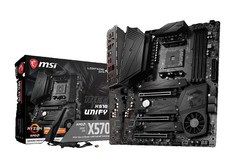
MSI MEG X570 UNIFY Socket AM4, AMD Motherboard
$400.00
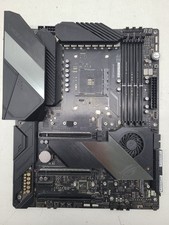
ASUS ROG Crosshair VIII Hero (WiFi) AMD AM4 ATX Gaming Motherboard (FL)
$189.99



