

I'm not to sure what should be removed to make space but I know that the games shouldn't. Many people who I show knoppix too head straight for them. I also enjoy them. espically enigma.


Actually, I think I was a tad mistaken in my point of implying that we said "No, don't include DVD drives." They were an option (not the default), and we chose not to take it. I just went into the Dell sys. configurator, and here's the media drive selector:Originally Posted by j.drake
So tell me, when I'm buying 100 new computers, am I really going to spend $1800 more on something I DON'T NEED?No Optical Device [ Subtract $26.10 ]
48X CD-ROM
48X/32X/48X CD-RW [ Add $27.00 ]
16X DVD with Software Decode [ Add $18.00 ]
48X DVD-CDRW Combo Drive [ Add $72.00 ]
48X32 CDRW/DVD Combo,with Roxio Easy CD Creator® and DVD decode [ Add $72.00 ]
8X DVD+RW/+R, Roxio plus Decode [ Add $144.00 ]
48X CD-ROM AND 48X/32X/48X CD-RW [ Add $44.10 ]
48X CD and DVD-CDRW Combo,with Roxio Easy CD Creator® and DVD decode [ Add $90.00 ]
48X CD and 48X32 CDRW/DVD Combo,with Roxio Easy CD Creator®/DVD decode [ Add $90.00 ]
16xDVD AND 48X/32X/48X CDRW,with Roxio Easy CD Creator® and DVD decode [ Add $62.10 ]
8X DVD+RW/+R and 48X CD-ROM with Roxio Easy CD Creator® and DVD decode [ Add $153.00 ]
8X DVD+RW/+R and 16X DVD with Roxio Easy CD Creator® and DVD decode [ Add $171.00 ]
I can buy 2 more computers that I could really use, or close to one server. Forgive me for what might come across as rude, but I really see DVD drives as a 'home user' thing, and the concept of 'all computers have them,' as a gamer/kiddie attitude. Most computers do not need DVD drives - and in a corporate (or academic, but managed with a corporate style) environment, there is simply no need for it. Tell me why an administrative assistant needs to watch movies on her computer? I don't see any useful DVD-ROMs out there today - and to this note I freely admit...I'm a geek who programs for fun, and admins and/or does tech support for work - I'm probably not your average user, and don't care about frilly things.
I just queried my inventory - among approximately 700 computers, we have a grand total of 24 DVD-ROM drives. Of those, 4 were from systems we didn't spec out (and the fool who put that order together insisted on it, despite having no clue about computers), 16 were Apples, so you pretty much have no choice, and the other 4 were miscellaneous, with at least 2 of them glitches in ordering. This boils down to 1.24% of our machines being able to run this fancy DVD distro (properly calculated as 'PCs with DVDs'/'Total computers, not including Apple''). I have at my disposal a sizable population of computers on which I can use Knoppix (for troubleshooting, demonstration, general use [it's so good to have a Linux desktop on hand], or misc. use) - care to tell me why the version I use on these machines shouldn't be the best, most current version? I don't particularly like being excluded like that, and Knoppix is a live CD distro for *everyone*.
P.S. I'm sorry I brought this post back up/took so long - I've been really busy the last couple of days...
I'm not to sure what should be removed to make space but I know that the games shouldn't. Many people who I show knoppix too head straight for them. I also enjoy them. espically enigma.
Currently you have a pont but as prices go down and reliablity goes up DVD will become a much more prominante storage medium with the capacity so much larger then a cd's.I can buy 2 more computers that I could really use, or close to one server. Forgive me for what might come across as rude, but I really see DVD drives as a 'home user' thing, and the concept of 'all computers have them,' as a gamer/kiddie attitude. Most computers do not need DVD drives - and in a corporate (or academic, but managed with a corporate style) environment, there is simply no need for it. Tell me why an administrative assistant needs to watch movies on her computer? I don't see any useful DVD-ROMs out there today - and to this note I freely admit...I'm a geek who programs for fun, and admins and/or does tech support for work - I'm probably not your average user, and don't care about frilly things.
Though right now an all DVD distro isn't practical but as time goes on it will.
Ok just a couple of quick notes and then suggestions before I head off to bed. (sorry I havent posted anything in so long). first three opinions:
#1 Knoppix needs more people actively submitting documentation.
#2 Knoppix needs a bigger, more reliable system for releasing international updated versions. if only one local were released in each ISO. many many MB would be saved. and people would get an ISO in their native language. start to finish.
#3 Maybe Knoppix has something to learn from Morphix. modular packages (maybe put i18n files in separate modules) allow the user to pick the general task the cd is designed for while maintaining all of the aspects that make knoppix so great. be it rescue cd or newbie they get the chioce. also would make kernel selection MUCH easier i would assume.
1.) Knoppix excels extremely well at doing 2 main things.
a.) A linux demonstration for windows users. (read: newbies environment for learning linux, even on extremely old hardware.)
b.) A rescue environment. (Finding faulty hardware, rescuing data, fixing windows, removing viruses (if using one of my old remasters), even on old hardware as well.)
2.) We have to remember that:
a.) MANY people dont have access to new hardware, or where knoppix will be used will be on old hardware (read: rescuing data from a windows 98 machine or old linux server.)
b.) Frequently the users trying linux are people owning an older version of windows who also don't want to pay another $200 for another microsoft OS when they feel that the one they have is adequate (many are mainly sick of the spyware / security risks) . Many people with XP have XP because they didnt mind paying for it or got it pre-installed. (point: dvd-roms are currently not popular enough to use for main distro. start developing a reliable dvd format, filesystem, and ISO / boot system until the dvd-readers / burners become popular enough. as we know... currently the dvd format that was tried had plenty of bugs!)
c.) Most of the people using Knoppix are complete linux newbies.
PROBLEM! The two Main uses for knoppix totally contradict each other as far as what should be included on cd.
IMMEDIATE SOLUTION! keep the duality until there is a better way to divide what stays and what goes. next version. (use polls or whatever). remove the internationalization support (kde-i18n-XX) files for DE from the EN iso and remove the EN from the DE release. people in USA who want to use german or people speaking english in Germany simply download the appropriate version. the locals really deserve their own distro per language because people speaking different languages really deserve to have their primary language used throughout the entire cd. which means that a system to easily remaster a main (EN or DE) version into another local has to be made. that way people speaking italian or french or whatever get the latest and greatest too.
PARTIAL SOLUTION!
For the newbie intro version
Keep 2 of everything and no more. one for fast machines and one for slower. personally im in favor of the following:
window managers: icewm / kde similar design (and program compat.)
Office Editors: OOo - (other program, i only use OOo as its on both my windows machines and linux.) (&GIMP 2 please)
Text editors: (VIM / GVIM - (no alternative for me others would want one though))
Browsers: (mozilla (ive had much better luck with java compat.) and konqueror (part of KDE anyways)
For the Tech / rescue cd:
Get rid of KDE entirely except for the libs (for program compat.) update the kernel and tools. remove games extra editors etc.. add more server programs. apache modules and such. maybe even relegate this task to the realms of morphix which has modular support.
my idea is that i would use morphix if the wide selection of knoppix existed in its modules. for instance. if it had icewm in any of its modules any more. or if i could add an apache module or mysql module to it, etc...
Maybe Klaus and "Alextreme" could get together and make this problem "not exist" VIA using modules to support whatever the user wants... same download size or smaller than 700Mb... keep all of your favorite packages... get the latest and greatest... what a wonderful thing.
oh and for the flamers in the forum... im not interested. i accept criticizim only if its constructive.
I love Morphix
I love Knoppix
I love Linux
and interestingly I Love Windows ( it keeps meals on the table and food in my stomach, im a tech)
I only want to see the positives from both morphix and knoppix combine to solve two problems at once... size of the iso and package selection. and morphix's lack of lots of small modules... im sure we can bring in the knoppix community if maintainence becomes an issue... e-mail me with inquireies.
burnt-toast
>Knoppix excels extremely well at doing 2 main things.
Well, there is a third thing: HD install of Debian.
The Knoppix CD installs Debian on a machine in a simpler and faster way than anything I've used previously.
Not only that, it results in a Debian install which is far slimmer than Mandrake or SUSe (I haven't used these distros for some years now, they might have improved since), and is (mostly) correctly configured for the hardware.
The HD install, then, raises a third set of criteria which is probably more easily fulfilled. ie. anything not on the distro can be obtained via apt-get.
As a person somewhat new to linux that knows enough just to squeak by--))) I can 100% agree with the below statements! I have tried many distros and Knoppix is the only one that works right for me, the first time and EVERY time. Infact it performed so well I got another hard drive and now run Linux more than ever with the plan to migrate soon from winblows!
I don't understand all the hype here on what to have on the 3.4 CD and what not to? Even as a newbie I have run Apt-Get and installed Gnomme.
My main concern is the funcionality of the 2.6 kernel in Knoppix 3.4 and that it installs as good as Knoppix 3.3 on my hard drive. The rest I can learn and install with Apt-Get.
Knoppix is the only Distro I have tried so far that runs well on my Sony Vaio 1.4 Ghz Lap Top running wireless 802.11b and my 2.6 Ghz desktop.
Recently I have tried Susie 9.0, Mandrake Comunity 10, Gnoppix .6RC1, and serveral other not so popular Distro's. BUT Knoppix is the Distro that runs right the first time, everytime for me.
Im really looking forward to Knoppix 3.4, but just had to comment as this thread really expresses my thoughts from a Knoppix user (newbie) point of view. In fact Knoppix is the only Disrto I reccomend to others that are wanting to try out Linux.
OK, since you asked . . .
1. I think you've ansered your own question again. You made the judgment that you don't need them, but you don't want Knoppix to go to DVD because if it does, you will need one. Sorry, guy, but you're chasing your own tail. Recursive logic simply isn't persuasive to me.
2. Sounds rather paternalistic for you to presume what an administrative assistant does or does not need, just as it sounds paternalistic for you or anyone else to prescribe what others need or don't need in Knoppix. You may think you know, but you don't. Being an admin doesn't make you any more qualified to assess what apps other people need.
3. And while we're on the subject, let's take your argument to its logical conclusion. Why would an administrative assistant need Knoppix? Why would you, as an admin, need Knoppix 3.4 to run on all of these computers? Won't 3.3 serve the function of a rescue disk? Isn't it a home use, or a "playing with" function for you to be able to have the latest incarnation of Knoppix to run on any of these computers?
4. No, watching movies is not necessarily a justification for a DVD drive, but I try lawsuits for a living, and watching DVDs of deposition testimony, editing them, showing them to witnesses, clients and juries, viewing DVDs of continuing education programs, and even pasting clips of movies into professional presentations is very much part of my job duties, thank you, AND my legal assistant's. Heck, even archiving 15 years worth of Word files and PDF images from old cases could be justification for a at least one DVD burner, and DVD readers readers for retrieval on the other computers. And, just as you presume to think that no one in my corporate environment "needs" such functionality, so too do I think that I don't need some admin getting in my way by playing God with what I or my staff do or do not "need". So, hey, if you see representing my corporate client with DVD technology as a "home user" or "kiddie" thing, how 'bout if you ever have to go to court you just handle it yourself, because you and your CD drives are obviously much more qualified than any technology-savvy attorney to determine what you will "need" for your case. PCs are about flexibility and letting users make their own choices, and looking for new ways to use new technology. And if you don't mind me sounding rude, you're demonstrating kind of a luddite attitude for as much of a tech-savvy person as you obviously are. I thought that mindset died with mainframes.
Again, I'm not advocating a DVD for "coolness" - I'm trying to address the issue that the functionality needed (or desired) by a number of Knoppix users doesn't f-ing fit anymore. It would be nice if it did, but it doesn't. The only way to do it now is to go to DVD now with existing CD versions as an alternative, perhaps with infrequent updates.
I understand from a previous message that is would be possible to leave out lots of languages used for menus, manuals, etc. without leaving out the various keyboard mappings, time zones, date and currency formats, and support for different character encodings.
Is that right? If so, that seems like the best solution. I have never met a Knoppix user who would want to read a man page and who wouldn't know English. In fact, even though English is not my native language, I just don't understand computer stuff in other languages than English.
If I can have an "English-speaking" system which doesn't prevent typing accented characters on my local keyboard, I'm happy.
Everybody seems to want Koffice out. Is it really so bad? I have yet to try it, but I'm sure an alternative to OOo is necessary. I hate OOo, which just mimmics all the MS-Word atrocities. If I want to get rid of MS-Word, it's not to get some slow and incomplete copy of it. I have yet to find a good word processor, but please leave alternatives to MS-Word and it's clones in Knoppix!
Hello.... has everyone suddenly dropped about 40 IQ points?
There is a VERY simple solution, so simple that everyone else is already using it.
Knoppix doesn't have to fit on one CD, geddit?
Rip out all the duplicated stuff, geek stuff, and so on, and leave yourself with CD1
On CD2 you put everything you just left out and a bunch more besides, linux newbies will never need CD2, geeks won't have a problem with a 2 CD distro.
Knoppix is NOT damn small linux, it doesn't HAVE to fit on one disk.
Two other points, 700 mb disks only please, lots of older boxes wont run larger.
Big no-no to DVD, it sucks, it encourages bloatware, it assumes everyone is running high end recent hardware (which is TOTALLY against what linux vs windows is all about anyway, linux = a hardware upgrade in performance terms) and most of all it requires not just DVD readers, but DVD burners and expensive (compared to CDR) media.
Please Klaus, don't do it, so far you have done a truly incredible job, don't drop the ball now, a 2 x 700 Mb max CD distro will fit the bill nicely.
My 2c
Da_Brain:
So kind!I can 100% agree with the below statements! I have tried many distros and Knoppix is the only one that works right for me, the first time and EVERY time.
However, I believe that knoppix HD Install is not technically a distro. As I Understand It, Knoppix installs the Debian distro.
The point I was making is that an HD Install version would not need much more than a shoestring installation. Any other applications for this type of install can be cherry-picked off the net (as you point out).
But my experience certainly confirms yours; that installing Debian from Knoppix is the simplest, quickest, most reliable way of installing any distro.
 Posting Permissions


Dell PowerEdge FX2s + 8x FC430 Blades 16x E5-2630v4 160 Cores Rails No PSU/RAM
$699.00

Dell PowerEdge FC430 Blade Server 2x Xeon E5-2630v4 20 Cores FX2 FX2s No RAM/HDD
$119.99
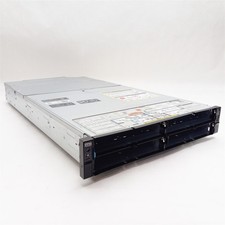
Dell PowerEdge FX2 FC630 Blade 4*Slot Server Chassis Enclosure NO BLADES/PSU/CMC
$199.97

Dell PowerEdge M620 Blade Server 2x Xeon E5-2680v2 256GB DDR3 RAM NO HDD
$349.99
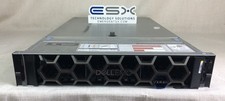
Dell R740XD VxRail P570 24x 2.5” 2U CTO Server– 2x Gold 6240, H740p, 2x 1600W
$699.00

Dell Poweredge C6400 24x 2.5’’ 2x 2400W 4x C6420 Nodes H330 | 2x SFP | 8x Trays
$799.99
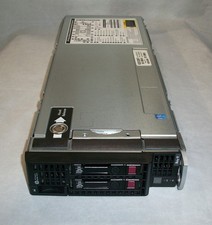
HP ProLiant BL460c Gen8 Blade Server 2x E5-2680 2.7GHz 128GB Ram 2x 300GB HDD
$750.00

Dell PowerEdge FX2 FX2s Server 10GbE CMC Blade Empty Chassis XJ6VP
$149.99
NEW Cisco UCSB-5108-AC2 Blade Server Chassis 8 Slot 6RU Chassis 4 X PSU - DW
$599.40

Dell PowerEdge M640 Blade Barebone Server Dell P/N: HHB006 Tested Working
$149.99