

 Reply With Quote
What kind of modem is it?


I looked in the KPPP help book and have my modem for windows as COM3 i chose the corrosponding selection under the device setup. when i try to query the modem it keeps telling me that it is busy, or not responding. is there a setting under windows that i should change to be able to dial up to my isp in knoppix?
What kind of modem is it?
If if those winmodems (like one that I have, it's a HCF V90 56k), you need 3rd party drivers from here: http://www.linuxant.com/company/. They work wonderful, but in order to get full speed u need to buy them, still they aren't that expensive.
i believe that my modem is a diamond 56k voice/fax modem.
Try this as root:then:Code:/etc/init.d/pppstatus restartThen try kppp.Code:/etc/init.d/ppp restart
You may also want to check and see if you selected the correct device in kppp.
i am not sure what the root is?
i just got knoppix about two weeks ago and this is my first time working with linux.
in a console typethat will make you root (the unix superuser, in plainspeak, the administrator).Code:sudo su
to exit root-statuswhen su'ed hit ctrl+d (or type exit and hit enter).
the console is a way to acess a *ix shell (mostly bash in linux),
the shell is a way to give conmands to the computer.
in linux there are lots of different consoles, aterm, konsole, xtem, rxvt...
in KDE it is konsole that is easiest to open, there is a icon (on the
bar at bottom) depicting a computer-screen with a shell (yes a little
game with words) klick on that and a black window will pop up, type comands in that window.
WARNING rant below WARNING
As Root you hava absolute power, enough to actualy damage
things (if you now how even hardware).
I would avice you to be sparing with using rootly powers.
experienced linux/unix users try to do as little as possible as root.
it is advisable to doublecheck what you type as root so nothing goes seriously wrong.
as user you can not damage the working system but as root you can wipe everyting.
hope i did not scare you away from linux with this rant
hope to help OErjan
i have the driver that i need now for linux to use my winmodem. i tried to install it, but don't have the root password for knoppix to finish the install. where can i get the password or how can i change it. i read that the password is locked. how might i go about unlocking it.
login as knoppix open a konsole and just write sudo su (then hit enter) in that console. that gives you root, to exit rootb just hit ctrl+d or type exit.
ok one last question for now...i hope. i got in and did all of that. now when i try to finish the install of the driver and it tells me that it is read only. is there a setting or a cheat code that i need to use to change this?
 Posting Permissions


Dell Poweredge R720 8SFF 2.5" x Xeon E5-2680 v2 2.8GHz 20-Cores 128gb 4x Trays
$349.99

Dell EMC PowerEdge R440 Xeon silver 4215 2.5GHz 16 GB ram 2x 550W PSU No HDD
$275.00

Dell PowerEdge R420 Rack Server Intel Xeon 1.90GHz Six-Core 8GB DDR3 RAM
$95.00

Dell PowerEdge R730XD Server 2x E5-2695 V4 = 36 Cores H730p 32GB RAM 4x trays
$649.99

Dell Poweredge R720 8SFF 2.5" 2x Xeon E5-2680 v2 2.8GHz 20-Cores 64gb 4x Trays
$259.99

Dell PowerEdge R620 2x Xeon E5-2630 v2 3.1GHz 2.5" 4-BAY 32GB RAM No OS 2x 495w
$174.95

Dell Poweredge R630 2x Xeon E5-2680 v3 2.5ghz 24-Cores / 64gb / Raid / 2x 1Tb
$374.99
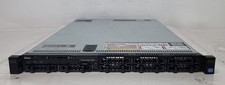
Dell PowerEdge R620 Dual Intel Xeon E5-2640 v2 @2.00GHz 192GB RAM No HDD H710P
$250.00

Dell PowerEdge R410 Rack Server Dual Intel Xeon 2.53GHz Quadcore 6GB DDR3 RAM
$95.00

Dell PowerEdge R530 2x E5-2630v4 H330 iDRAC8 Port Card Riser No PSU/RAM/HDD
$99.99