-
Boot options in hdinstall don't work
Hello!
When I run Knoppix directly from the CD, I need to add this options in order to display it properly on my computer (otherwise my computer will go blank and display an "out of range" error). This is the command: KNOPPIX screen=800x600 vsync=85 and when it boots it works perfectly. Now, that I install Knoppix on my hard drive, that command doesn't work. I install LILO so it gives me an options to run either Linux or Windows(hda1). So I select linux and type this exactly, Linux screen=800x600 vsync=85, let it boot but does'nt work. I also tried linux knoppix screen=800x600 vsync=85 and it still doesn't work. In the docs, it say that you can modified /etc/liloconfig file and add those parameters under append it should work. I do that and save it, but when I restart it doesn't work. Then I go to terminal (CTRL+ALT+F1) and open that file and their is nothing next to append. It looks they been deleted. I run out of ideas, oh, yes, I also tried xf86config and added all the stuff from my monitor specs but still doesn't work. Like I said, the way I got it to work was by just adding those parameters at boot, but they only work from CD not HD. How can I issue those parameters on the boot sequence?? Thanks for all your help, any answers would be appreciated  K4EVER!
Similar Threads
-
By Taldor in forum Hardware & Booting
Replies: 7
Last Post: 08-29-2004, 07:45 PM
-
By gazza in forum Hdd Install / Debian / Apt
Replies: 2
Last Post: 02-18-2004, 09:18 PM
-
By FelixDzerzhinsky in forum Hdd Install / Debian / Apt
Replies: 3
Last Post: 01-13-2004, 06:41 PM
-
By FelixDzerzhinsky in forum Hdd Install / Debian / Apt
Replies: 5
Last Post: 11-08-2003, 04:20 PM
-
By Kahhhtt in forum Hdd Install / Debian / Apt
Replies: 3
Last Post: 03-29-2003, 12:47 PM
 Posting Permissions
- You may not post new threads
- You may not post replies
- You may not post attachments
- You may not edit your posts
-
Forum Rules

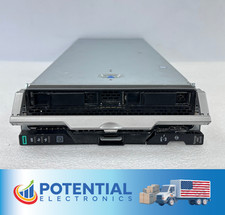
HPE Synergy 480 Gen10 Blade Server BAREBONES NO CPU, RAM OR HDD 🚚
$140.00
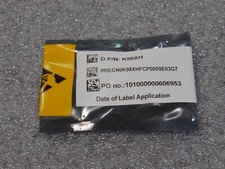
NEW DELL TRUSTED PLATFORM MODULE TPM 2.0 POWEREDGE T430 T630 G13 SERVERS K98XH
$225.00
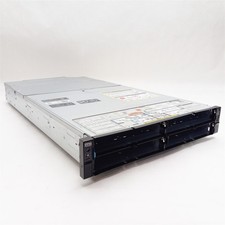
Dell PowerEdge FX2 FC630 Blade 4*Slot Server Chassis Enclosure NO BLADES/PSU/CMC
$199.97

Dell PowerEdge M630 Blade Server 2x Xeon E5-2680 v4, 2F3MP , 4GDP5 ,R10KJ ,JVFVR
$96.60

NETAPP HCI NAF-1701 SuperMicro Server 4X BLADE H410C 8X GOLD 5120 4 NODE SERVER
$1499.97

Dell PowerEdge FX2 FX2s Server 10GbE CMC Blade Enclosure Chassis
$274.99

Dell PowerEdge VRTX 2.5"x25 Bay Blade Enclosure 4x1600W + 4X M640 (4X Blades)
$1599.99
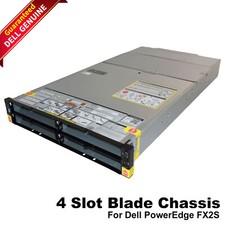
Dell PowerEdge FX2 FX2s Server 10GbE CMC Blade Empty Chassis XJ6VP
$149.99

Dell PowerEdge M640 Blade Barebone Server Dell P/N: HHB006 Tested Working
$149.99

Supermicro 938-16 16-LFF MicroCloud SuperServer 5038MR-H8TRF *No Blade Servers*
$159.99



 Reply With Quote